tmux/Mode/Tree
tmux Tree Mode
- Tree mode is the hierarchical form of tmux/Mode/Choose. It replaces a pane with a tree of sessions, windows, and panes; each level may be expanded or collapsed.
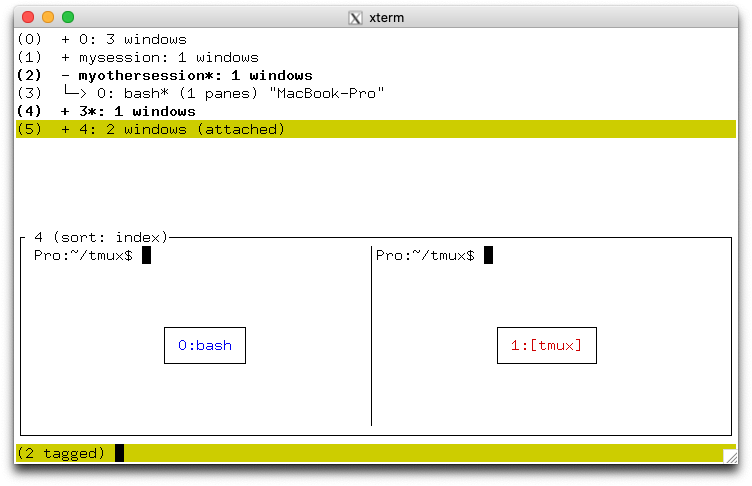
Entering tree mode
- tmux/Command/choose-tree enters tree mode directly.
- tmux/Prefix
s runs choose-tree -Zs, opening the tmux/session/Picker with sessions initially collapsed. - tmux/Prefix
w runs choose-tree -Zw, opening the same mode with windows initially collapsed. choose-session and choose-window are command aliases for choose-tree -s and choose-tree -w.-Z zooms the pane while tree mode is open.- With neither
-s nor -w, the tree is built all the way down to panes and every branch starts open — choose-tree -Z is the way in when the whole hierarchy should be visible at once.
Working in tree mode
- Navigate and expand the hierarchy, search or filter it, change its tmux/session/Picker/Order, tag items, reorder or kill windows, mark a pane, and toggle the preview.
M-+ (tmux/session/Picker/Keyshort/Expand all items) only reaches the depth the tree was built with, so it opens sessions after -s and does nothing at all after -w. Panes come from +, Key/Arrow/Right, or l on a single window — or from entering with choose-tree -Z.- Press
Enter to choose the selected item and q to return to the starting pane. F1 or C-h opens tmux/session/Picker/Help.tree-mode-preview-format and tree-mode-preview-style configure the preview indicator.