Zoom H5/UG/14 Other Functions/02 Older SD Cards
Using SD cards from older H series recorders
- The H5 can read an SD card used in an older ZOOM H series recorder and move its files so the H5 can use them.
- 1. Insert the SD card, then turn the H5 on.
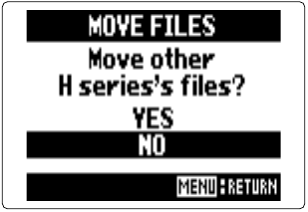
- 2. When the H5 asks
Move other H series's files?, use the scroll button to selectYES, and press it. Note/Info This function cannot move projects created by an H6.
Note/Info Moving files created in
4CH MODEcreates a project namedZOOMXXXX.Note/Info Each moved file gets the name of the H series model it came from added to the start of its name.
Note/Info A file cannot be moved while a file with the same name exists at the destination. Change the file name first.