Zoom H5/UG/14 Other Functions/01 Firmware Update
Properties
- logseq-entity
- Logseq/Entity/Book/Section/Level 2
Updating the firmware
- The H5's firmware can be updated to the latest version.
- 1. Copy the firmware update file to the root directory of the SD card.
- Download the latest update file from the ZOOM website (zoomcorp.com).
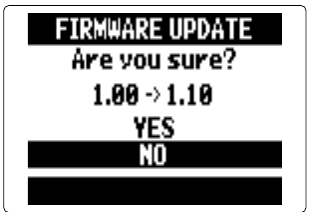
- 2. Insert the SD card into the H5, then turn the power on while pressing PLAY/PAUSE.
- 3. Use the scroll button to select
YES, and press it. - 4. When the screen shows
Complete!andPlease power off., turn the power off. Note/Info The update cannot run when the remaining battery power is too low. Install new batteries or use an AC adapter (Zoom H5/UG/07 Prep/01 Power).