Zoom H5/UG/13 Settings/12 Format SD
Properties
- logseq-entity
- Logseq/Entity/Book/Section/Level 2
Formatting SD cards
- Format an SD card in the H5 to prepare it for use.
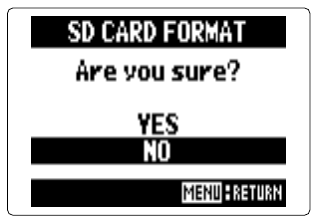
- 1. Press MENU, then use the scroll button to select
SD CARD > FORMAT. - 2. At
Are you sure?, selectYESand press the scroll button. Note/Info Format a newly bought SD card, or one formatted on a computer, in the H5 before using it.
Note/Warning Formatting deletes all data on the SD card.