Zoom H5/UG/13 Settings/07 Backlight
Changing the display backlight setting
- To save power, the display backlight can turn off when the H5 is left untouched.
- 1. Press MENU, then use the scroll button to select
SYSTEM > BACKLIGHT. - 2. Use the scroll button to change the setting, then press it.
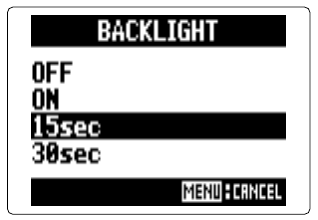
- Backlight screen
OFF — backlight off.ON — backlight on.15sec — backlight turns off after 15 seconds without an operation.30sec — backlight turns off after 30 seconds without an operation.