Zoom H5/UG/13 Settings/06 Counter/01 Recording
Set how time is shown during recording
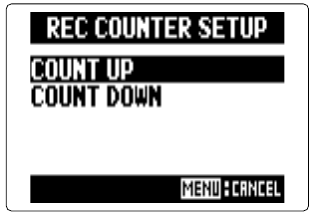
- While recording, the counter can show the elapsed recording time (count up) or the recording time still available (count down).
- 1. Press MENU, then use the scroll button to select
REC > COUNTER SETUP. - 2. Select
COUNT UP or COUNT DOWN and press the scroll button.- Recording counter setup screen