Zoom H5/UG/13 Settings/01 Low Cut
Properties
- logseq-entity
- Logseq/Entity/Book/Section/Level 2
Reducing noise (low cut filter)
- The low cut filter reduces low-frequency noise such as wind and vocal pops.
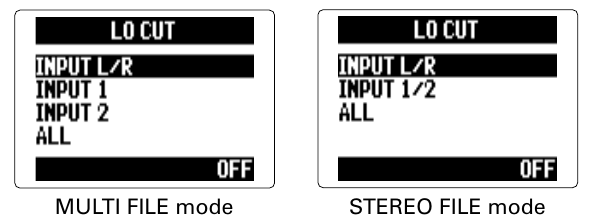
- 1. Press MENU, then use the scroll button to select
IN/OUT > LO CUT. - 2. Use the scroll button to select the input to filter, then press it.
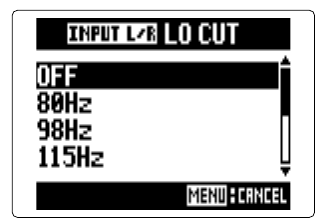
- 3. Use the scroll button to select the cutoff frequency, then press it.
Note/Info The low cut filter is not applied to backup recordings (Zoom H5/UG/08 Recording/12 Backup Rec).