Zoom H5/UG/12 Tools/09 Auto Rec Settings/01 Start Level
Setting the automatic recording start level
- 1. Press MENU, then use the scroll button to select
REC > AUTO REC > REC START LEVEL. - 2. Use the scroll button to set the start level, then press it.
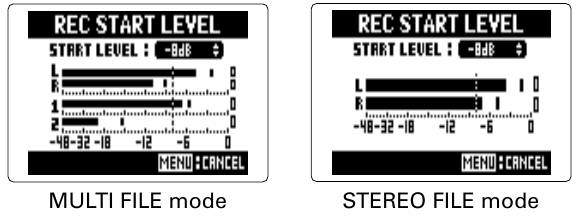
- Start level screens in
MULTI FILE and STEREO FILE modes - A dotted line on the level meters marks the start level.
- The start level can be set from −48 dB to 0 dB.
- Recording starts automatically when the input level goes above the start level.