Zoom H5/UG/12 Tools/05 MS-RAW Monitoring
Properties
- logseq-entity
- Logseq/Entity/Book/Section/Level 2
Monitoring MS-RAW signals
- Available in MS-RAW mode only. MS-RAW mode is set with the side mic level; see Zoom H5/UG/08 Recording/11 Side Mic Level.
- When recording in MS-RAW mode with an MS capsule, you can monitor the unprocessed mic signals: the mid mic in the left channel and the side mic in the right channel.
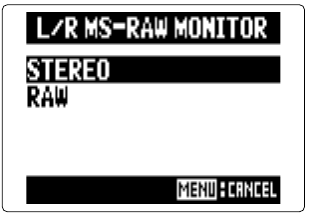
- 1. Press MENU, then use the scroll button to select
IN/OUT > L/R MS-RAW MONITOR. - 2. Use the scroll button to select
RAW, then press it. Note/Info Select
STEREOto monitor an ordinary stereo mix.