Zoom H5/UG/12 Tools/02 Metronome
Properties
- logseq-entity
- Logseq/Entity/Book/Section/Level 2
Using the metronome
- The metronome can count in before recording or play as a click track.
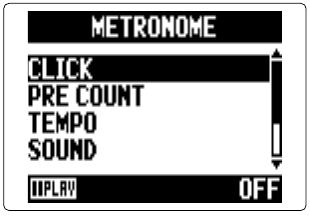
- 1. Press MENU, then use the scroll button to select
TOOL > METRONOME. - 2. Use the scroll button to select a setting, then press it.
Note/Info On any metronome setting screen, press PLAY/PAUSE to hear the current settings.
CLICK
PRE COUNT
- Sets the count-in before recording. See Zoom H5/UG/08 Recording/10 Count In.
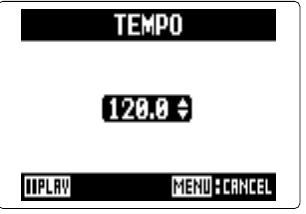
TEMPO
SOUND
PATTERN
LEVEL
Note/Info The metronome cannot be used together with Zoom H5/UG/08 Recording/08 Auto Rec. Turning
AUTO RECon disables the metronome.Note/Info The metronome cannot be used together with Zoom H5/UG/08 Recording/09 Pre-Rec. Turning the metronome on disables
PRE REC.