Zoom H5/UG/11 USB/03 Interface Settings/01 Direct Monitoring
Making direct monitoring settings
- Direct monitoring outputs the sound at the H5's inputs directly, before it passes through the connected computer or iPad. You hear the inputs without latency.
- 1. Press MENU, then use the scroll button to select
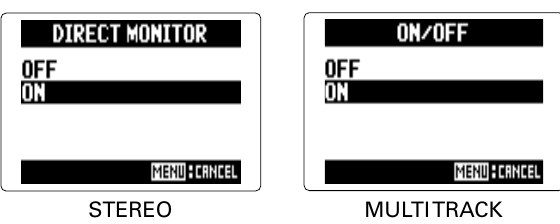
IN/OUT > DIRECT MONITOR.- In
STEREO mode this opens the OFF/ON choice; go to step 3.
- 2. In
MULTI TRACK mode, select ON/OFF and press the scroll button. - 3. Select
ON and press the scroll button. MENU cancels.- Direct monitor setting in STEREO and MULTI TRACK