Zoom H5/UG/11 USB/01 Card Reader
Properties
- logseq-entity
- Logseq/Entity/Book/Section/Level 2
Data exchange with computers (card reader)
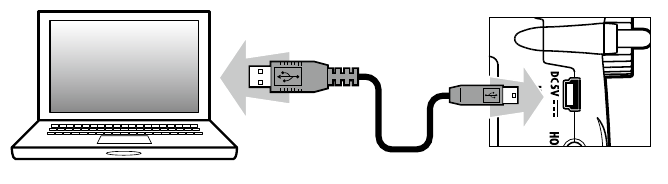
- Connected to a computer, the H5 works as a card reader, so you can check and copy the data on its SD card.
- 1. Press MENU, then use the scroll button to select
USB > SD CARD READER. - 2. Connect the H5's USB port to the computer with a USB cable.
- 3. Before unplugging the cable, disconnect the H5 on the computer.
- 4. Unplug the cable from the computer and the H5, then press MENU.