Zoom H5/UG/10 Project and File Editing/07 Divide
Dividing projects/files
- Split a project or file into two parts at any point.
- 1. Press MENU, then use the scroll button to select
PROJECT(MULTI FILE mode) orFILE LIST(STEREO FILE mode). - 2. Select the project or file to divide, then select
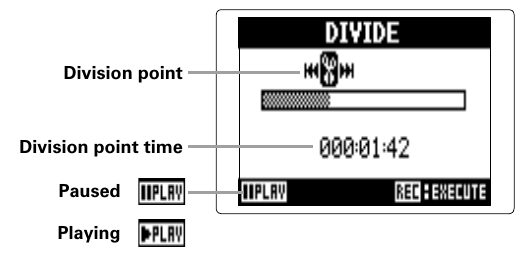
EDIT > DIVIDE. - 3. Set the division point.
- 4. Select
YES. Note/Info The part before the division point keeps the original name with
Aadded to the end. The part after it getsB.Note/Info If a track holds several recordings, including overdubs, only the file currently selected for that track is divided. All other files stay with the part before the division point.