Zoom H5/UG/10 Project and File Editing/02 Track Marks
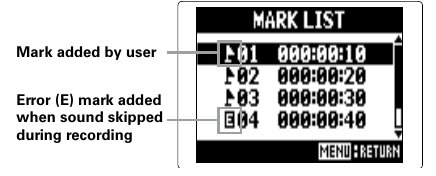
Checking track marks
- WAV format only. List the marks in a recorded project or file.
- Marks are added while recording or playing back. See Zoom H5/UG/08 Recording/06 Recording and Zoom H5/UG/09 Playback/01 Basic Playback.
- 1. Press MENU, then use the scroll button to select
PROJECT(MULTI FILE mode) orFILE LIST(STEREO FILE mode). - 2. Select the project or file to check, then select
OPTION > MARK LIST. Note/Info Select a mark and press the scroll button to start playback from that mark.