Zoom H5/UG/09 Playback/05 Speed
Properties
- logseq-entity
- Logseq/Entity/Book/Section/Level 2
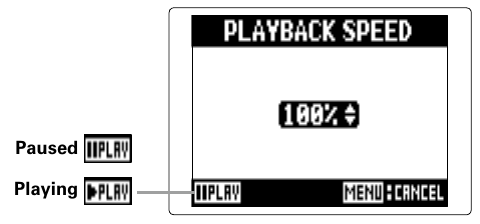
Changing the playback speed
- Playback speed can be set from 50% to 150% of normal.
- 1. Press MENU, then use the scroll button to select
PROJECT(MULTI FILE mode) orFILE LIST(STEREO FILE mode). - 2. Use the scroll button to select the project or file to adjust, then press the scroll button.
- 3. Use the scroll button to select
OPTION > PLAYBACK SPEED. - 4. Move the scroll button up or down to set the speed, then press the scroll button.
Note/Info In MULTI FILE mode, each project keeps its own speed setting. In STEREO FILE mode, one setting applies to every file.
Note/Info
PLAYBACK SPEEDis disabled on theMIXER/OVERDUBscreen.