Zoom H5/UG/09 Playback/03 Playback Mode
Changing the playback mode
- The playback mode decides what plays after the selected project or file.
- 1. Press MENU, then use the scroll button to select
PLAY > PLAY MODE. - 2. Use the scroll button to select the playback mode, then press the scroll button.
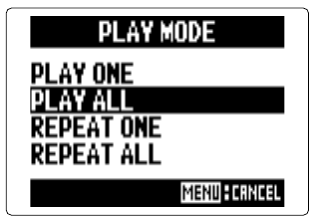
- Play mode screen
PLAY ONE — plays only the selected project or file.PLAY ALL — plays from the selected project or file through to the last one.REPEAT ONE — plays the selected project or file over and over.REPEAT ALL — plays every project or file in the selected folder over and over.- MENU cancels.