Zoom H5/UG/08 Recording/06 Recording
Recording
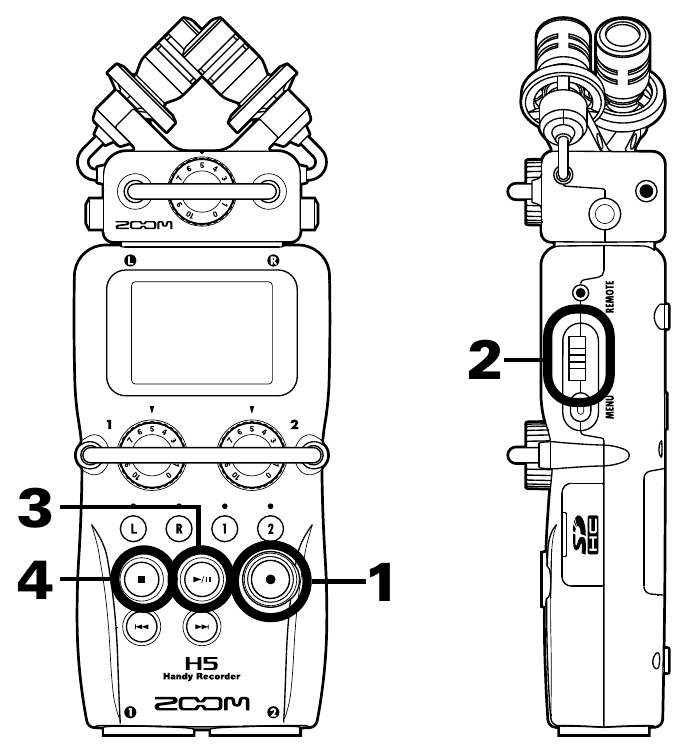
- Recording controls: REC (1), scroll button (2), PLAY/PAUSE (3), STOP (4)
- 1. Press REC to start recording.
- 2. Press the scroll button to add a mark, a reference point for playback.
- 3. Press PLAY/PAUSE to pause.
- 4. Press STOP to stop.
Note/Info In MULTI FILE mode, when a file grows past 2 GB the H5 starts a new file in the same project and keeps recording without a break. The file names end in
-0001,-0002and so on.Note/Info In STEREO FILE mode, when a file grows past 2 GB the H5 starts a new file in the same folder and keeps recording without a break.