Zoom H5/UG/07 Prep/05 Battery Type
Setting the type of battery used
- Set the battery type so the H5 shows the remaining charge accurately.
- 1. Press MENU, then use the scroll button to select
SYSTEM > BATTERY TYPE. - 2. Use the scroll button to select the type, then press the scroll button.
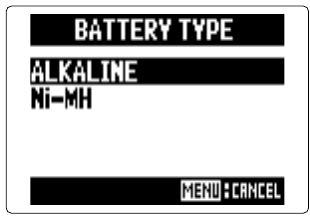
- Battery type screen
ALKALINE — alkaline batteriesNi-MH — rechargeable nickel-metal hydride batteries- MENU cancels.