Zoom H5/UG/07 Prep/02 SD Card
Properties
- logseq-entity
- Logseq/Entity/Book/Section/Level 2
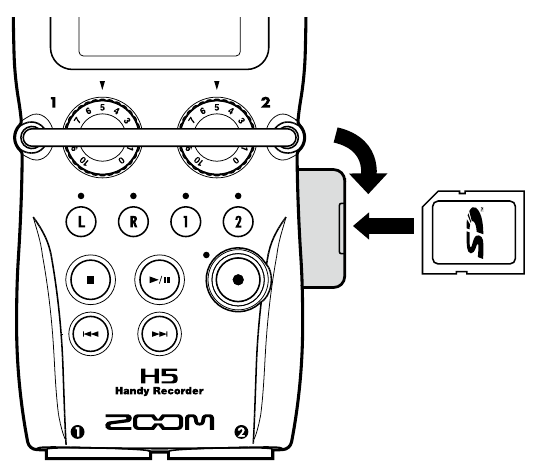
Loading an SD card
- 1. Turn the power off, then open the SD card slot cover on the right side.
- 2. Insert the SD card into the slot.
- To eject a card, push it further into the slot, then pull it out.
Note/Info Always turn the power off before inserting or removing an SD card. Inserting or removing a card with the power on can cause data loss.
Note/Info The H5 cannot record or play back without an SD card.
Note/Info To prepare a card, see Zoom H5/UG/13 Settings/12 Format SD.