Zoom H5/UG/07 Prep/01 Power
Properties
- logseq-entity
- Logseq/Entity/Book/Section/Level 2
Supplying power
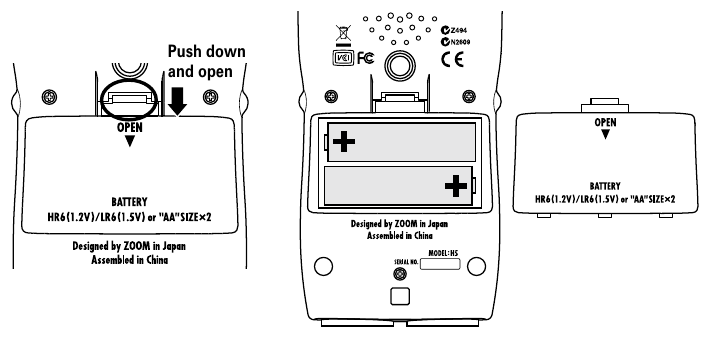
Using batteries
- 1. Turn the power off, then remove the battery cover.
- 2. Install two AA batteries, matching the + marks in the compartment.
- 3. Replace the battery cover.
Note/Info Use alkaline batteries or rechargeable NiMH batteries.
Note/Info When the battery indicator is empty and
Low Battery!appears, turn the power off at once and install new batteries.Note/Info Set the type of battery in use: Zoom H5/UG/07 Prep/05 Battery Type.
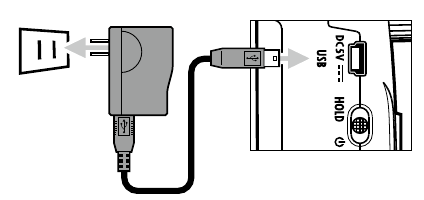
Using an AC adapter
- 1. Connect the adapter's USB cable to the USB port.
- 2. Plug the adapter into an outlet.
Note/Warning Use only a ZOOM AD-17 AC adapter. See Zoom H5/UG/01 Safety.