Zoom H5/UG/06 Display
Display overview
Home/Recording screen
MULTI FILE mode
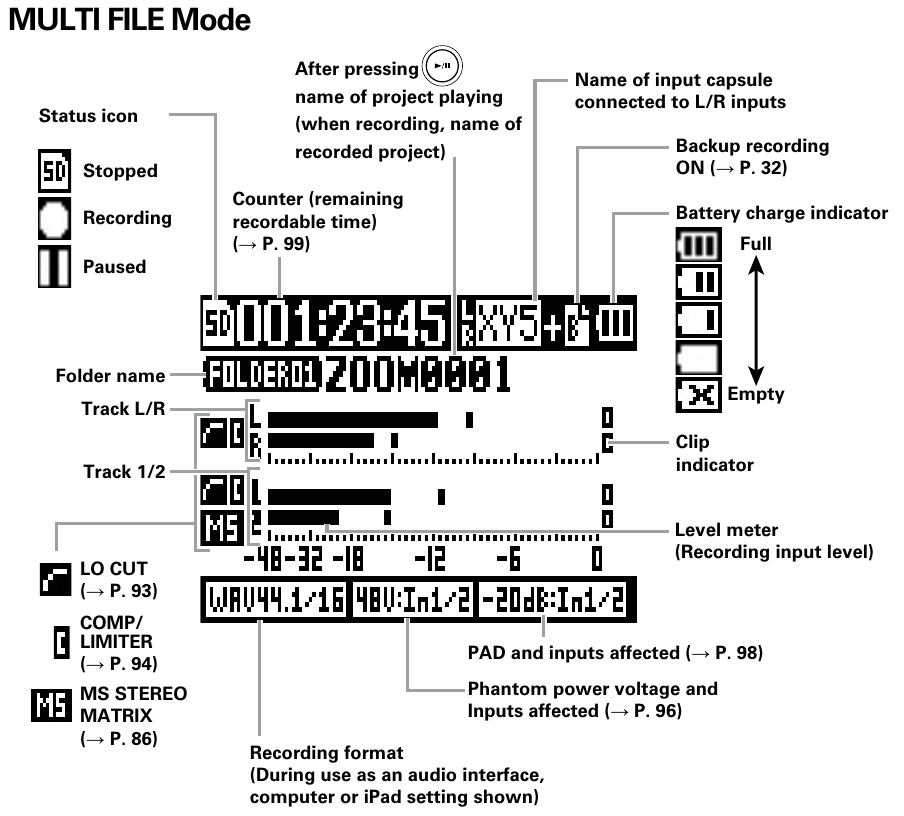
- Home/Recording screen in MULTI FILE mode
- Top row
- Status icon — the recorder's state.
SD — stopped- Solid round icon — recording
- Two bars — paused
- Counter — the remaining recordable time. See Zoom H5/UG/13 Settings/06 Counter/01 Recording.
- Input capsule name — the mic capsule connected to the L/R inputs, such as
XY5. - Backup recording icon — appears when backup recording is on. See Zoom H5/UG/08 Recording/12 Backup Rec.
- Battery charge indicator — three bars when full, fewer as the charge drops, and an X when empty.
- Second row
- Folder name, such as
FOLDER01. - Project name — after pressing PLAY/PAUSE, the project playing; while recording, the project being recorded.
- Meters
- Track L/R and Track 1/2 — one level meter per input, showing the recording input level on a scale from −48 to 0 dB.
- Clip indicator — at the right end of each meter; marks a track whose signal has clipped.
- Icons to the left of each track pair show the input settings in use:
- Bottom row
STEREO FILE mode
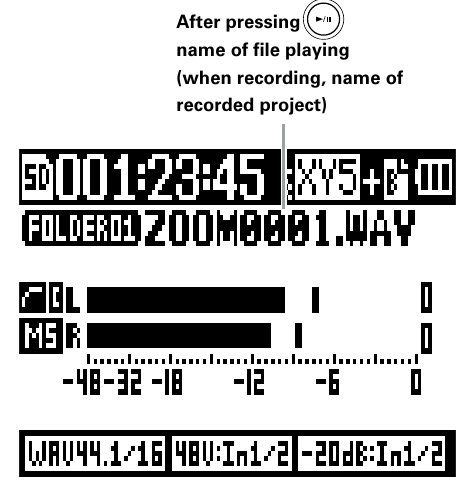
- Home/Recording screen in STEREO FILE mode
- The screen shows the same elements as MULTI FILE mode, with a single stereo meter.
- The name field shows a file name with its extension, such as
ZOOM0001.WAV. After pressing PLAY/PAUSE, it shows the file playing; while recording, the file being recorded.
Playback screen
MULTI FILE mode
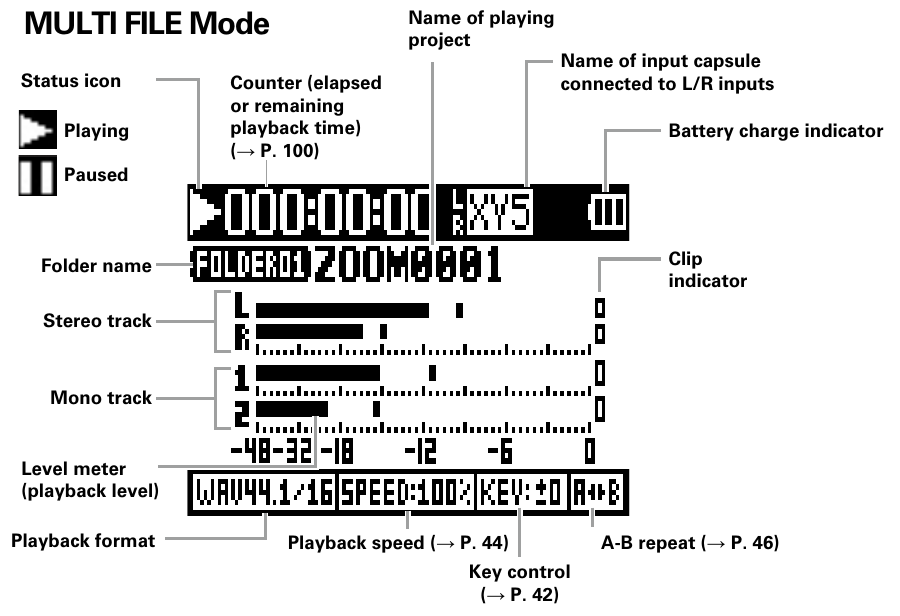
- Playback screen in MULTI FILE mode
- Top row
- Status icon — the playback state.
- ► — playing
- Two bars — paused
- Counter — the elapsed or remaining playback time. See Zoom H5/UG/13 Settings/06 Counter/02 Playback.
- Input capsule name — the mic capsule connected to the L/R inputs.
- Battery charge indicator.
- Second row
- Folder name and the name of the project playing.
- Meters
- Stereo track — a pair of meters,
L and R. - Mono track — one meter per track,
1 and 2. - Level meter — the playback level of each track.
- Clip indicator — at the right end of each meter.
- Bottom row
STEREO FILE mode
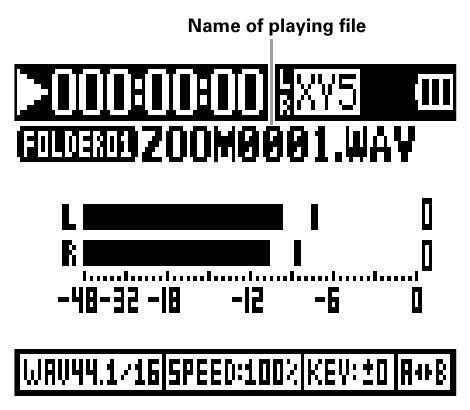
- Playback screen in STEREO FILE mode
- The screen shows the same elements as MULTI FILE mode, with a single stereo meter and the name of the file playing.