Zoom H5/UG/03 Parts
Names of parts
Left and front
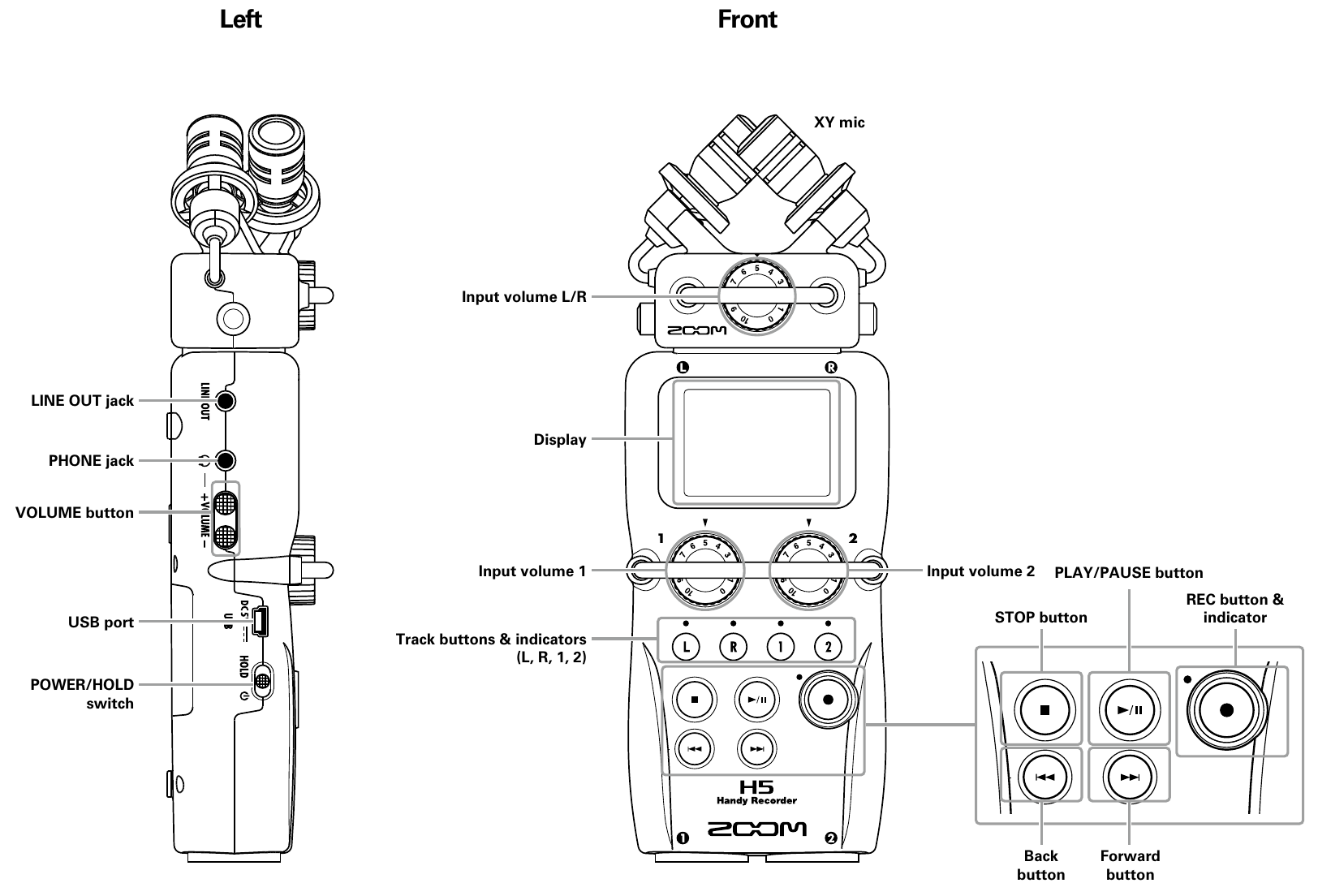
- Left side and front panel
- The left side carries the LINE OUT jack, the PHONE jack, the VOLUME +/− button for headphone and speaker level, the USB port, and the POWER/HOLD switch.
- The XY mic sits on top, with its own Input volume L/R knob. Below the display are the Input volume 1 and Input volume 2 knobs, one per bottom input.
- The Track buttons L, R, 1 and 2 select which inputs record; each has an indicator above it.
- The transport buttons are STOP, PLAY/PAUSE, REC with its indicator, Back, and Forward.
Right, back and bottom
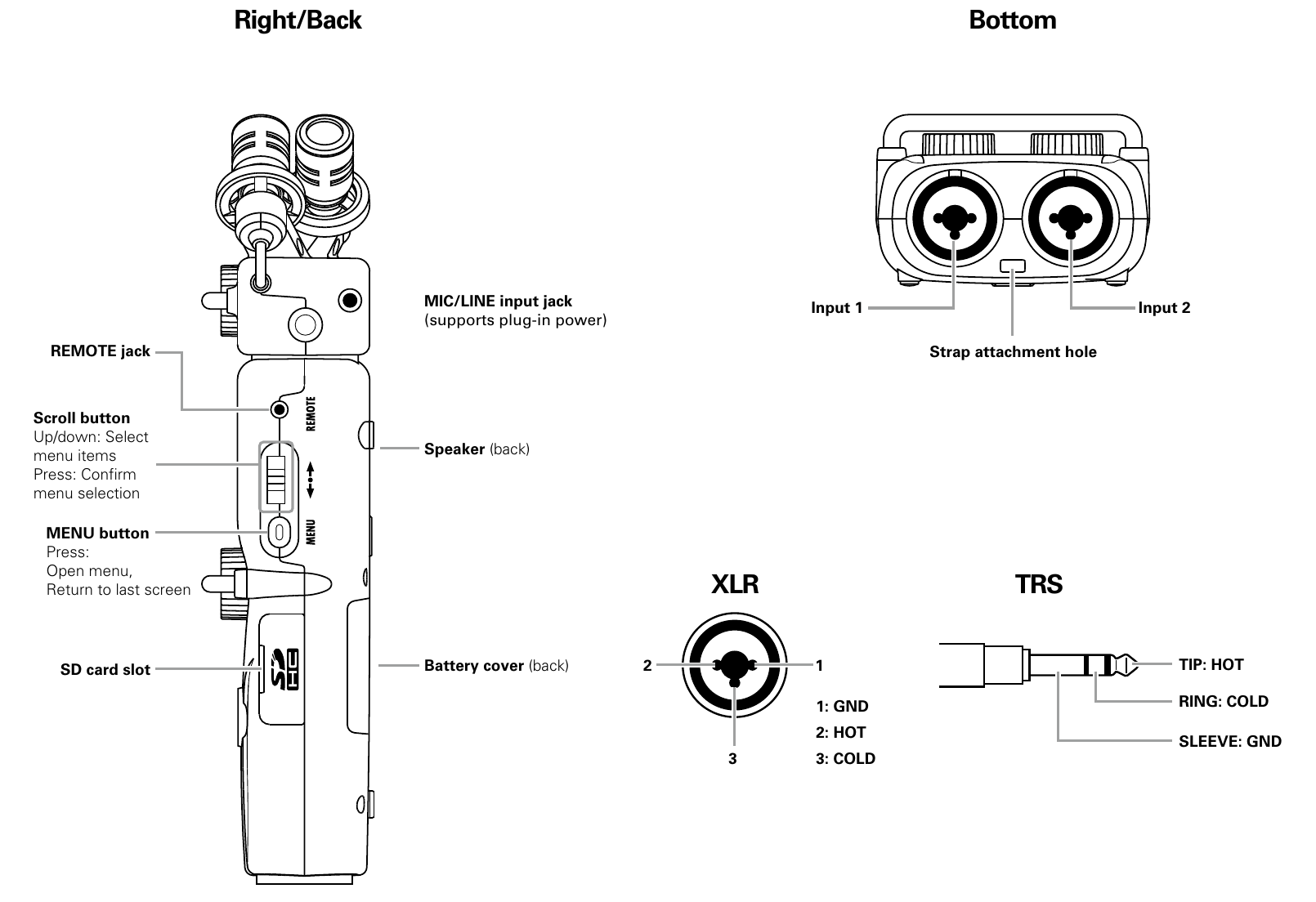
- Right side, back and bottom
- The right side carries the REMOTE jack, the scroll button, the MENU button, and the SD card slot.
- Move the scroll button up or down to select menu items. Press it to choose the selected item.
- Press MENU to open the menu or return to the previous screen.
- The XY mic has a MIC/LINE input jack that supports Zoom H5/UG/13 Settings/04 Plug-in Power.
- The speaker and the battery cover are on the back.
- Input 1 and Input 2 are XLR/TRS combo jacks on the bottom, with a strap attachment hole between them.
- XLR wiring: pin 1 GND, pin 2 HOT, pin 3 COLD.
- TRS wiring: tip HOT, ring COLD, sleeve GND.