VSCode/Docs/Languages/Python/Tutorial
Properties
- Get Started Tutorial for Python in Visual Studio Code
- install VSCode/Extension/Python Python - Visual Studio Marketplace
logbook- This automatically installs two other extensions
- VSCode/Extension/Pylance - Pylance - to provide performant Python language support
- VSCode/Extension/Python/Debugger - Python Debugger - to provide a seamless debug experience with Py/debugpy
- This automatically installs two other extensions
- get a python interpreter to work
- prove IntelliSense works
- bookmark links to getting more advanced VSCode/Language/Python features
- import into #Readwise/Reader Editing Python Code in Visual Studio Code VSCode/Docs/Python/Editing
logbook - import into #Readwise/Reader Linting Python in Visual Studio Code VSCode/Docs/Python/Linting
- import into #Readwise/Reader Editing Python Code in Visual Studio Code VSCode/Docs/Python/Editing
- Run Py code
logbook- it works for me, using my environment
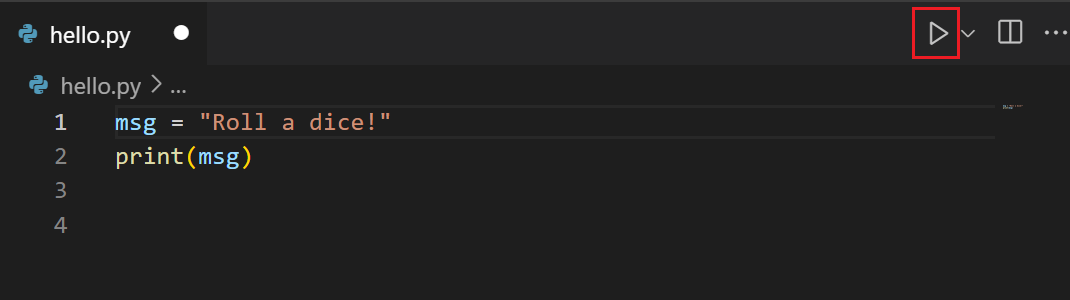
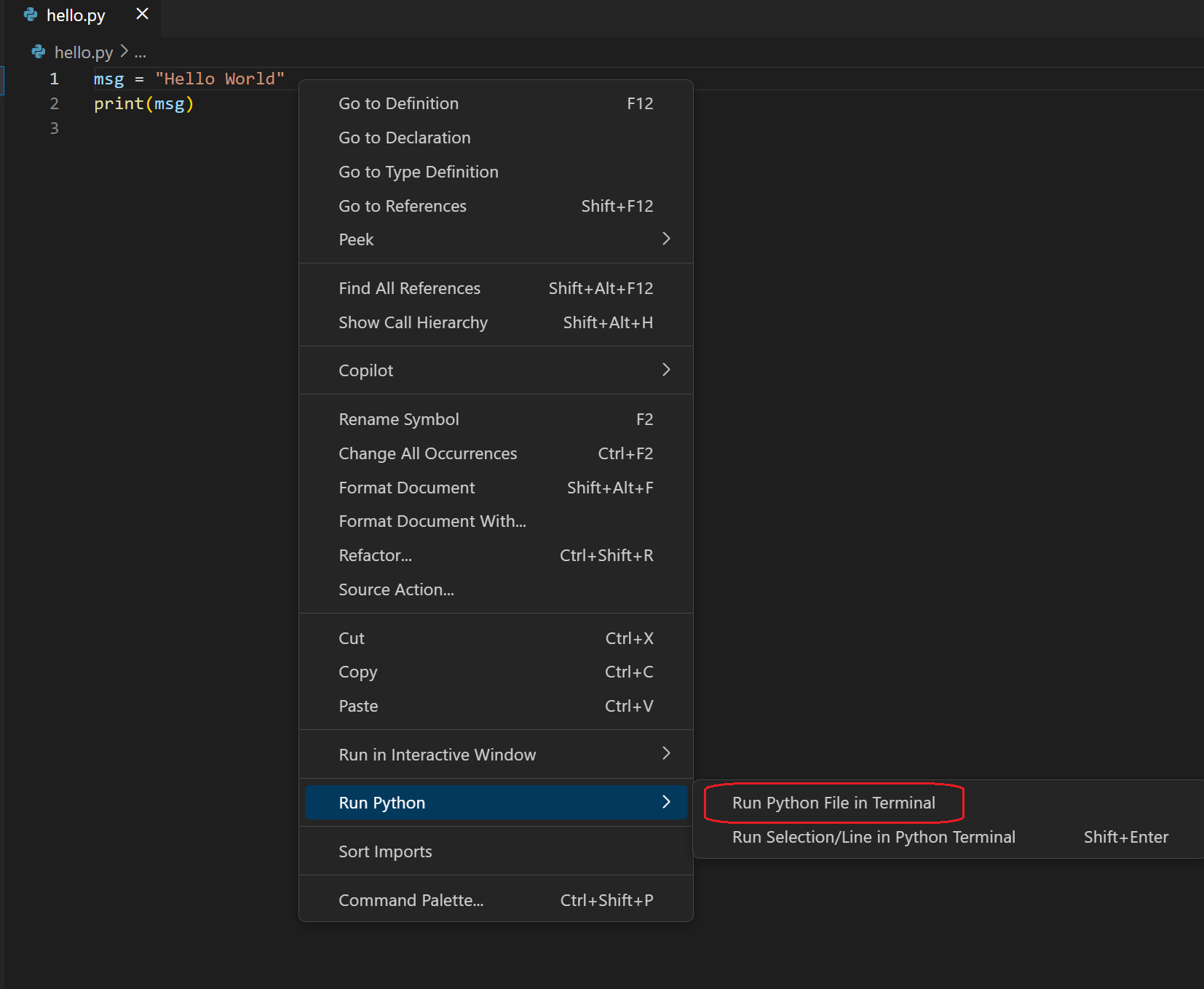
four ways to run #Py in #VSCode
How to run python file #Button #Mouse #card
How to run python file in terminal - #Mouse #card
How to run selected lines #card #Keyshort and #Mouse methods, plus smart send
How to start python REPL #card #Keyshort
Configure and run the debugger
What is the #VSCode #Keyshort to open the VSCode/Extension/View and search for an installed extension? #card
#VSCode #Keyshort to set or unset a Debugger/Breakpoint on the current line in VSCode/Debugger #card
#VSCode #Keyshort to initialize the VSCode/Debugger #card
The main #VSCode VSCode/Debugger #Keyshorts
What is the VSCode/Debugger #Keyshort and logo for Debugger/Action/Continue ? #card
What is the VSCode/Debugger #Keyshort and logo for Debugger/Action/Step/Over? #card
- VSCode/Command/Debug/Step Over Debug: Step Over
- Keyshort: F10
- image.png - step over (F10)
- you can remember this because from left to right, F9-F12 are in the right order from left to right of when you need them. F10 is what you need after F9
- VSCode/Keymap
- VSCode/Command/Debug/Step Over Debug: Step Over
What is the VSCode/Debugger #Keyshort and logo for Debugger/Action/Step/Into? #card
What is the VSCode/Debugger #Keyshort and logo for Debugger/Action/Step/Out? #card
What is the VSCode/Debugger #Keyshort and logo for Debugger/Action/Restart? #card
What is the VSCode/Debugger #Keyshort and logo for Debugger/Action/Stop? #card
Links