VSCode/Docs/Editor/Testing
logbook- The Test Explorer provides a centralized place to manage and run your tests.
- you can also run and debug tests and set breakpoints in your test
- You can also run tests with coverage to see how much of your code is covered by your tests.
- you can create tasks to run your tests, and optionally run your tests in the background with every code change.
- They link to the VSCode/Extension/Python
Set up your environment
- Configure tests by running the
Configure Tests command 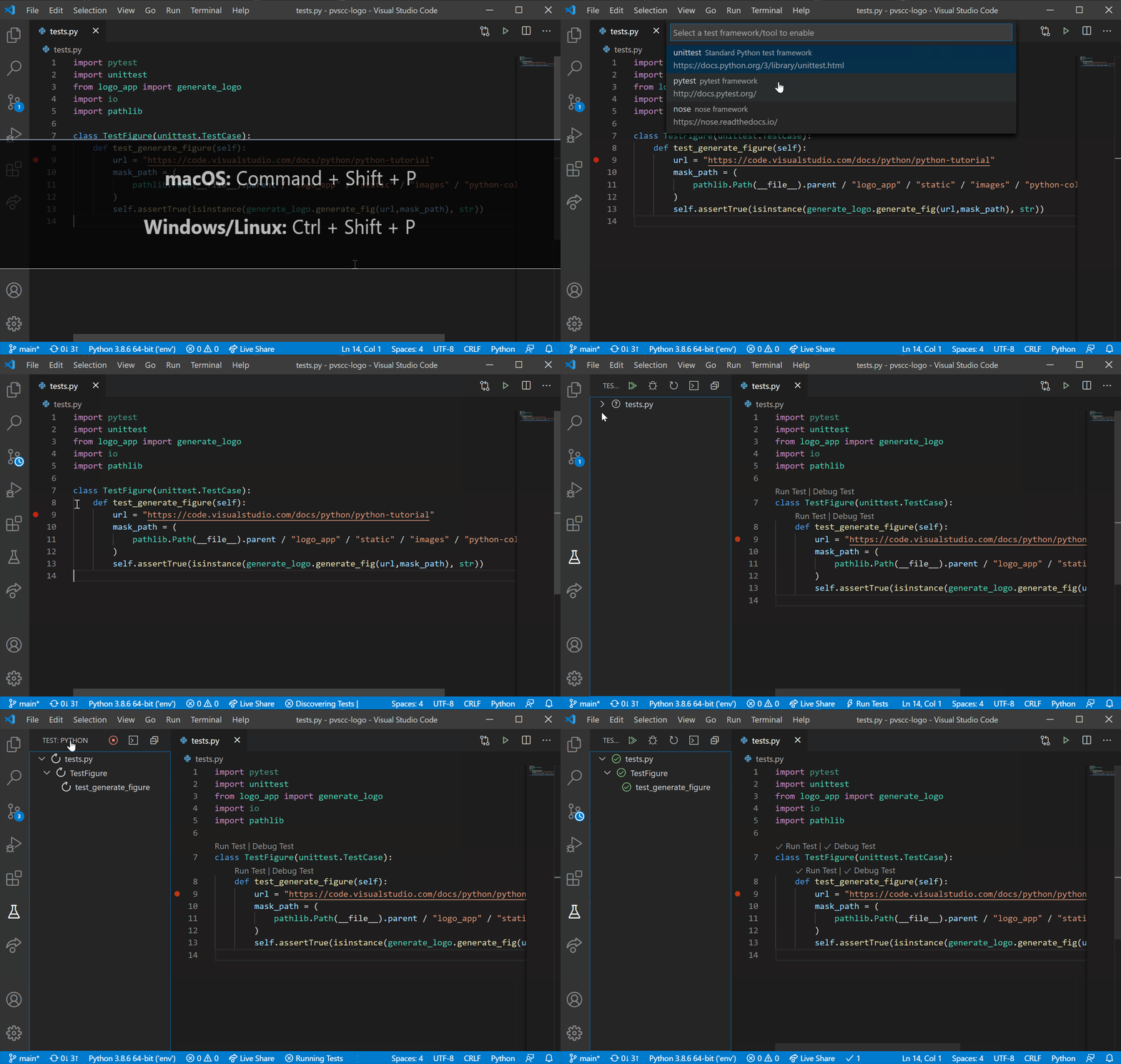
How do I access the #VSCode Test Explorer with a #Keyshort, and what is its icon?
- You can access the Test Explorer view by selecting the beaker icon in the Activity Bar or by using the Testing: Focus on Test Explorer View command in the Command Palette (⇧⌘P).
- image.png
How can I quickly filter results for a particular test in the #VSCode Test Explorer #Keyshort or #Syntax?
- use the Filter button to filter tests by status or only show tests for the current file.
- use the search box to search for specific tests by name
- use @executed to find executed tests
- use !subtraction to filter out certain tests with the string subtraction in them
