Microfreak/UG/19 Appendix B Vocoder/08 Global Settings/03 Set Gain/03 External Sources
19.8.3.3. Connecting external sources
- An external audio source can modulate the vocoder, including a guitar, drum machine, phone, tablet, or Eurorack mixer. Match its output level to the MicroFreak input: these sources are usually much louder than a microphone.
- Approximate output levels: microphones -60 to -40 dBU; guitar -20 dBU; phones and tablets -7.78 dBU; Eurorack +13 dBU.
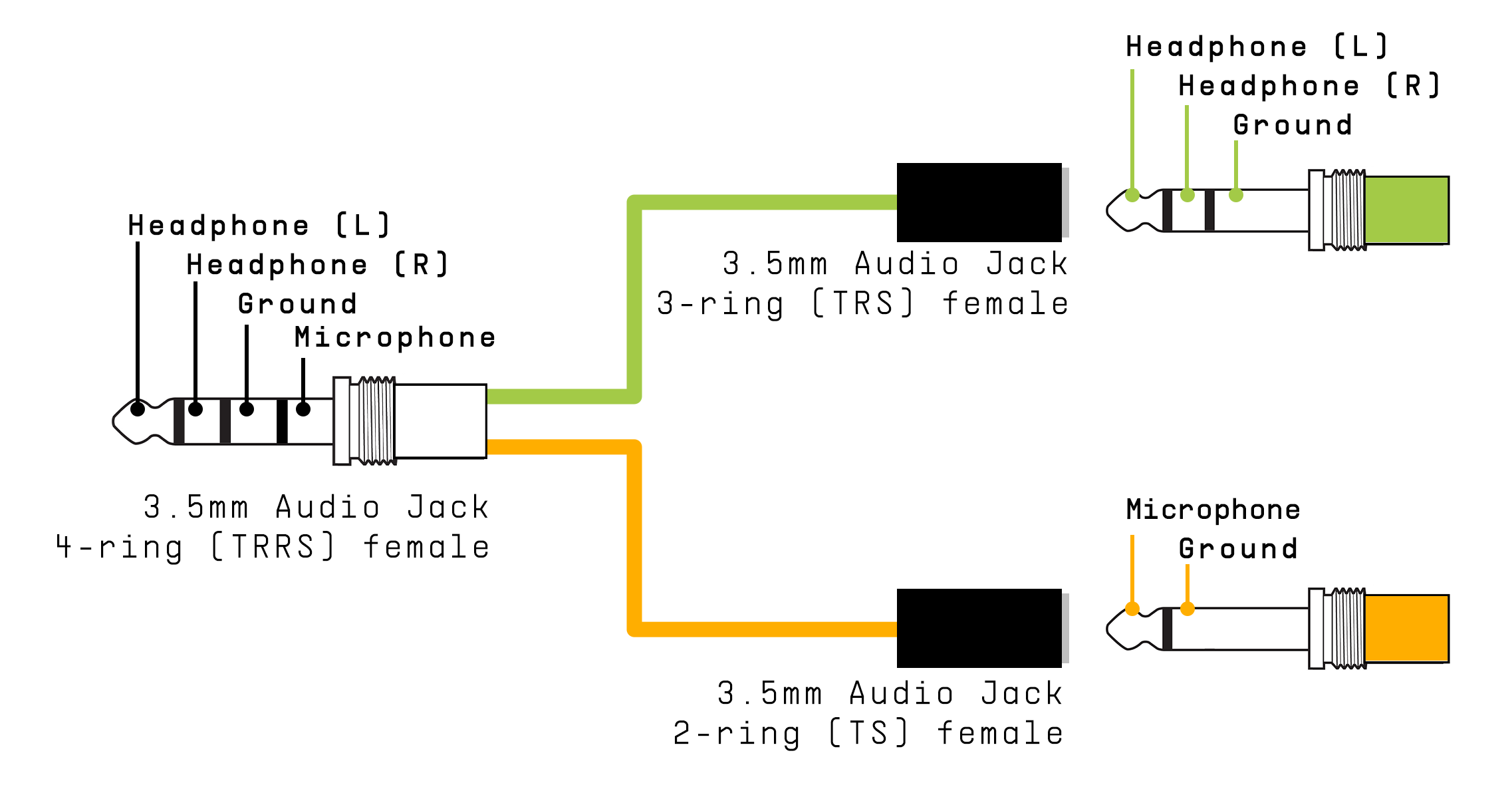
- Use a headphone/microphone splitter that connects the source to the mic contact of the MicroFreak’s 3.5 mm TRRS jack.
- Headphone/Microphone Splitter
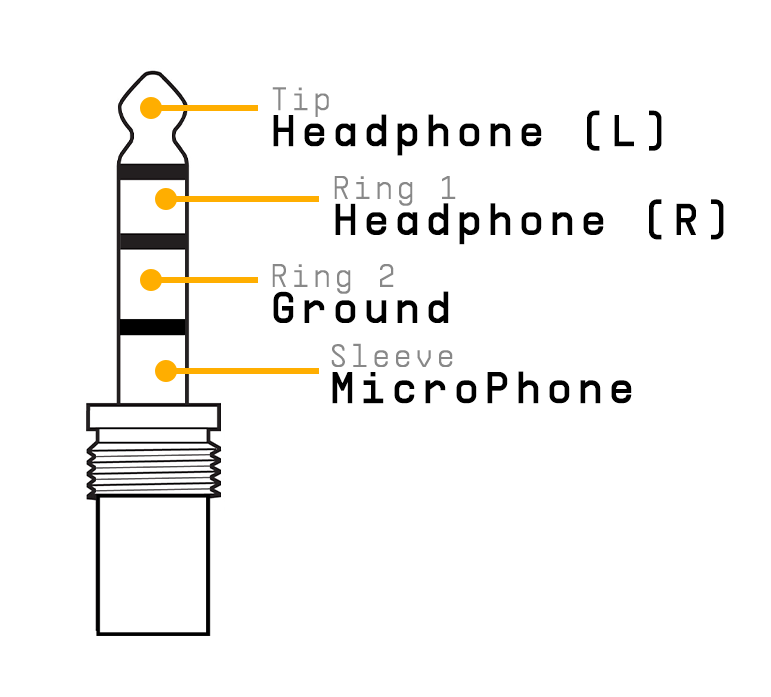
Note/Info The input uses CTIA/AHJ wiring: tip = left audio, ring 1 = right audio, ring 2 = ground, sleeve = microphone.
- CTIA/AHJ connector
Note/Warning Do not connect a Eurorack module directly to the splitter. Its signal can overload or damage the MicroFreak. Use a mixer headphone or line-level output instead.
Connect the device
- Turn off the MicroFreak and gently remove the gooseneck microphone.
- Turn the external device’s output level all the way down to avoid clipping.
- Plug the splitter into the MicroFreak headphone jack and the device signal into the splitter’s mic branch.
- Turn on the MicroFreak.
- Set Utility > Mic Settings > Mic Detection to Off and Mic Gain initially to -12 dB.
- Select a vocoder preset, hold a key, and slowly raise Mic Gain. If there is no sound, slowly raise the source device’s output level.