Microfreak/UG/17 Ext Gear/08 MIDI Tutorial VCV Rack
17.7 Tutorial 2: Using MIDI to control modules on VCV Rack
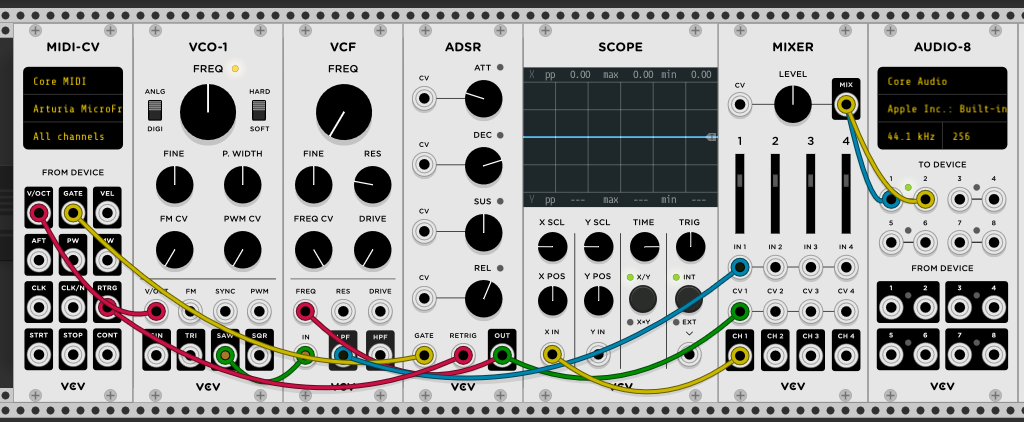
- This example uses the MicroFreak's arpeggiator to control an oscillator and envelope generator in VCV Rack, a free virtual modular system.
- Connect the MicroFreak's USB output to the computer and open VCV Rack's demo patch.
- In the first position, use a MIDI-CV module to send MicroFreak note values to an oscillator's pitch and velocity values to an ADSR envelope.
- In the MIDI-CV module, change the input from computer keyboard to Core MIDI, then select Arturia MicroFreak as the device. The module can now receive pitch and velocity from the MicroFreak.
- In the Audio-8 module, select the computer's audio output.
- VCV Rack MIDI-CV patch
- Press a MicroFreak key to hear VCV Rack. The keyboard, arpeggiator, and sequencer can now control VCV Rack oscillators and envelope generators.