Microfreak/UG/14 Config/02 MIDI Control Center/03 Samples Tab/02 Dragging
14.2.3.2 More on Dragging and Dropping
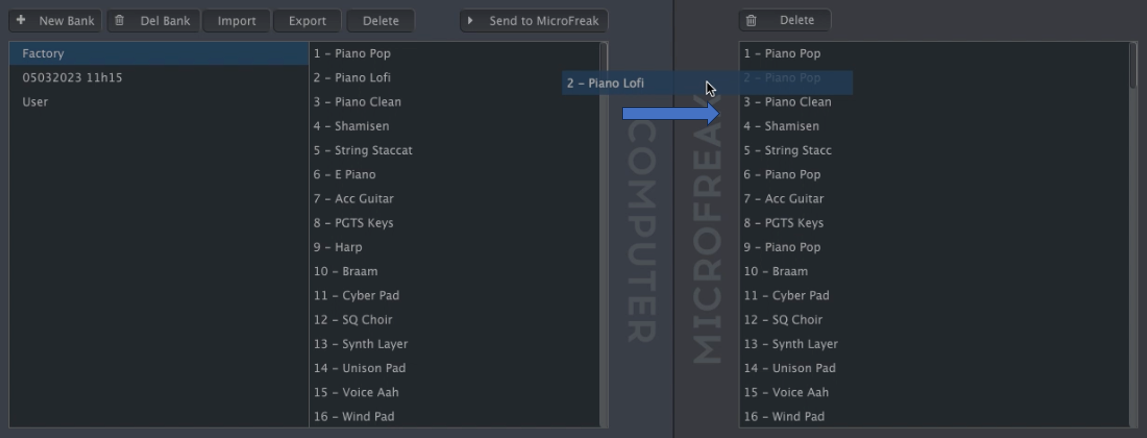
- Drag individual samples between the computer and MicroFreak in either direction. The destination slot highlights blue when you hover over it; releasing the sample there overwrites that slot.
- Dragging a sample between computer and MicroFreak
- Drag samples within either pane to change their order. In the computer pane, drag a sample name over another bank's name to move it into that bank.
- Shift-click or Command-click to select several samples before dragging them together.