Microfreak/UG/14 Config/02 MIDI Control Center/03 Samples Tab
14.2.3 Samples Tab
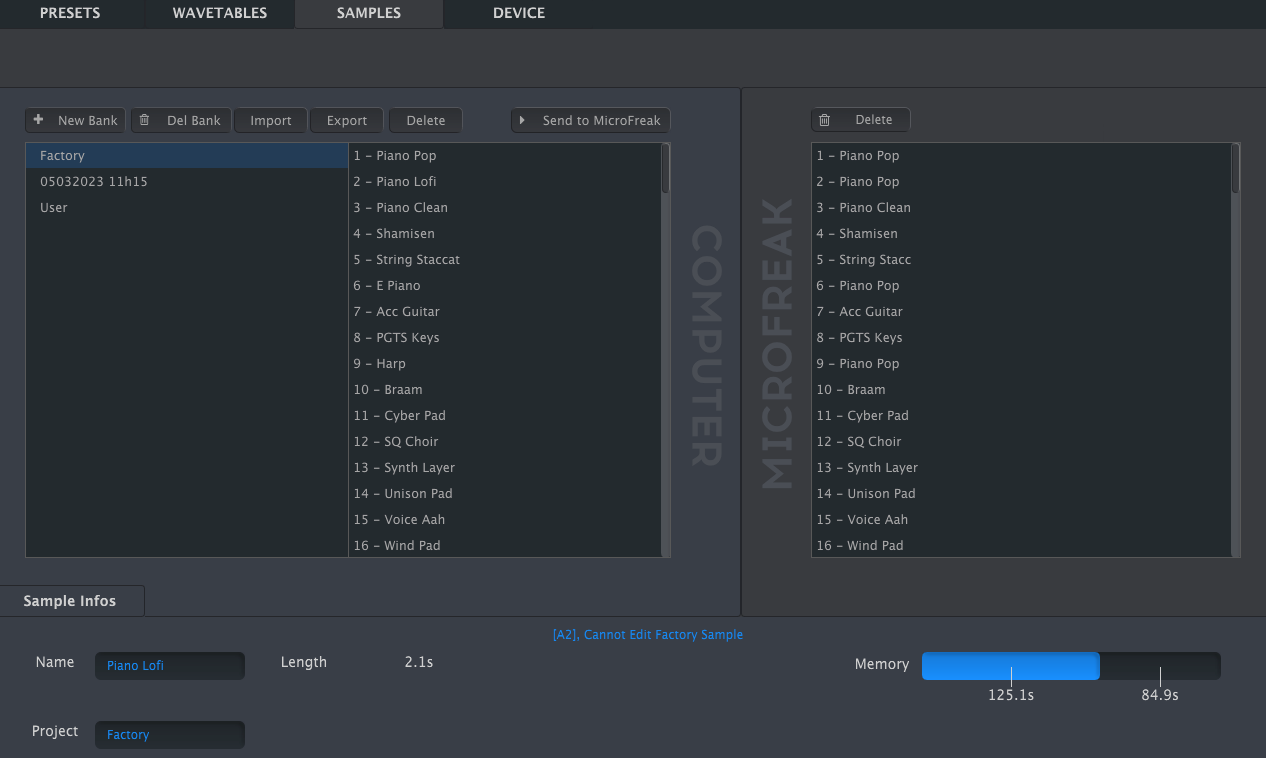
- The Samples tab appears when MIDI Control Center detects a connected MicroFreak with current firmware. It loads user samples for the Sample oscillator and the Scan Grains, Cloud Grains, and Hit Grains oscillator types.
- Tab for loading user samples
- The left pane shows banks and samples on the computer; the right pane shows samples in the MicroFreak.
- The information area shows the selected bank and sample names, sample length, total sample memory used, and remaining memory, with times displayed in seconds. Click a name field to rename the bank or sample.
- Sample information area
Note/Info Bank and sample names can be at most 21 characters long.
14.2.3.1 Sample Management
- The buttons above the panes manage samples on the computer and in the MicroFreak.
- Sample management buttons
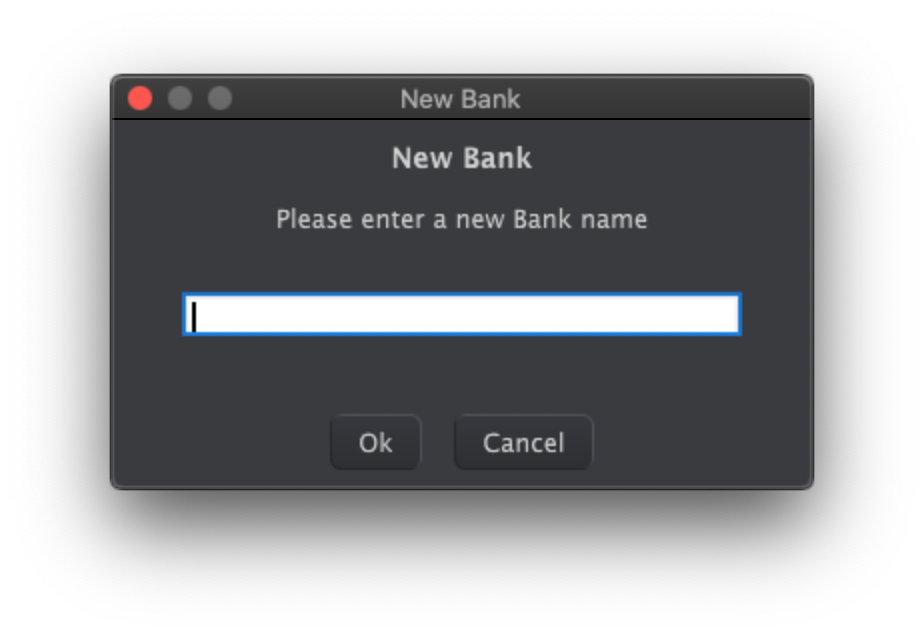
- New Bank creates an empty bank on the computer and prompts for a name. Drag samples from other banks over the new bank's name to combine them.
- New Bank name prompt
- Del Bank deletes a bank after confirmation. Factory banks cannot be deleted.
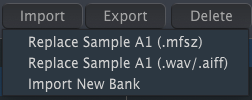
- Import offers three choices:
- Import choices
Note/Info The MicroFreak stores imported audio as 16-bit, 32 kHz mono samples. Audio beyond 24 seconds is cut off.
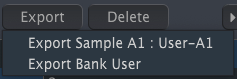
- Export saves the selected sample as MFSZ or the selected bank as MFSBZ. Choose a location in the system save dialog.
- Export choices
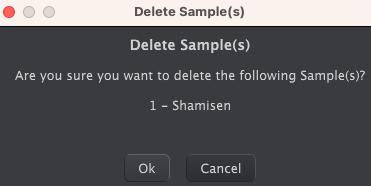
- Delete removes a selected sample after confirmation and replaces it with an init sample.
- Delete confirmation
- Send to MicroFreak transfers the bank assembled in the computer pane to the MicroFreak for use by Sample, Scan Grains, Cloud Grains, and Hit Grains.
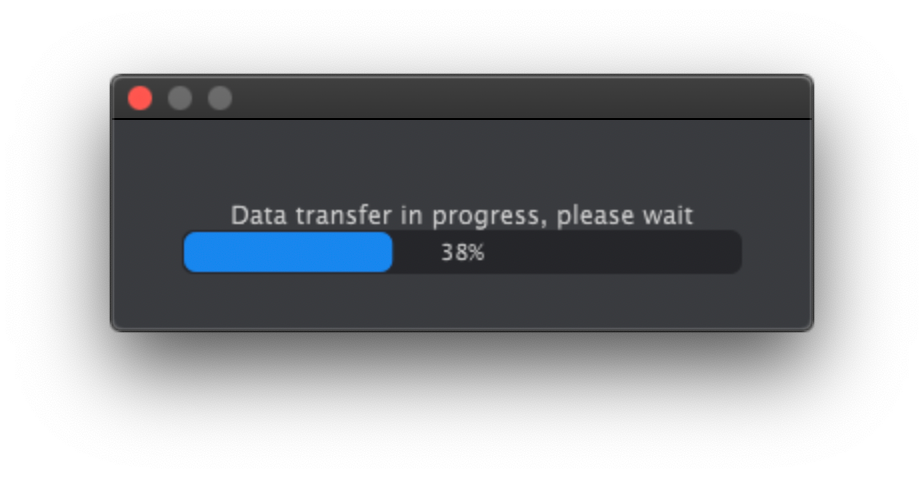
Note/Warning This overwrites the samples in the MicroFreak. Do not turn its knobs while the transfer progress bar is visible.
- Sample transfer progress
14.2.3.2 More on Dragging and Dropping
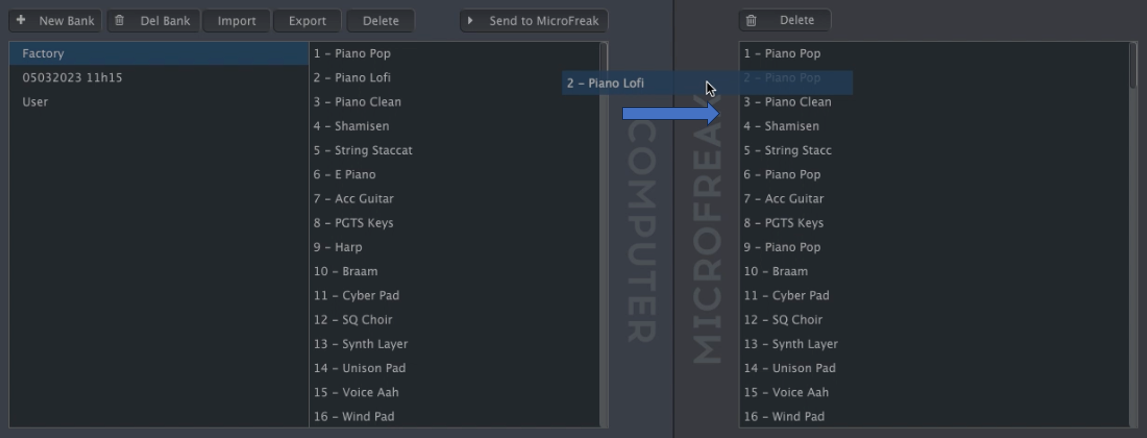
- Drag individual samples between the computer and MicroFreak in either direction. The destination slot highlights blue when you hover over it; releasing the sample there overwrites that slot.
- Dragging a sample between computer and MicroFreak
- Drag samples within either pane to change their order. In the computer pane, drag a sample name over another bank's name to move it into that bank.
- Shift-click or Command-click to select several samples before dragging them together.



6 Linked References
Hierarchy
- MicrofreakUG14 Config02 MIDI Control Center03 Samples Tab01 Management
- MicrofreakUG14 Config02 MIDI Control Center03 Samples Tab01 ManagementAsset01-Sample-management-buttonspng
- MicrofreakUG14 Config02 MIDI Control Center03 Samples Tab01 ManagementAsset02-New-Bank-name-promptpng
- MicrofreakUG14 Config02 MIDI Control Center03 Samples Tab01 ManagementAsset03-Import-choicespng
- MicrofreakUG14 Config02 MIDI Control Center03 Samples Tab01 ManagementAsset04-Export-choicespng
- MicrofreakUG14 Config02 MIDI Control Center03 Samples Tab01 ManagementAsset05-Delete-confirmationpng
- MicrofreakUG14 Config02 MIDI Control Center03 Samples Tab01 ManagementAsset06-Sample-transfer-progresspng
- MicrofreakUG14 Config02 MIDI Control Center03 Samples Tab02 Dragging
- MicrofreakUG14 Config02 MIDI Control Center03 Samples Tab02 DraggingAsset01-Dragging-a-sample-between-computer-and-MicroFreakpng
- MicrofreakUG14 Config02 MIDI Control Center03 Samples Tab03 Deleting
- MicrofreakUG14 Config02 MIDI Control Center03 Samples Tab03 DeletingAsset01-Delete-button-in-the-computer-panepng
- MicrofreakUG14 Config02 MIDI Control Center03 Samples Tab03 DeletingAsset02-Delete-button-in-the-MicroFreak-panepng
- MicrofreakUG14 Config02 MIDI Control Center03 Samples TabAsset01-Tab-for-loading-user-samplespng
- MicrofreakUG14 Config02 MIDI Control Center03 Samples TabAsset02-Sample-information-areapng