Microfreak/UG/14 Config/02 MIDI Control Center/01 Device Tab
14.2.1 Device Tab
- The Device tab contains MIDI and configuration settings for the MicroFreak.
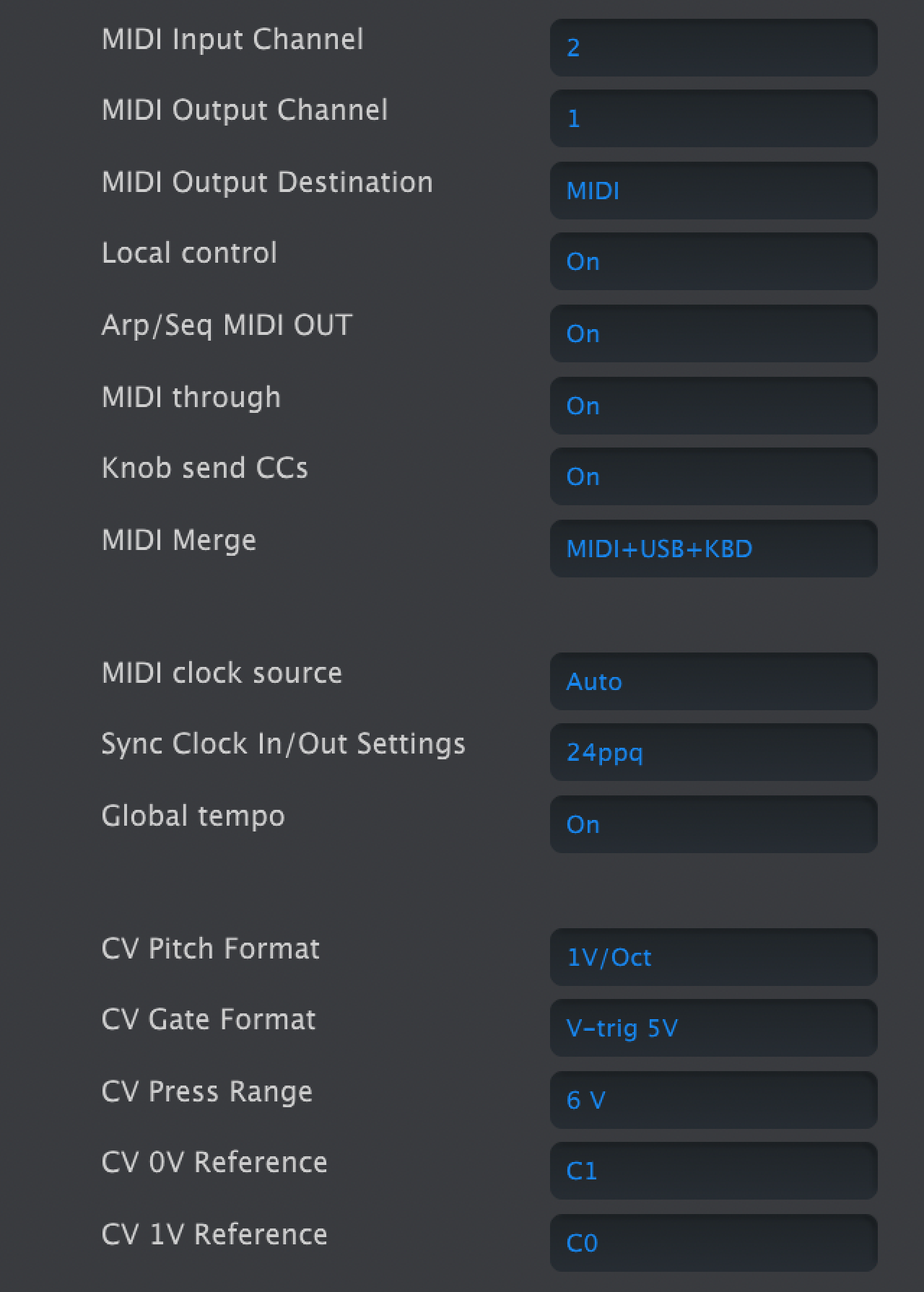
- Left column of MicroFreak Device Tab in MIDI Control Center
MIDI
- MIDI Input Channel: All, 1–16, or None. Sets the receive channel on the MicroFreak's 16-channel MIDI port.
- MIDI Output Channel: 1–16. Sets the transmit channel.
- MIDI Output Destination: Off, USB, MIDI, or MIDI + USB. USB connects directly to a computer; MIDI cables can run over longer distances.
- Local control: With Local Off, the keyboard and panel controls send MIDI but do not directly play the MicroFreak. In a DAW, this lets the selected track route MIDI back to the MicroFreak or to another instrument. The MicroFreak can also play recorded MIDI while its keyboard controls another instrument.
- Arp/Seq MIDI out: On or Off. Sends arpeggiator and sequencer notes to another instrument or a DAW.
- MIDI through: When On, incoming MIDI echoes to MIDI Out.
- Knob sends CCs: On or Off. Sends knob control-change data to external synths.
- MIDI Merge: USB+KBD, MIDI+KBD, or BOTH+KBD. Chooses how keyboard data merges into the MIDI stream.
Clock and sync
- MIDI clock source: USB, MIDI, or Sync. USB is the built-in computer connection; MIDI uses the 5-pin DIN input.
- Sync Clock In/Out settings: One Step, 2 PPQ, 24 PPQ, or 48 PPQ. The Sync port can connect to older, pre-MIDI devices such as Korg and Roland drum machines.
- Global Tempo: When On, preset tempos are ignored and the most recently set tempo remains in use.
CV and gate
- CV pitch format: 1 V/oct, Hz/V, or 1.2 V/oct. Sets the pitch CV output format; 1 V/oct is used by Eurorack, and 1.2 V/oct by Buchla.
- CV Gate format: S-Trig, V-Trig 5 V, or V-Trig 12 V. Sets the Gate output format.
- CV Press range: 1–10 V. Sets the Pressure output voltage range.
- CV 0 V reference: C−1 to G8. Sets the note that outputs zero volts in volts-per-octave pitch formats.
- CV 1 V reference: C−1 to G8. Sets the note that outputs one volt in Hz/V pitch format.
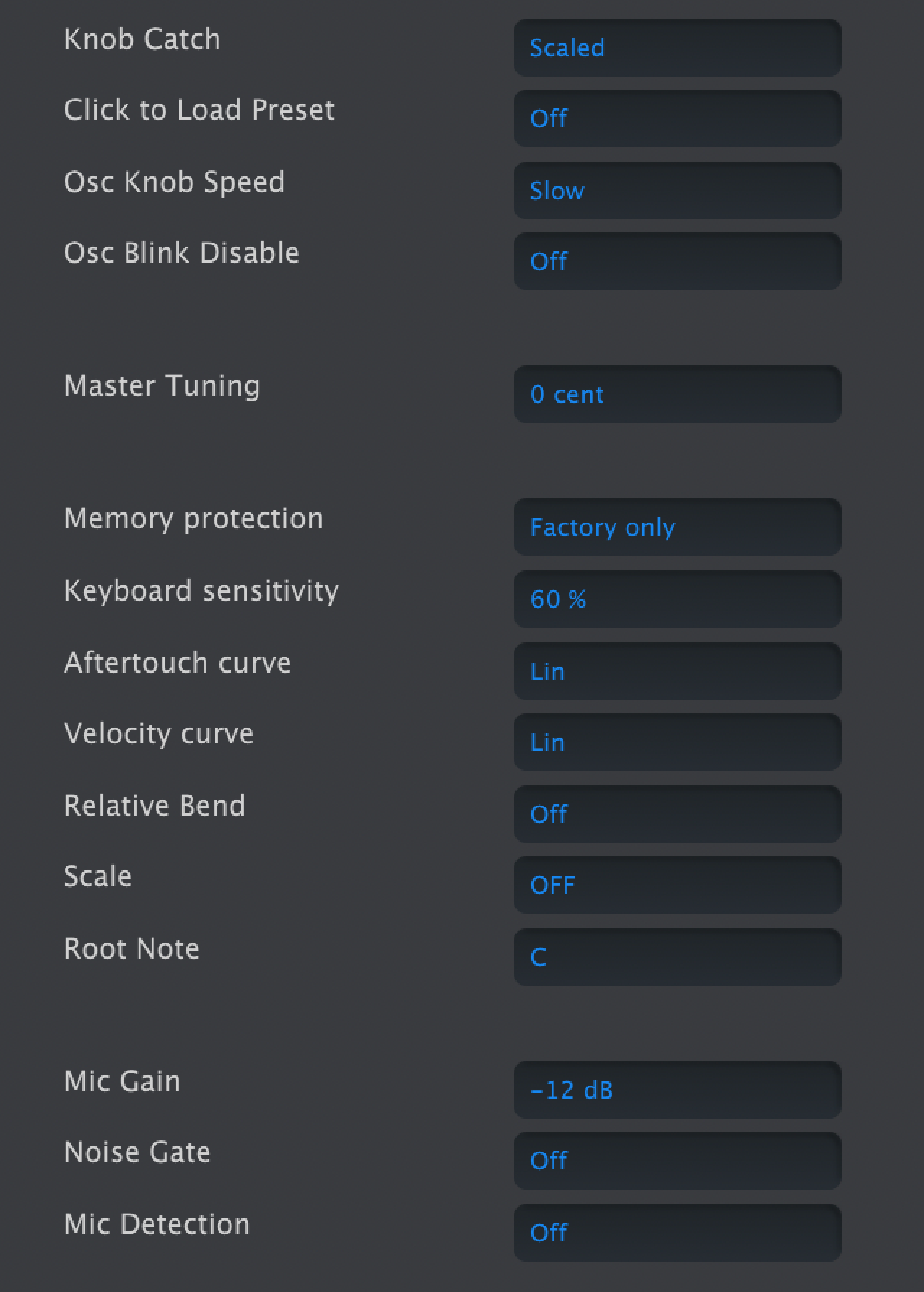
- Right column of MicroFreak Device Tab in MIDI Control Center
Controls and browsing
- Knob Catch sets how a knob's physical position meets its stored value when sending MIDI:
- Jump sends the physical position as soon as the knob moves, possibly changing the value abruptly.
- Hook waits until the knob passes the stored value before sending changes.
- Scaled moves the stored value up or down with the knob, regardless of its position. This is the default. At a physical limit, the knob must turn back before it can continue changing the value in the desired direction.
- Click to Load Preset: On requires an extra click to load a selected preset; Off loads it while scrolling.
- Osc Knob Speed: Slow allows fine edits to Wave, Timbre, and Shape; Fast suits broad sweeps in performance.
- Oct LED Blink: When Off, active octave-shift buttons glow steadily rather than blinking.
- Master Tuning: Sets tuning deviation in cents.
- Memory protection: Off allows all presets to be overwritten; Factory Only protects factory presets; All protects user presets too.
Keyboard response
- Keyboard sensitivity: 10–100%. Sets the response of Pressure and Velocity.
- Aftertouch curve: Linear, Logarithmic, or Exponential. Adjusts how aftertouch responds to playing force.
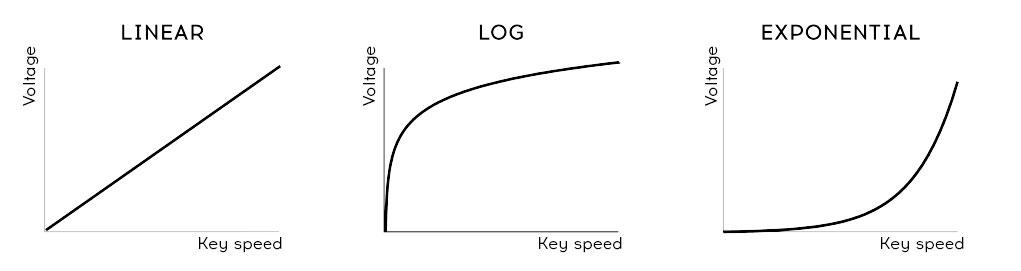
- Velocity curve: Adjusts the keyboard's response to playing force:
- Linear (default) has an even response across the dynamic range.
- Logarithmic reaches louder notes with less force, but makes low-level dynamics harder to control.
- Exponential gives finer control at low levels, but needs more force for high levels.
- Velocity curve settings
- Relative Bend: When Off, the bend strip's physical center is zero bend. When On, the first point of contact becomes zero, allowing a wider gesture such as a dive bomb.
Scale and microphone
- Scale: Off plays the chromatic scale. Selecting a scale prevents notes outside it; see Microfreak/UG/15 Using Scales.
- Root Note: Sets the key for the selected scale.
- Mic Gain, Noise Gate, and Mic Detection control the 3.5 mm TRRS input used with the Vocoder Oscillator. They match the Utility settings for Vocoder configuration.