Microfreak/UG/14 Config
Properties
- logseq-entity
- Logseq/Entity/Book/Section/Level 1
14 MicroFreak Configuration
- Utility settings can change how a sequence and preset behave. Try switching Glide Mode between Time and Rate, enabling Envelope Legato, or changing smoothing on a sequencer modulation track.
- Preset settings are saved with each preset, including Volume, Bend Range, and Pressure mode. Global settings apply to every preset; for example, an A reference of 441 Hz changes the tuning of all presets.
- You can adjust settings on the MicroFreak in Utility or on a computer in MIDI Control Center (MCC). Preset settings are available only in Utility.
- Access to the configuration setting in Utility
14.2 MIDI Control Center
- MIDI Control Center (MCC) is an Arturia application for macOS and Windows. It transfers presets between the MicroFreak and a computer and changes MicroFreak settings. Download the latest version from Arturia.
- The MCC manual covers features shared by Arturia products; this section covers MicroFreak-specific settings.
14.2.1 Device Tab
- The Device tab contains MIDI and configuration settings for the MicroFreak.
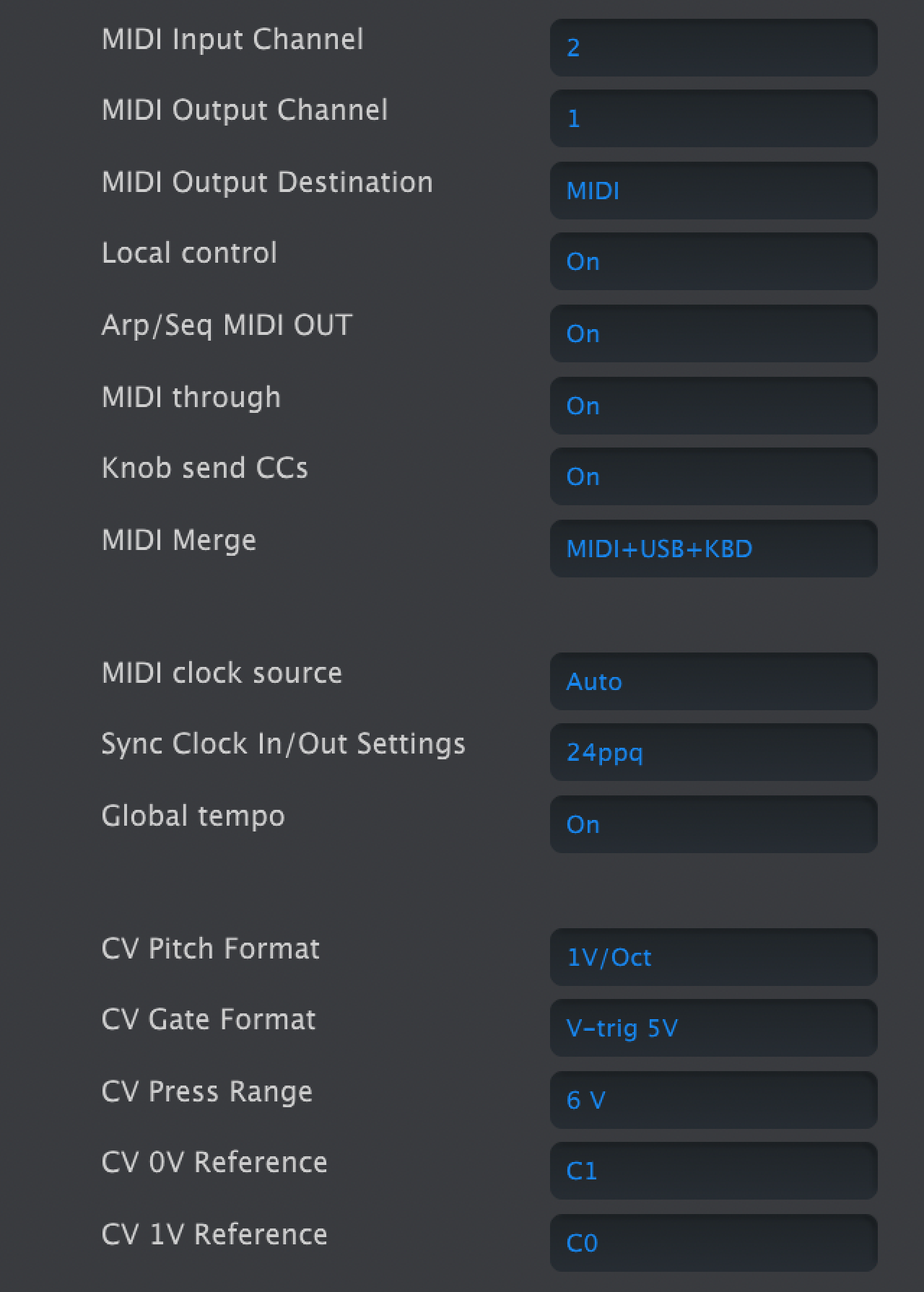
- Left column of MicroFreak Device Tab in MIDI Control Center
MIDI
- MIDI Input Channel: All, 1–16, or None. Sets the receive channel on the MicroFreak's 16-channel MIDI port.
- MIDI Output Channel: 1–16. Sets the transmit channel.
- MIDI Output Destination: Off, USB, MIDI, or MIDI + USB. USB connects directly to a computer; MIDI cables can run over longer distances.
- Local control: With Local Off, the keyboard and panel controls send MIDI but do not directly play the MicroFreak. In a DAW, this lets the selected track route MIDI back to the MicroFreak or to another instrument. The MicroFreak can also play recorded MIDI while its keyboard controls another instrument.
- Arp/Seq MIDI out: On or Off. Sends arpeggiator and sequencer notes to another instrument or a DAW.
- MIDI through: When On, incoming MIDI echoes to MIDI Out.
- Knob sends CCs: On or Off. Sends knob control-change data to external synths.
- MIDI Merge: USB+KBD, MIDI+KBD, or BOTH+KBD. Chooses how keyboard data merges into the MIDI stream.
Clock and sync
- MIDI clock source: USB, MIDI, or Sync. USB is the built-in computer connection; MIDI uses the 5-pin DIN input.
- Sync Clock In/Out settings: One Step, 2 PPQ, 24 PPQ, or 48 PPQ. The Sync port can connect to older, pre-MIDI devices such as Korg and Roland drum machines.
- Global Tempo: When On, preset tempos are ignored and the most recently set tempo remains in use.
CV and gate
- CV pitch format: 1 V/oct, Hz/V, or 1.2 V/oct. Sets the pitch CV output format; 1 V/oct is used by Eurorack, and 1.2 V/oct by Buchla.
- CV Gate format: S-Trig, V-Trig 5 V, or V-Trig 12 V. Sets the Gate output format.
- CV Press range: 1–10 V. Sets the Pressure output voltage range.
- CV 0 V reference: C−1 to G8. Sets the note that outputs zero volts in volts-per-octave pitch formats.
- CV 1 V reference: C−1 to G8. Sets the note that outputs one volt in Hz/V pitch format.
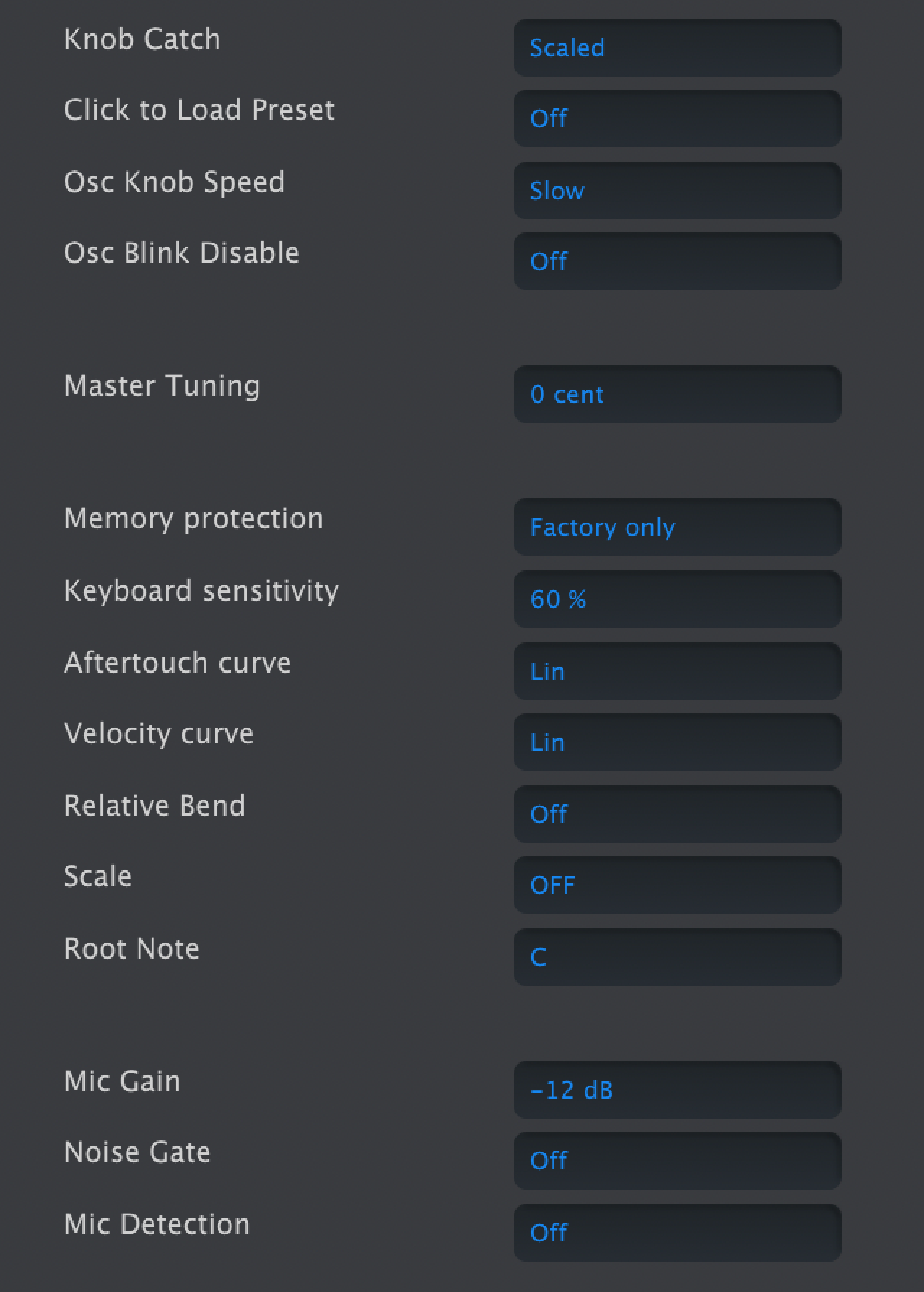
- Right column of MicroFreak Device Tab in MIDI Control Center
Controls and browsing
- Knob Catch sets how a knob's physical position meets its stored value when sending MIDI:
- Jump sends the physical position as soon as the knob moves, possibly changing the value abruptly.
- Hook waits until the knob passes the stored value before sending changes.
- Scaled moves the stored value up or down with the knob, regardless of its position. This is the default. At a physical limit, the knob must turn back before it can continue changing the value in the desired direction.
- Click to Load Preset: On requires an extra click to load a selected preset; Off loads it while scrolling.
- Osc Knob Speed: Slow allows fine edits to Wave, Timbre, and Shape; Fast suits broad sweeps in performance.
- Oct LED Blink: When Off, active octave-shift buttons glow steadily rather than blinking.
- Master Tuning: Sets tuning deviation in cents.
- Memory protection: Off allows all presets to be overwritten; Factory Only protects factory presets; All protects user presets too.
- Knob Catch sets how a knob's physical position meets its stored value when sending MIDI:
Keyboard response
- Keyboard sensitivity: 10–100%. Sets the response of Pressure and Velocity.
- Aftertouch curve: Linear, Logarithmic, or Exponential. Adjusts how aftertouch responds to playing force.
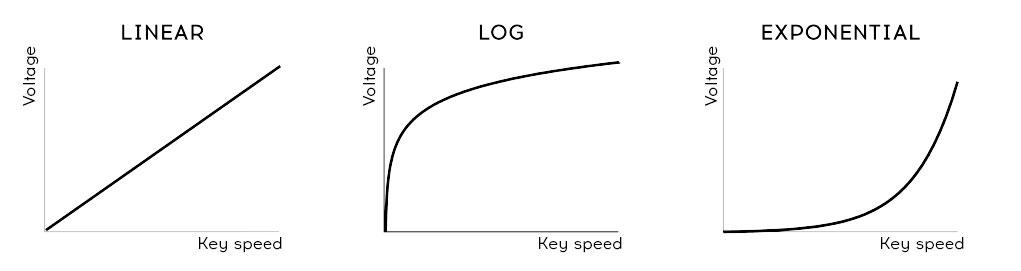
- Velocity curve: Adjusts the keyboard's response to playing force:
- Velocity curve settings
- Relative Bend: When Off, the bend strip's physical center is zero bend. When On, the first point of contact becomes zero, allowing a wider gesture such as a dive bomb.
Scale and microphone
- Scale: Off plays the chromatic scale. Selecting a scale prevents notes outside it; see Microfreak/UG/15 Using Scales.
- Root Note: Sets the key for the selected scale.
- Mic Gain, Noise Gate, and Mic Detection control the 3.5 mm TRRS input used with the Vocoder Oscillator. They match the Utility settings for Vocoder configuration.
14.2.2 Wavetables Tab
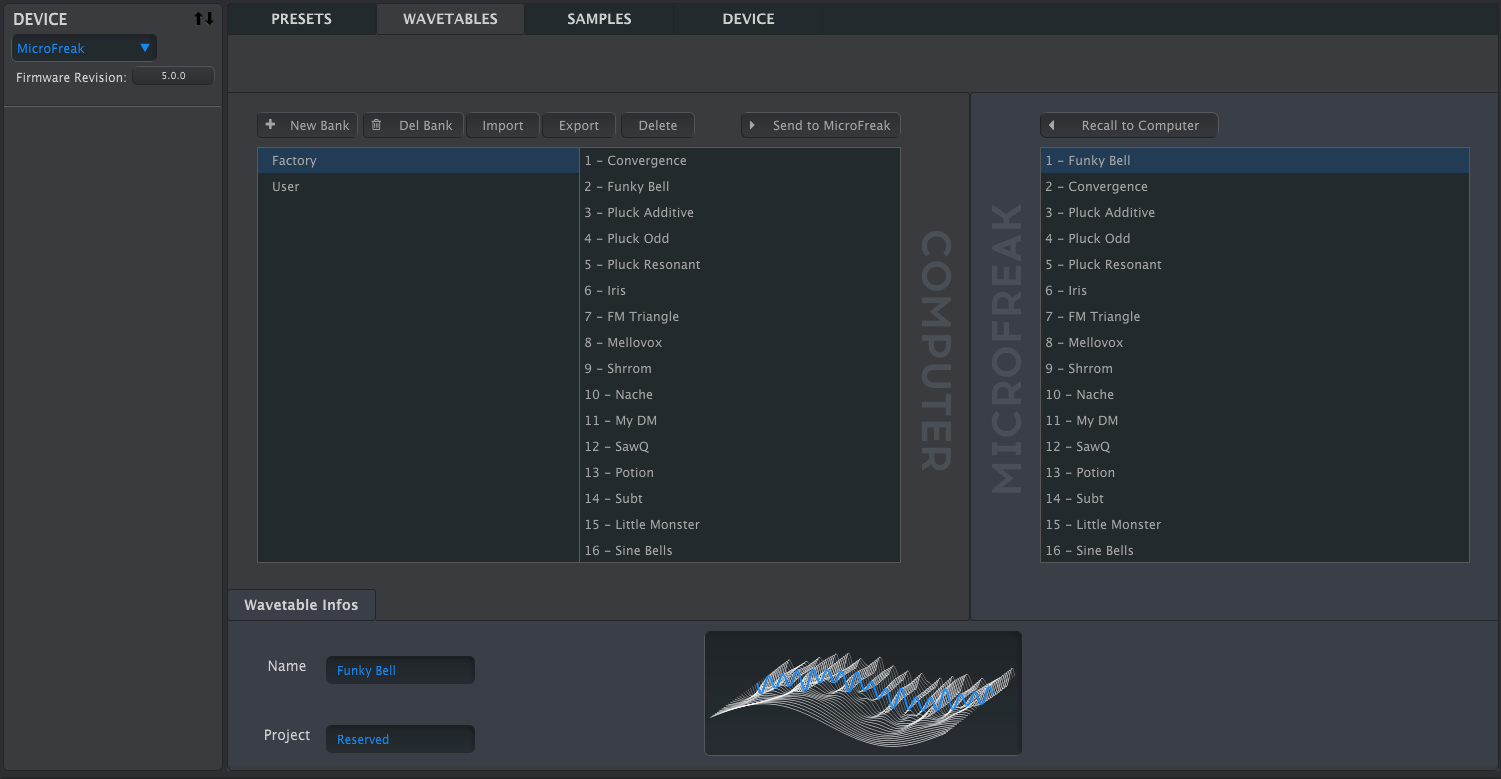
- The Wavetables tab appears when MCC detects a connected MicroFreak. It loads custom wavetables for the User Wavetable oscillator type; it does not change other oscillator types, including the factory Wavetable Oscillator.
- Tab for loading user Wavetables
- The left pane shows banks and wavetables on the computer; the right pane shows wavetables in the MicroFreak.
- Below them, the information area shows the selected Bank and Wavetable names and a 3D animation of the wavetable. Click either name field to rename it.
Note/Info Bank and Wavetable names can be at most 21 characters long.
14.2.2.1 Wavetable Management
- The buttons above the computer and MicroFreak panes move and manage wavetables.
- Wavetable management buttons
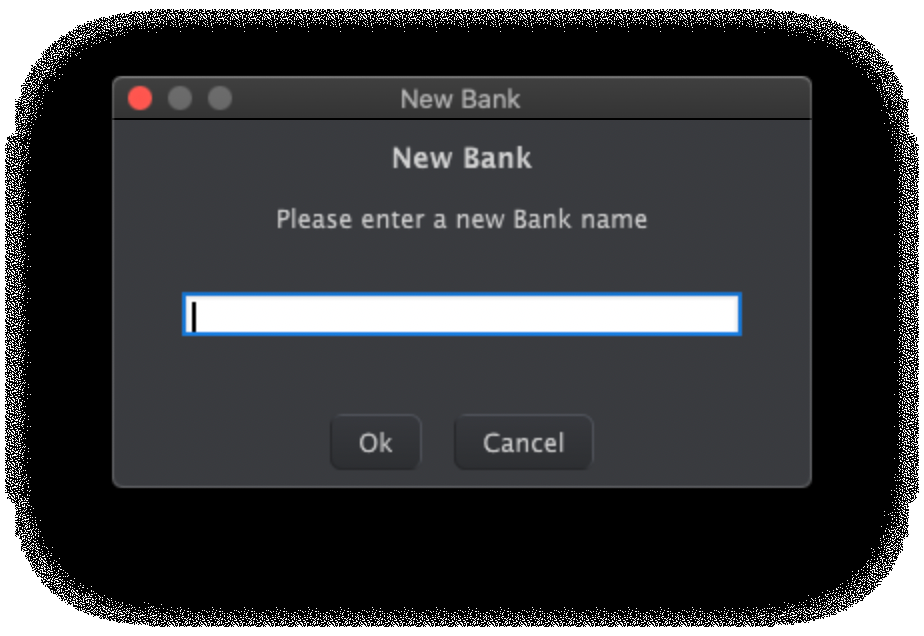
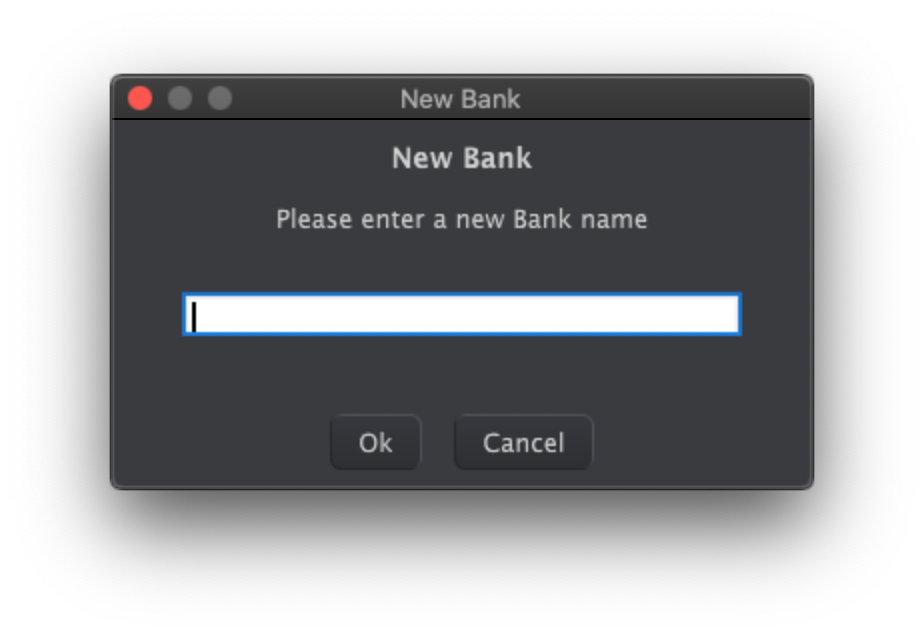
- New Bank creates an empty bank on the computer and prompts for its name. Drag a wavetable over the new bank's name to add it; banks can combine wavetables from other banks.
- New Bank name prompt
- Del Bank deletes a bank after confirmation. Factory banks cannot be deleted.
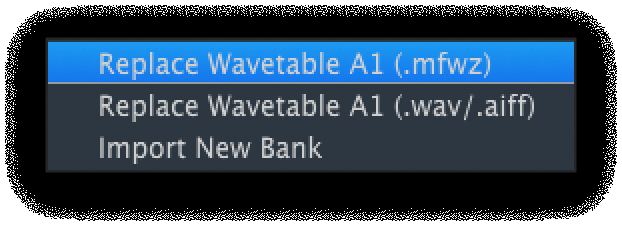
- Import opens three choices:
- Import choices
- When importing WAV or AIFF audio, MicroFreak converts it into an MFW wavetable of 32 cycles, each 2,048 samples long:
- Each group of 2,048 source samples counts as a cycle.
- The source's first and last cycles become cycles 1 and 32.
- With more than eight source cycles, MicroFreak distributes them evenly across the wavetable and crossfades between them.
- With fewer than eight source cycles, it spreads them across the slots so the Wave knob can reach every cycle.
- An audio file can therefore become a usable wavetable without manually preparing each cycle.
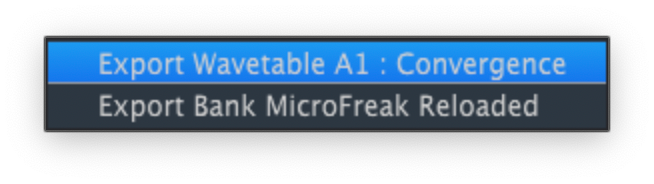
- Export saves a selected wavetable as MFW or a selected bank as MFWB. Choose a location in the system save dialog.
- Export choices
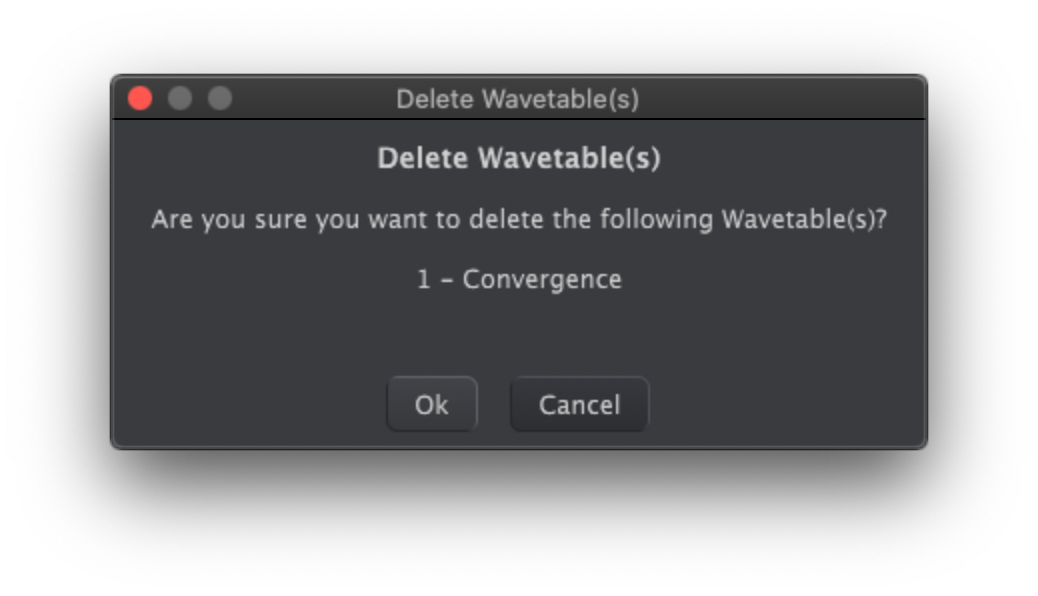
- Delete removes a selected wavetable after confirmation and replaces it with an init wavetable that morphs between simple waveforms.
- Delete confirmation
- Send to MicroFreak transfers the bank assembled in the computer pane to the MicroFreak for the User Wavetable oscillator.
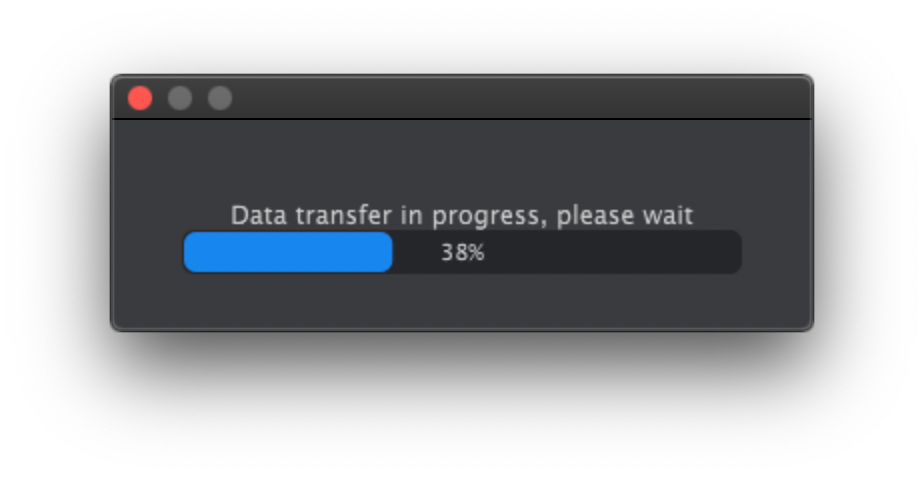
Note/Warning This overwrites every wavetable in the MicroFreak. Do not turn its knobs while the transfer progress bar is visible.
- Wavetable transfer progress
- Recall to Computer copies the MicroFreak's current wavetables into a new bank in the computer pane. The bank initially has a date-and-time name, which you can change in the Bank Name field.
14.2.2.2 More on Dragging and Dropping
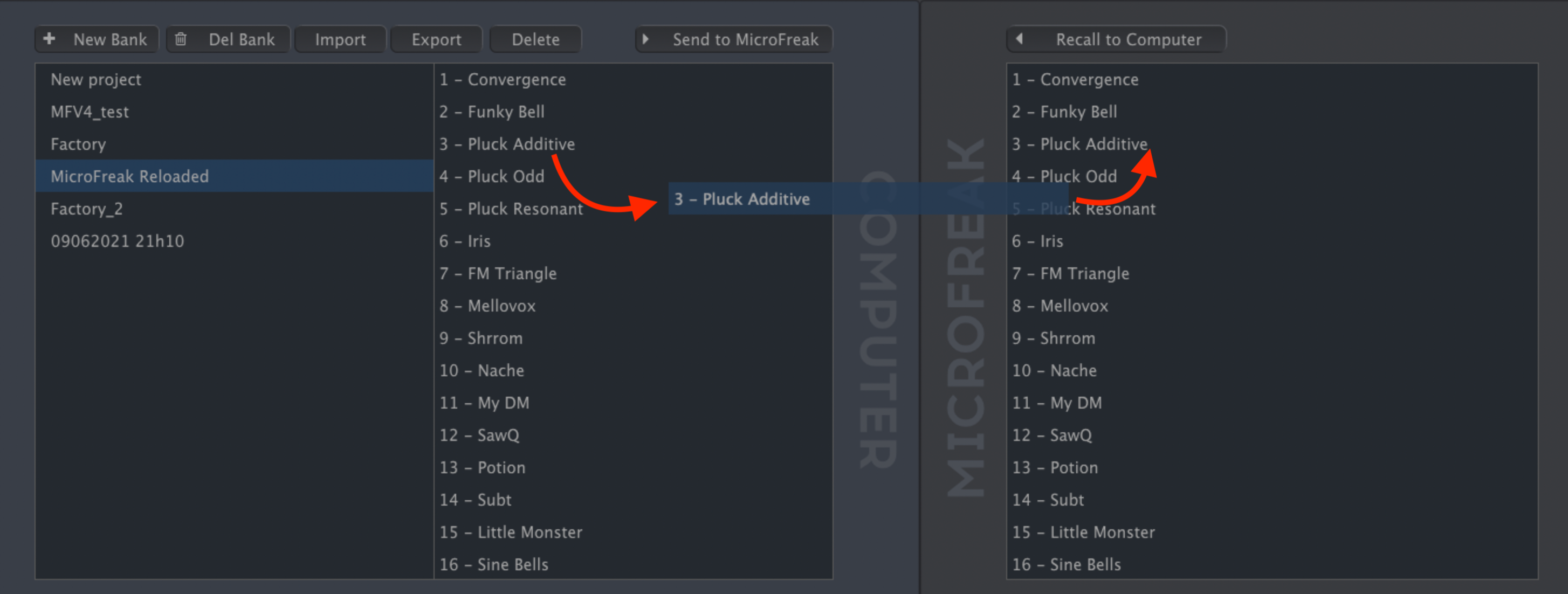
- Drag individual wavetables between the computer and MicroFreak in either direction. Shift-click or Command-click to select several before dragging.
- A destination slot highlights blue when you hover over it. Releasing the wavetable there overwrites that slot.
- Dragging a wavetable between computer and MicroFreak
- Drag a wavetable within either pane to change its order. In the computer pane, drag a wavetable name over another bank's name to move it into that bank.
- WAV and AIFF files can also be dragged from a file browser into either pane. Select several files with Shift-click or Command-click before dragging them together.
14.2.3 Samples Tab
- The Samples tab appears when MIDI Control Center detects a connected MicroFreak with current firmware. It loads user samples for the Sample oscillator and the Scan Grains, Cloud Grains, and Hit Grains oscillator types.
- Tab for loading user samples
- The left pane shows banks and samples on the computer; the right pane shows samples in the MicroFreak.
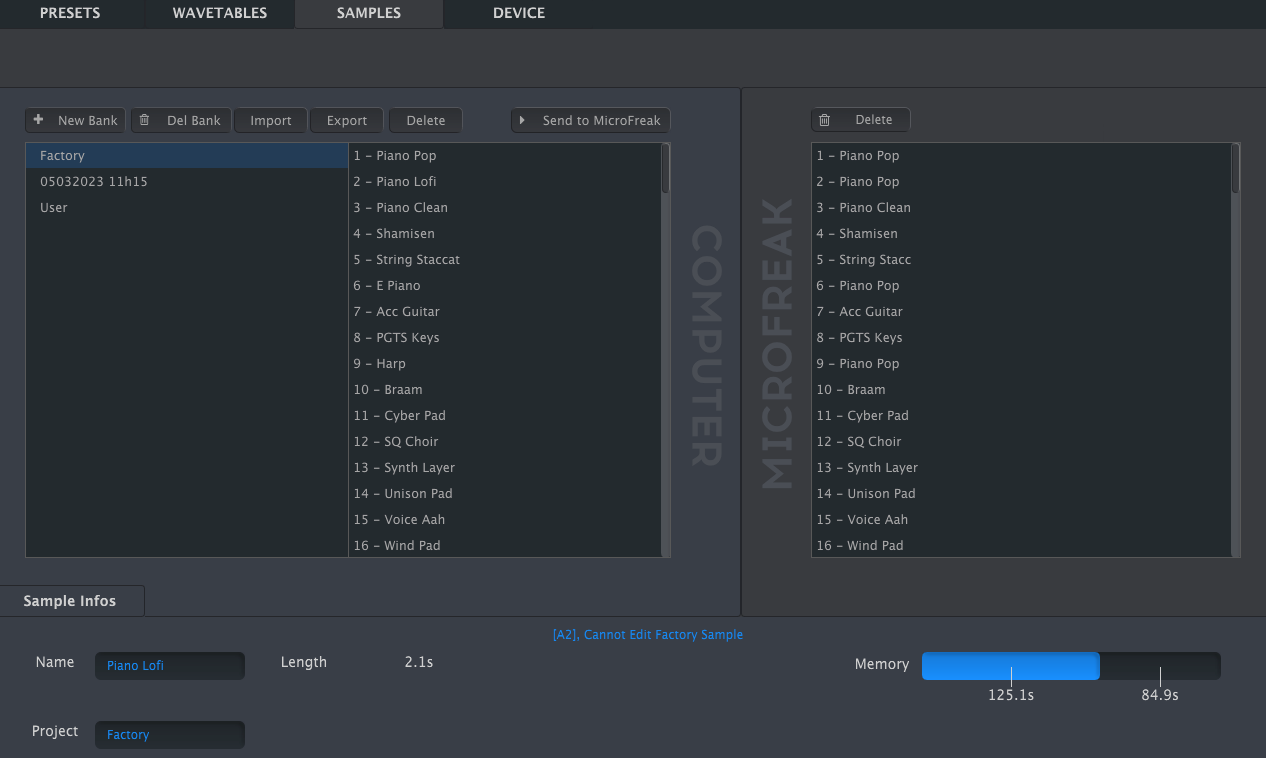
- The information area shows the selected bank and sample names, sample length, total sample memory used, and remaining memory, with times displayed in seconds. Click a name field to rename the bank or sample.
- Sample information area
Note/Info Bank and sample names can be at most 21 characters long.
14.2.3.1 Sample Management
- The buttons above the panes manage samples on the computer and in the MicroFreak.
- Sample management buttons
- New Bank creates an empty bank on the computer and prompts for a name. Drag samples from other banks over the new bank's name to combine them.
- New Bank name prompt
- Del Bank deletes a bank after confirmation. Factory banks cannot be deleted.
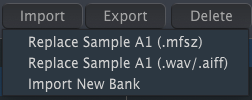
- Import offers three choices:
- Import choices
Note/Info The MicroFreak stores imported audio as 16-bit, 32 kHz mono samples. Audio beyond 24 seconds is cut off.
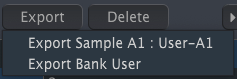
- Export saves the selected sample as MFSZ or the selected bank as MFSBZ. Choose a location in the system save dialog.
- Export choices
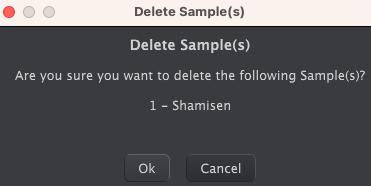
- Delete removes a selected sample after confirmation and replaces it with an init sample.
- Delete confirmation
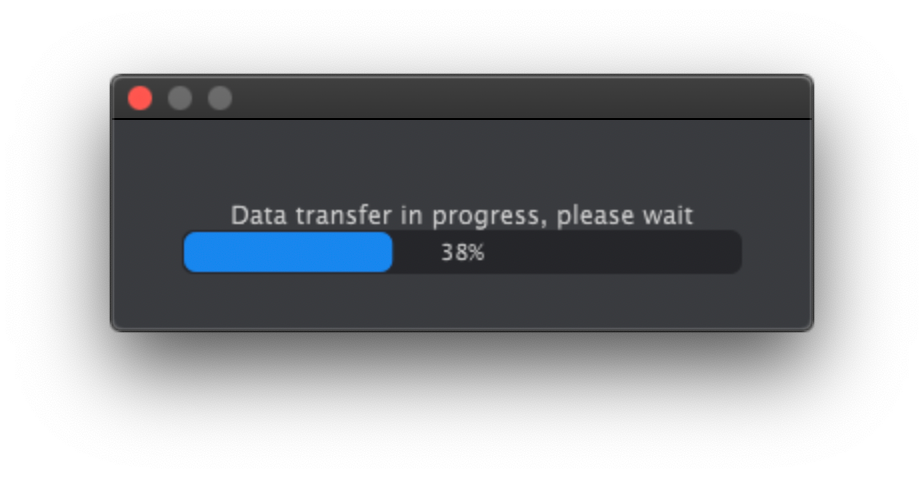
- Send to MicroFreak transfers the bank assembled in the computer pane to the MicroFreak for use by Sample, Scan Grains, Cloud Grains, and Hit Grains.
Note/Warning This overwrites the samples in the MicroFreak. Do not turn its knobs while the transfer progress bar is visible.
- Sample transfer progress
14.2.3.2 More on Dragging and Dropping
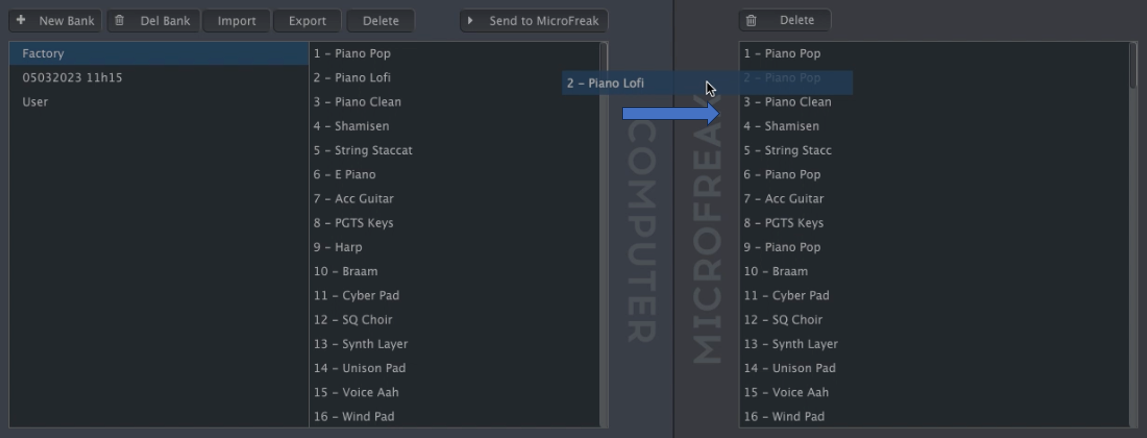
- Drag individual samples between the computer and MicroFreak in either direction. The destination slot highlights blue when you hover over it; releasing the sample there overwrites that slot.
- Dragging a sample between computer and MicroFreak
- Drag samples within either pane to change their order. In the computer pane, drag a sample name over another bank's name to move it into that bank.
- Shift-click or Command-click to select several samples before dragging them together.





40 Linked References
Hierarchy
- MicrofreakUG14 Config01 Utility & MCC
- MicrofreakUG14 Config01 Utility & MCC01 Preset
- MicrofreakUG14 Config01 Utility & MCC02 Global
- MicrofreakUG14 Config02 MIDI Control Center
- MicrofreakUG14 Config02 MIDI Control Center01 Device Tab
- MicrofreakUG14 Config02 MIDI Control Center01 Device TabAsset01-Left-column-of-MicroFreak-Device-Tab-in-MIDI-Control-Centerpng
- MicrofreakUG14 Config02 MIDI Control Center01 Device TabAsset02-Right-column-of-MicroFreak-Device-Tab-in-MIDI-Control-Centerpng
- MicrofreakUG14 Config02 MIDI Control Center01 Device TabAsset03-Velocity-curve-settingspng
- MicrofreakUG14 Config02 MIDI Control Center02 Wavetables Tab
- MicrofreakUG14 Config02 MIDI Control Center02 Wavetables Tab01 Management
- MicrofreakUG14 Config02 MIDI Control Center02 Wavetables Tab01 ManagementAsset01-Wavetable-management-buttonspng
- MicrofreakUG14 Config02 MIDI Control Center02 Wavetables Tab01 ManagementAsset02-New-Bank-name-promptpng
- MicrofreakUG14 Config02 MIDI Control Center02 Wavetables Tab01 ManagementAsset03-Import-choicespng
- MicrofreakUG14 Config02 MIDI Control Center02 Wavetables Tab01 ManagementAsset04-Export-choicespng
- MicrofreakUG14 Config02 MIDI Control Center02 Wavetables Tab01 ManagementAsset05-Delete-confirmationpng
- MicrofreakUG14 Config02 MIDI Control Center02 Wavetables Tab01 ManagementAsset06-Wavetable-transfer-progresspng
- MicrofreakUG14 Config02 MIDI Control Center02 Wavetables Tab02 Dragging
- MicrofreakUG14 Config02 MIDI Control Center02 Wavetables Tab02 DraggingAsset01-Dragging-a-wavetable-between-computer-and-MicroFreakpng
- MicrofreakUG14 Config02 MIDI Control Center02 Wavetables TabAsset01-Tab-for-loading-user-Wavetablespng
- MicrofreakUG14 Config02 MIDI Control Center03 Samples Tab
- MicrofreakUG14 Config02 MIDI Control Center03 Samples Tab01 Management
- MicrofreakUG14 Config02 MIDI Control Center03 Samples Tab01 ManagementAsset01-Sample-management-buttonspng
- MicrofreakUG14 Config02 MIDI Control Center03 Samples Tab01 ManagementAsset02-New-Bank-name-promptpng
- MicrofreakUG14 Config02 MIDI Control Center03 Samples Tab01 ManagementAsset03-Import-choicespng
- MicrofreakUG14 Config02 MIDI Control Center03 Samples Tab01 ManagementAsset04-Export-choicespng
- MicrofreakUG14 Config02 MIDI Control Center03 Samples Tab01 ManagementAsset05-Delete-confirmationpng
- MicrofreakUG14 Config02 MIDI Control Center03 Samples Tab01 ManagementAsset06-Sample-transfer-progresspng
- MicrofreakUG14 Config02 MIDI Control Center03 Samples Tab02 Dragging
- MicrofreakUG14 Config02 MIDI Control Center03 Samples Tab02 DraggingAsset01-Dragging-a-sample-between-computer-and-MicroFreakpng
- MicrofreakUG14 Config02 MIDI Control Center03 Samples Tab03 Deleting
- MicrofreakUG14 Config02 MIDI Control Center03 Samples Tab03 DeletingAsset01-Delete-button-in-the-computer-panepng
- MicrofreakUG14 Config02 MIDI Control Center03 Samples Tab03 DeletingAsset02-Delete-button-in-the-MicroFreak-panepng
- MicrofreakUG14 Config02 MIDI Control Center03 Samples TabAsset01-Tab-for-loading-user-samplespng
- MicrofreakUG14 Config02 MIDI Control Center03 Samples TabAsset02-Sample-information-areapng
- MicrofreakUG14 ConfigAsset01-Access-to-the-configuration-setting-in-Utilitypng