Microfreak/UG/13 Sequencer/02 Mod Tracks/01 Step Time
13.2.1. Step-Time Recording of Modulation
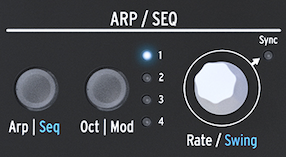
- Select a pattern, stop playback, and press Record. Turn Rate/Swing to select the step where modulation should begin.
- Turn a control to audition its value. The display shows the step, modulation slot, parameter, and amount. Release the control to store that position with the step. Move to another step with Rate/Swing and set the next value. Repeat across the pattern.
Note/Info Touching a control assigns it to the first free modulation track. A fifth control produces a “Memory full” message.
- You can fill one control's track across all steps before assigning another control, or set up to four controls at each step before moving on.
- The Rate Knob
- Turning Rate/Swing through the steps plays their stored notes and modulation, so you can hear and edit each value. Turn its assigned control to replace a stored position. Oct | Mod cycles through active modulation tracks.
Controls available for modulation tracks
- Oscillator: Type, Wave, Timbre, and Shape. With sample selection enabled, Type controls sample selection.
- Filter: Cutoff and Resonance.
- Envelope: Attack, Decay, Sustain, and Filter Amount.
- LFO: Rate.
- Cycling Envelope: Rise, Fall, Hold, and Amount sent to the Matrix.
- Matrix: Modulation amount of a matrix point.
- Glide: Glide amount.
Note/Info Shift + knob parameters, control buttons, and icon buttons cannot be assigned to modulation tracks.
- To clear a track, press Oct | Mod until its light blinks, then hold Oct | Mod and press Hold. Press Hold repeatedly while holding Oct | Mod to clear further tracks.