Microfreak/UG/10 Keyboard
Properties
- logseq-entity
- Logseq/Entity/Book/Section/Level 1
10 The Keyboard Section
- One of the first capacitive keyboards appeared on the EMS Synthi AKS. In 1972, Don Buchla introduced the Buchla Easel, whose touch-sensitive keys did not move and could produce accurate pressure and voltage-controlled portamento. The capacitive keyboard became a hallmark of the Easel, though few people could afford one. Decades later, the Arturia MicroFreak brought the capacitive keyboard back.
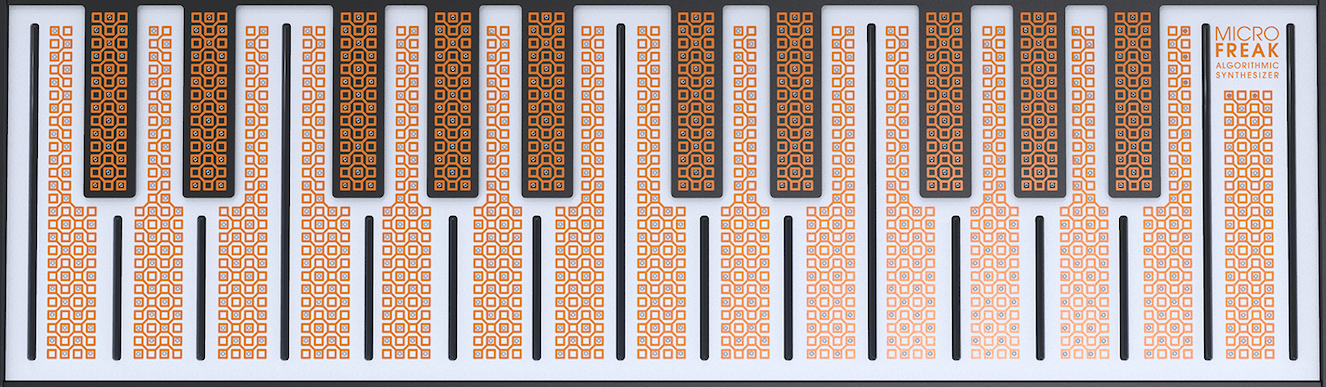
- The MicroFreak has 25 capacitive keys. Hundreds of copper-colored dots on the surface register touch as either aftertouch or velocity, according to the Utility setting at Preset → Press.
- The Touch Capacitive Keyboard
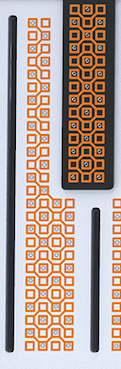
- A Key in Close-Up
- A capacitive keyboard makes the player part of its electrical circuit. Changing how much skin touches a key changes its resistance and the pressure signal it sends. Finger contact alone can reach about 30% of the pressure range; pressing more of the finger onto the key can reach 100%. This touch response helps make the MicroFreak a performance instrument.
Note/Info Very dry skin can make the keyboard respond poorly. Moisturizer or staying hydrated may help. Never put liquid on the MicroFreak.
- The keyboard sends gate, pitch, and pressure signals. The Matrix can route these signals to any destination in its top row, and the outputs are also available on the back of the MicroFreak for modular gear or another synthesizer with voltage inputs.
- Tip: Clean the keyboard occasionally with a soft, damp cloth. Avoid abrasives that could damage its surface. A dirty keyboard may produce unexpected musical results.
10.3 Glide
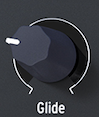
- The Glide knob controls how quickly pitch moves between notes. It smooths the abrupt pitch change from one key to another, with a time from off to about 10 seconds.
- The Glide Knob
- Glide appears in musical styles around the world. Indian vocal phrases and sitar string bends use it; in Western music, this kind of phrasing is called melisma.
Note/Info Utility settings can make the Glide knob use a fixed time, a beat-synced value, or a rate tied to the Arp/Seq rate.
- In Time mode, glide ranges from zero to 10 seconds. Synced mode offers 1/32T, 1/32, 1/16T, 1/16, 1/8T, 1/8, 1/4T, 1/4, 1/2T, 1/2, and 1/1. In Rate mode, the time to glide within an octave ranges from immediate at 0 ms to more gradual at 10 ms.
- Pressure can modulate Glide: set Glide as a Matrix destination and Pressure as the source, then adjust the Matrix attenuator. Different LFO waveforms produce different glide intensity and slope. With LFO Sync on, each note gets a different glide shape; changing the LFO rate changes the synchronized rate and the glide speed.
- Tip: The Sequencer's modulation tracks can also control Glide:
10.4 Octave Buttons
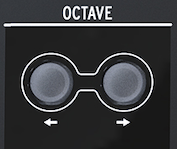
- The Octave buttons transpose the keyboard's output up or down by octaves.
- The Octave Buttons
- The buttons shift the pitch by up to three octaves in either direction. They blink faster as the shift moves farther from zero, reaching their fastest rate at -3 and +3 octaves. The two-octave keyboard can therefore cover an eight-octave pitch range.
Note/Info The octave shift is saved with the preset.
24 Linked References
Hierarchy
- MicrofreakUG10 Keyboard01 Gates and Triggers
- MicrofreakUG10 Keyboard02 Keyboard Responsiveness
- MicrofreakUG10 Keyboard02 Keyboard Responsiveness01 Using Responsiveness
- MicrofreakUG10 Keyboard03 Glide
- MicrofreakUG10 Keyboard03 GlideAsset01-The-Glide-Knobpng
- MicrofreakUG10 Keyboard04 Octave Buttons
- MicrofreakUG10 Keyboard04 Octave ButtonsAsset01-The-Octave-Buttonspng
- MicrofreakUG10 Keyboard05 LFO Speed Tutorial
- MicrofreakUG10 KeyboardAsset01-The-Touch-Capacitive-Keyboardpng
- MicrofreakUG10 KeyboardAsset02-A-Key-in-Close-Uppng