Making/Music/Log/26/10/26-Mon
- 2026-10-26 Mon
- Recorded GitP/A/Session/26/10/26-Mon.
00:15 — GitP recording situations
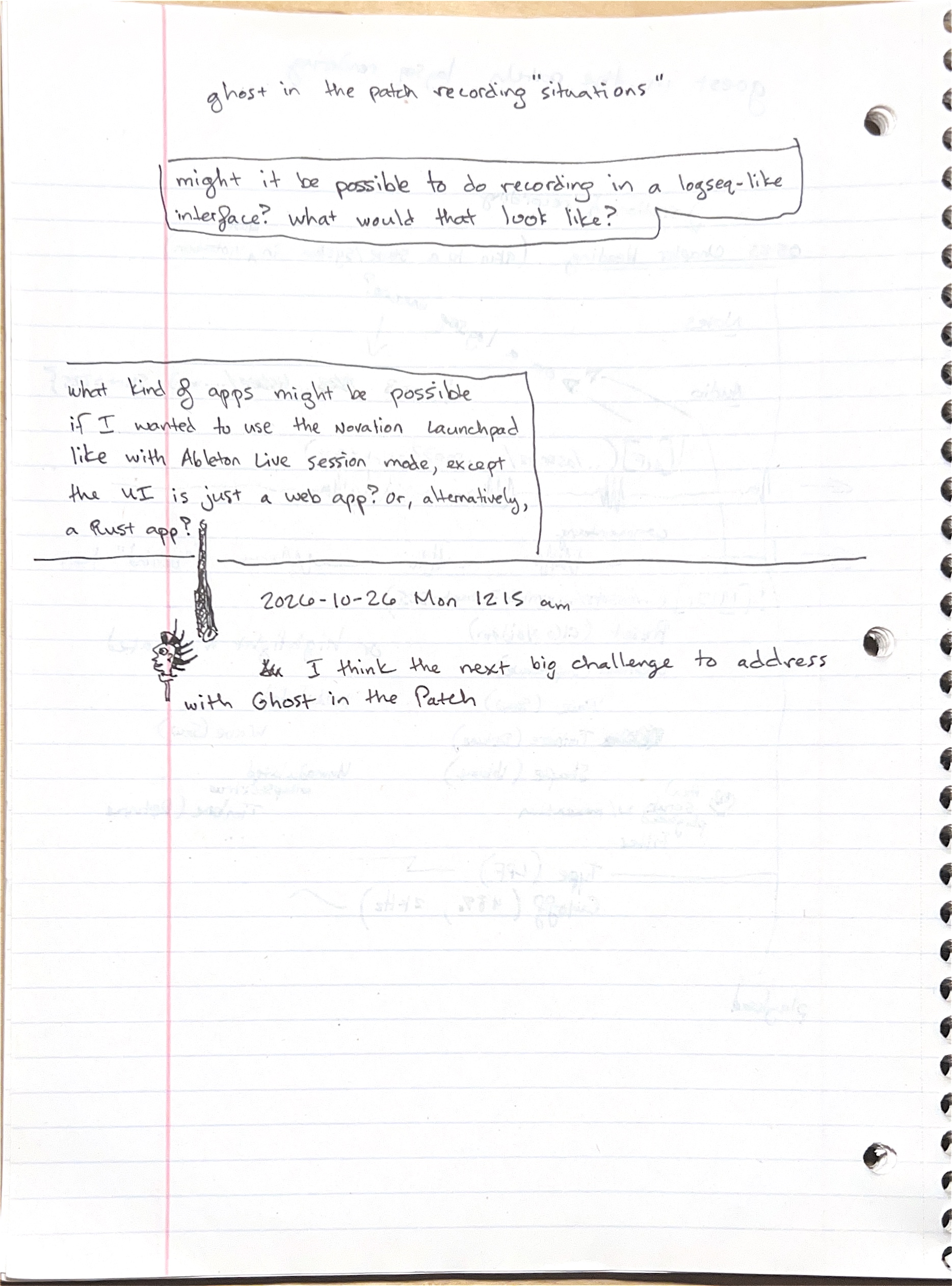
Transcription
- ghost in the patch recording "situations"
- (boxed) might it be possible to do recording in a logseq-like interface? what would that look like?
- (boxed) what kind of apps might be possible if I wanted to use the Novation Launchpad like with Ableton Live session mode, except the UI is just a web app? or, alternatively, a Rust app?
- 2026-10-26 Mon 1215 am
- I think the next big challenge to address with Ghost in the Patch
Diagram
- No diagram. Margin doodles: a face with spiky hair and a long hanging cord.
- Two questions about replacing Ableton/Live's Session View with a custom interface: recording inside an outline like Logseq, and driving a web or Rust app from the Novation/Launchpad/Pro/Mk3.
- The midnight entry breaks off mid-sentence; the todo pages that follow name the challenge: setup and teardown.
Ghost in the Patch todos — physical performance prep
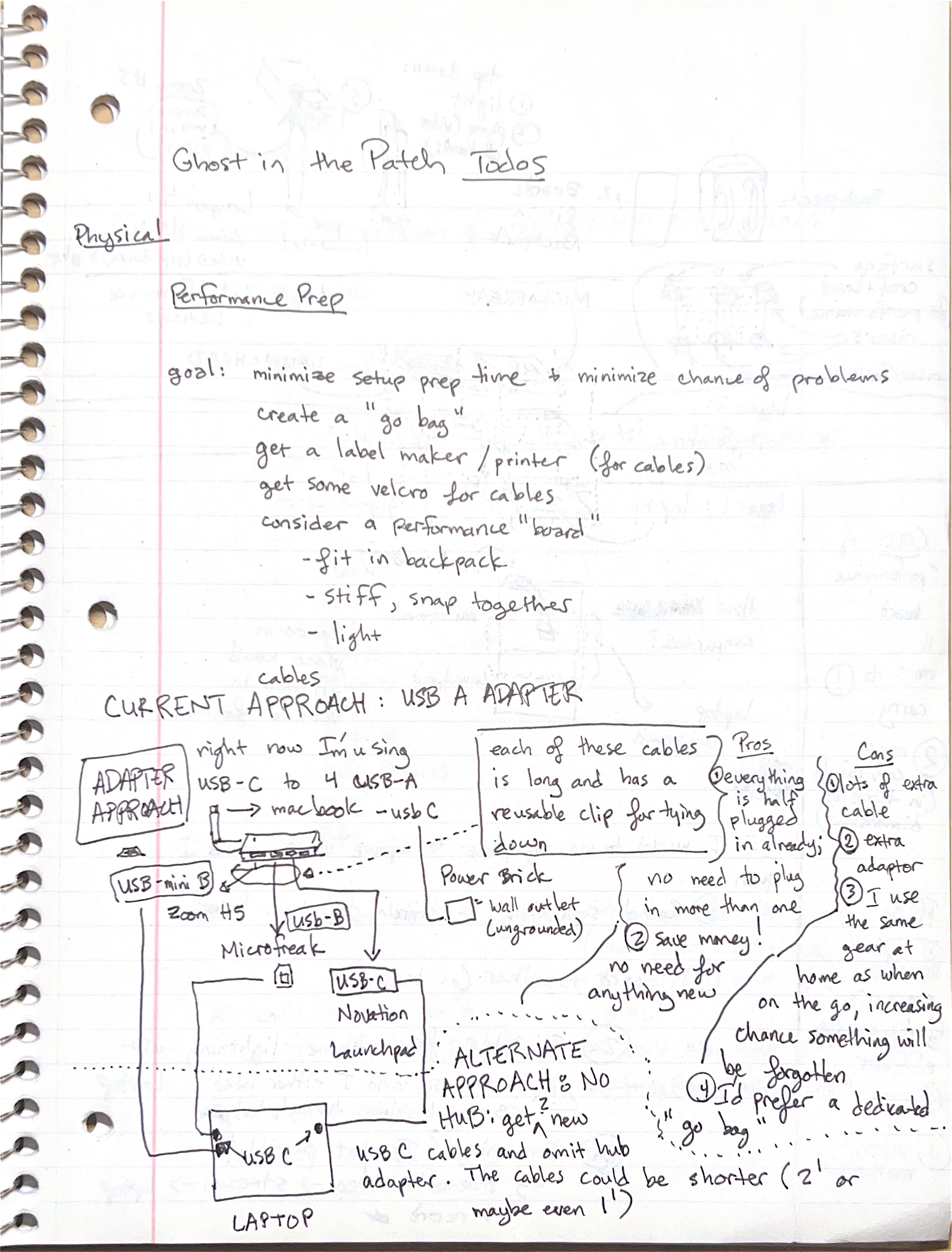
Transcription
- Ghost in the Patch Todos
- Physical — Performance Prep
- goal: minimize setup prep time + minimize chance of problems
- create a "go bag"
- get a label maker / printer (for cables)
- get some velcro for cables
- consider a performance "board"
- fit in backpack
- stiff, snap together
- light
- cables
- CURRENT APPROACH: USB A ADAPTER
- right now I'm using USB-C to 4 USB-A → macbook - usb C
- each of these cables is long and has a reusable clip for tying down
- Pros
- everything is half plugged in already; no need to plug in more than one
- save money! no need for anything new
- Cons
- lots of extra cable
- extra adaptor
- I use the same gear at home as when on the go, increasing chance something will be forgotten
- I'd prefer a dedicated "go bag"
- ALTERNATE APPROACH: NO HUB: get new USB C cables and omit hub adapter. The cables could be shorter (2' or maybe even 1')
Diagram
- "ADAPTER APPROACH": a USB-C hub with four USB-A ports feeds the LAPTOP over USB-C. From the hub run cables to the Zoom H5 (USB-mini B), the Microfreak (USB-B) and the Novation Launchpad (USB-C). A "Power Brick" plugs into a "wall outlet (ungrounded)".
- A dotted line splits the current hub approach from the alternate no-hub approach, drawn as a dotted cloud.
- The aim is faster, safer setup for portable sessions: a dedicated go bag, labelled and velcroed cables, and maybe a rigid board.
- The hub keeps everything half-plugged and costs nothing, but shares gear with the home setup. Short direct USB-C cables would drop the hub at the cost of buying new cables.
Performance board layers and phone video
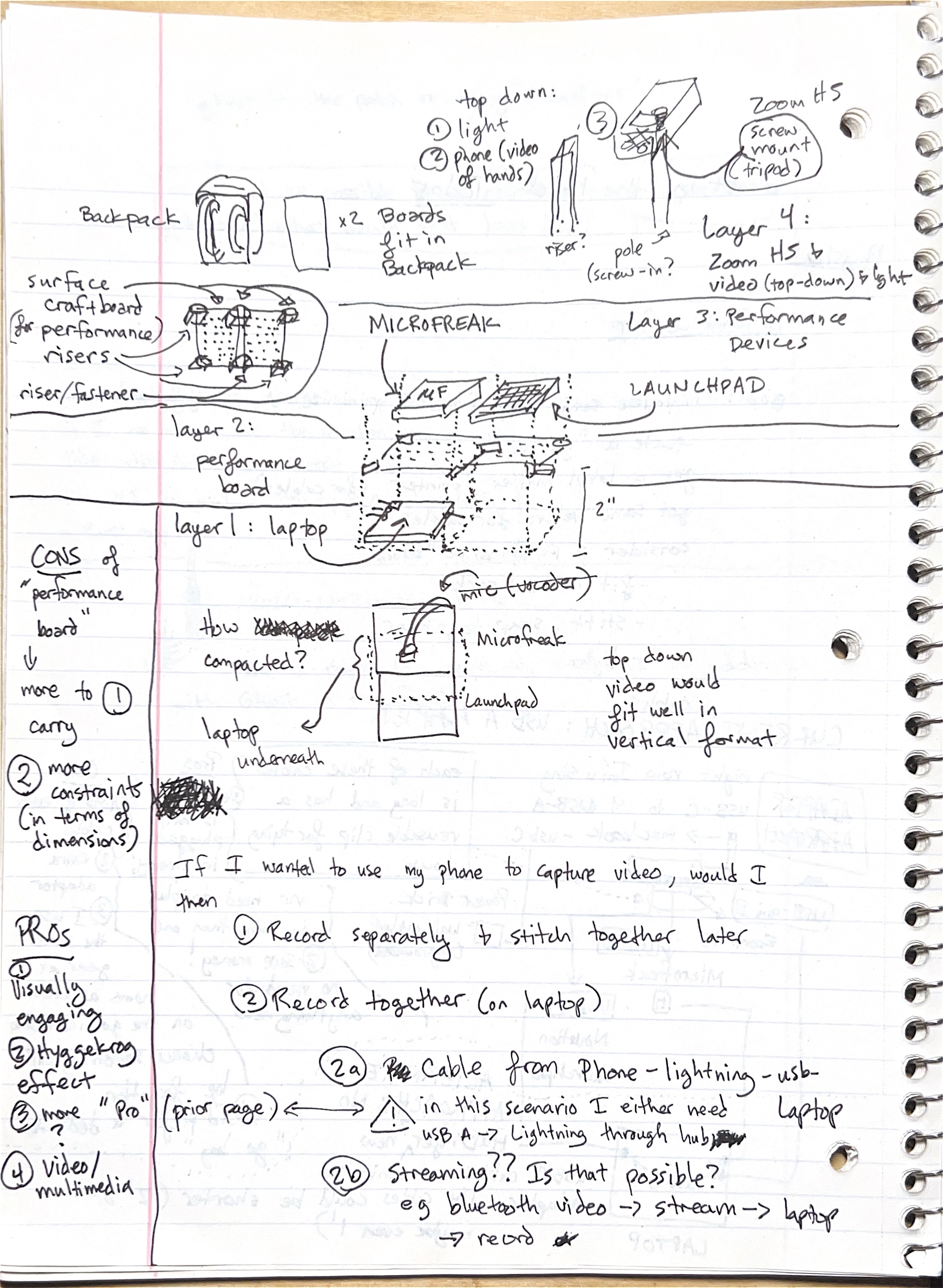
Diagram
- A backpack beside "x2 Boards fit in Backpack".
- A pegboard labelled "surface craft board (for performance)" with "risers" at the corners and a "riser/fastener".
- An exploded side view of four layers:
- "layer 1: laptop" at the bottom, with a 2" gap above it.
- "layer 2: performance board".
- "Layer 3: Performance Devices" — MICROFREAK and LAUNCHPAD side by side.
- "Layer 4: Zoom H5 & video (top-down) & light" — on a "pole (screw-in?)" or "riser?", with "top down: 1 light 2 phone (video of hands) 3" and "Zoom H5 screw mount (tripod)".
- A top view, "how compacted?": the MicroFreak above the Launchpad with the "laptop underneath" and a crossed-out "mic (vocoder)". Note: "top down video would fit well in vertical format".
Transcription
- CONS of "performance board"
- more to carry
- more constraints (in terms of dimensions)
- PROs
- visually engaging
- Hyggekrog effect
- more "pro"? (prior page)
- video / multimedia
- If I wanted to use my phone to capture video, would I then
- Record separately & stitch together later
- Record together (on laptop)
- 2a Cable from Phone - lightning - usb - Laptop. ⚠ in this scenario I either need USB A → Lightning through hub
- 2b Streaming?? Is that possible? eg bluetooth video → stream → laptop → record
- A stacked rig: laptop underneath, a pegboard on risers holding the MicroFreak and Launchpad, and a pole for the recorder, light and an overhead phone camera.
- It would look good on video but adds weight and size limits. Getting phone video onto the laptop is still open: record separately and sync later, cable it through the hub, or stream it.
Performance prep (digital)
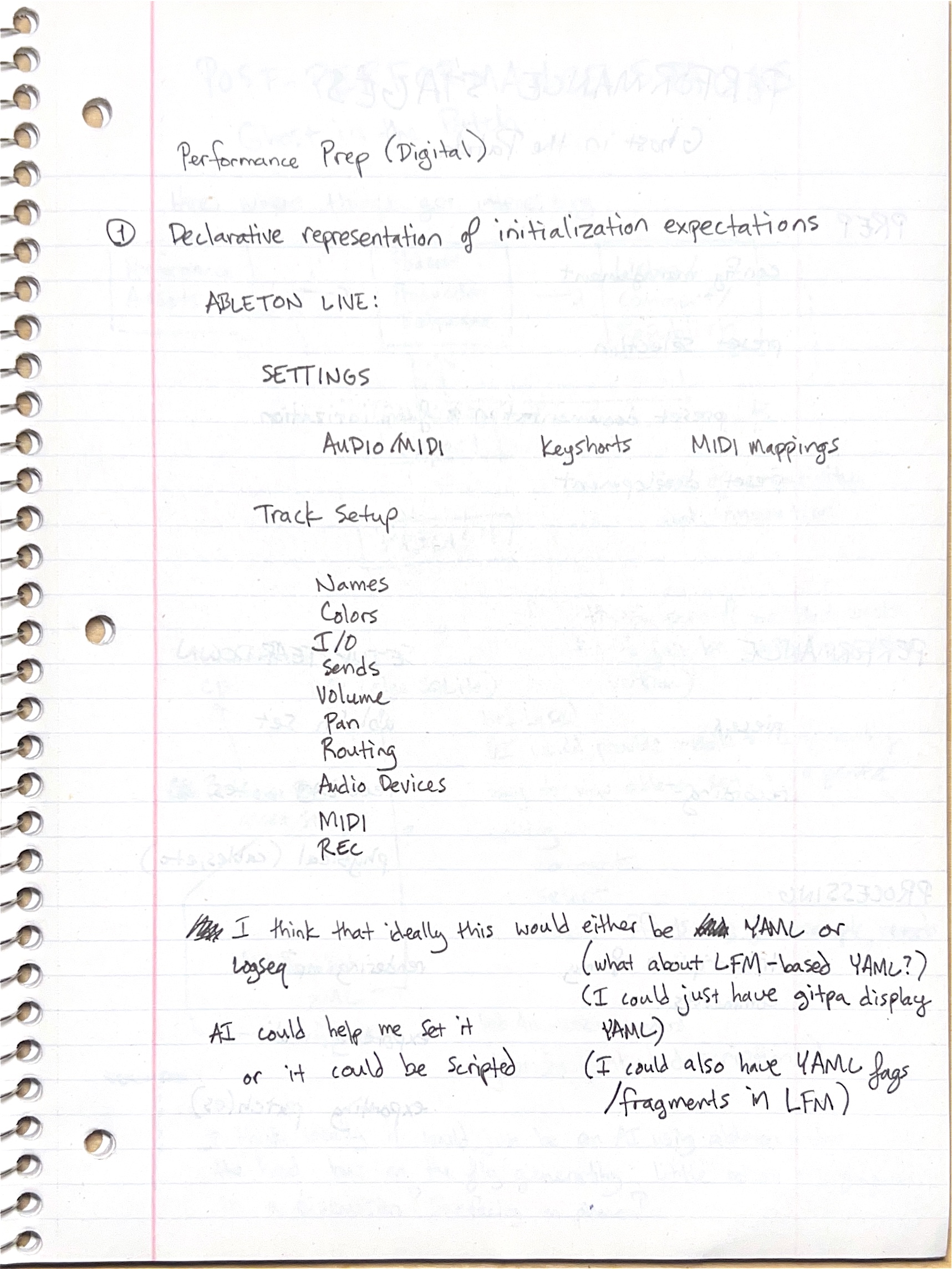
Transcription
- Performance Prep (Digital)
- 1 Declarative representation of initialization expectations
- ABLETON LIVE:
- SETTINGS: AUDIO/MIDI, Keyshorts, MIDI mappings
- Track Setup: Names, Colors, I/O, Sends, Volume, Pan, Routing, Audio Devices, MIDI, REC
- I think that ideally this would either be YAML or Logseq
- (what about LFM-based YAML?)
- (I could just have gitpa display YAML)
- (I could also have YAML frags / fragments in LFM)
- AI could help me set it or it could be scripted
- Describe the expected Ableton/Live state (settings, keyboard shortcuts, MIDI mappings and per-track setup) in a file that can be checked, so a session starts from a known setup.
- YAML or Logseq outlines are the candidates. GitP/mise/Task/ableton/sync already reads Live set state.
Ghost in the Patch performance stages
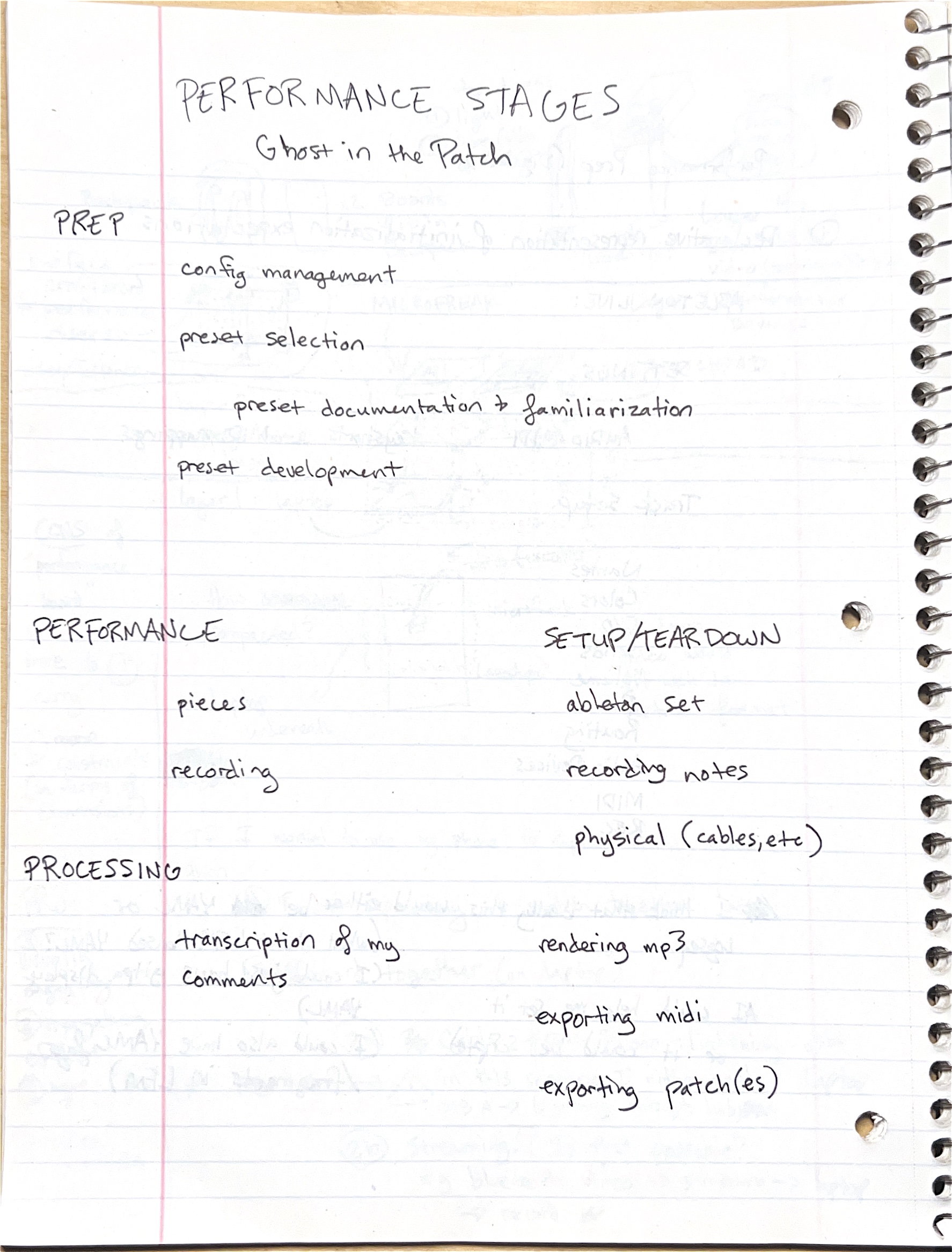
Transcription
- PERFORMANCE STAGES — Ghost in the Patch
- PREP
- config management
- preset selection
- preset documentation & familiarization
- preset development
- PERFORMANCE
- SETUP/TEAR DOWN
- ableton set
- recording notes
- physical (cables, etc)
- PROCESSING
- transcription of my comments
- rendering mp3
- exporting midi
- exporting patch(es)
- A GitP session falls into four stages: prep, performance, setup and teardown, and processing. Processing is the episode work that follows each recording: transcript, MP3, MIDI and presets.
Ghost in the Patch post-performance stages
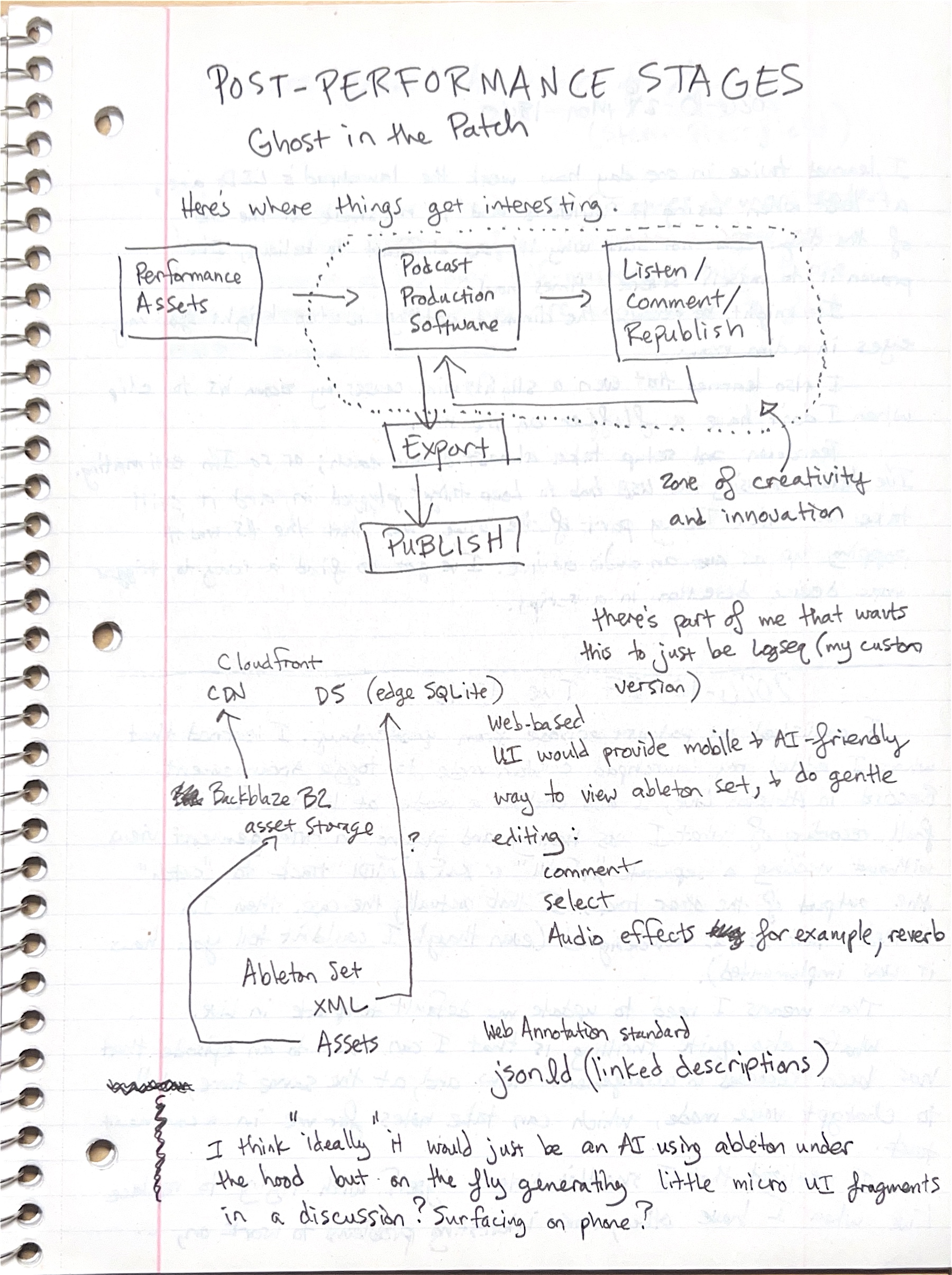
Diagram
- A flow chart: "Performance Assets" → "Podcast Production Software" → "Listen / Comment / Republish", which loops back to the production software. A dotted boundary around the production software and the listen loop is labelled "zone of creativity and innovation". Below, "Podcast Production Software" → "Export" → "PUBLISH".
- A second sketch: "Ableton Set / XML / Assets" sends assets to "Backblaze B2 asset storage", which feeds a "CloudFront CDN". The set XML also points, with a "?", to "DS (edge SQLite)".
Transcription
- POST-PERFORMANCE STAGES — Ghost in the Patch
- Here's where things get interesting.
- there's part of me that wants this to just be Logseq (my custom version)
- Web-based UI would provide mobile & AI-friendly way to view ableton set, & do gentle editing:
- comment
- select
- Audio effects for example, reverb
- Web Annotation standard
- jsonld (linked descriptions)
- I think "ideally" it would just be an AI using ableton under the hood but on the fly generating little micro UI fragments in a discussion? Surfacing on phone?
- After a performance, the interesting work is a listen–comment–republish loop over the recording, ahead of export and publishing.
- Storage would be Backblaze/B2 behind a CDN, with the Live set's XML indexed in an edge SQLite database, possibly Cloudflare D1. Comments could follow the W3C Web Annotation model in JSON-LD.
- The ideal is an AI driving Ableton/Live and generating small interface pieces inside a conversation, usable from a phone.
18:45 — Launchpad LEDs outdoors and setup time
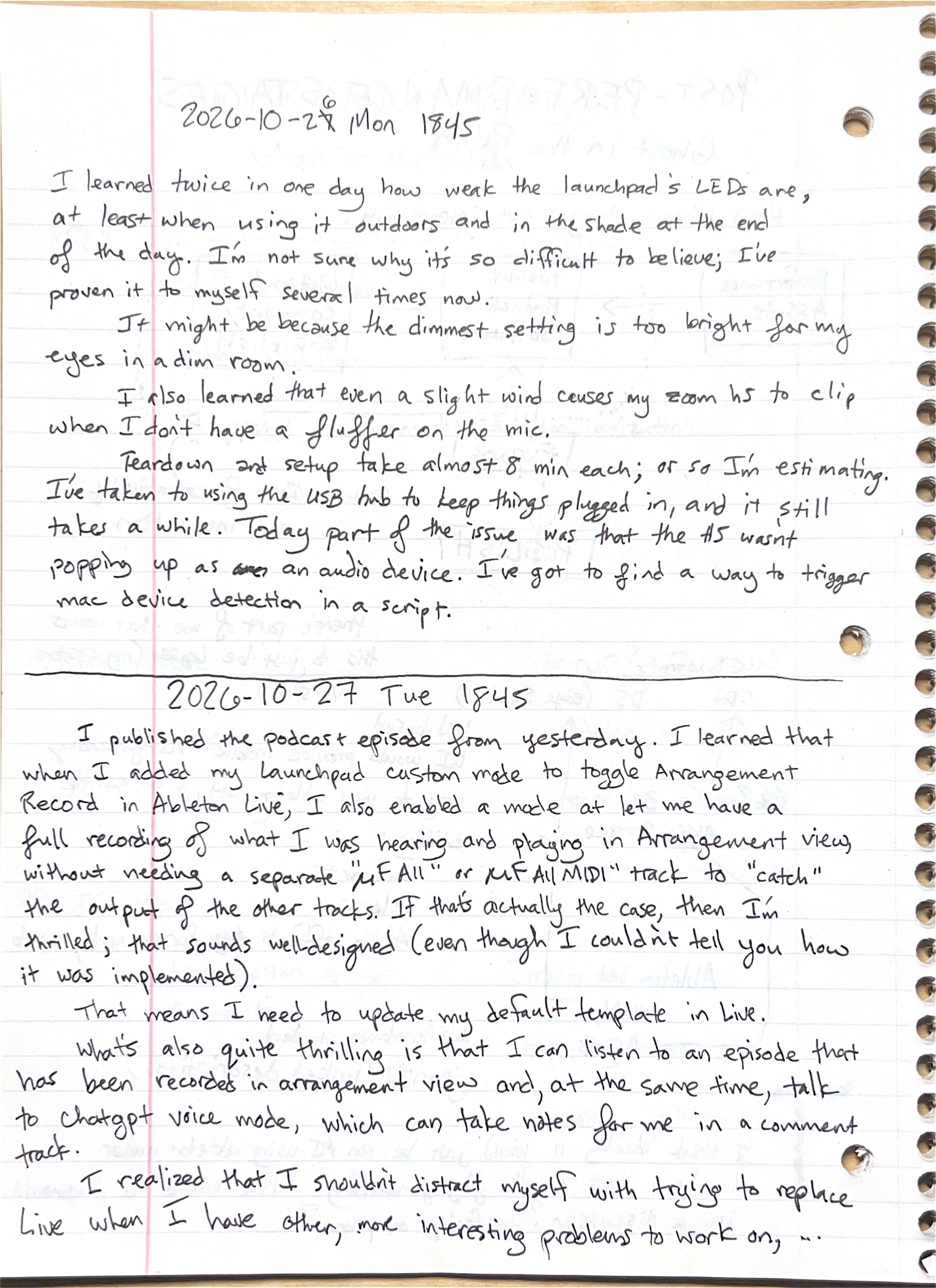
Transcription
- 2026-10-26 Mon 1845 (the 7 overwritten as 6)
- I learned twice in one day how weak the launchpad's LEDs are, at least when using it outdoors and in the shade at the end of the day. I'm not sure why it's so difficult to believe; I've proven it to myself several times now.
- It might be because the dimmest setting is too bright for my eyes in a dim room.
- I also learned that even a slight wind causes my zoom h5 to clip when I don't have a fluffer on the mic.
- Teardown and setup take almost 8 min each; or so I'm estimating. I've taken to using the USB hub to keep things plugged in, and it still takes a while. Today part of the issue was that the H5 wasn't popping up as an audio device. I've got to find a way to trigger mac device detection in a script.
- The 2026-10-27 entry on the lower half of this page is on Music/Making/Log/26/10/27 Tue.
- Outdoor sessions surfaced three problems: Novation/Launchpad/Pro/Mk3 LEDs are hard to see outdoors at dusk, the Zoom H5 clips in light wind without a windscreen, and setup and teardown take about 8 minutes each.
- The H5 not appearing as an audio device on the Mac cost time; a script that triggers device detection is the proposed fix.