Logseq/Flashcard
Usage
- To create a card:
- You can add either
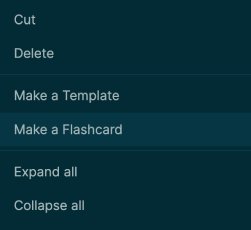
#card or [[card]] to any block to make it a card. - You can right click the bullet to "Make a Flashcard", which will add
#card to the end of the current block.
- To review all cards, click the "Flashcards" tab on the Left sidebar or press
t c (toggle cards) to review all of your cards - To review some of your cards e.g. only those related to Logseq:
- Use
/cards and Queries. - {{cards [[Logseq]]}} will be displayed as: - Add to or remove from favorites #card
- You can also show all cards except those tagged with a certain page.
{{cards (not [[Logseq]])}} will be displayed as: How to access Quick Access - menu bar and #Keyshort #card
- You can add your cards queries to the "Contents" page in the right sidebar for quick access.
Functionality
What's a "card"?
- It's just a block with either
#card or [[card]]. It can have some Clozes too.- For example, this block is a card:
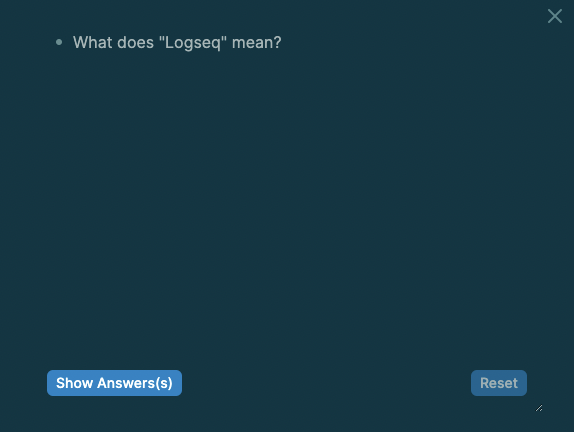
- What does "Logseq" mean? #card
- You can read it as "Log sequence" or "Logical sequence" (thank you Ed).
- If you right click the bullet and select "Preview Card", you'll see something like this:
- To review a queryable set of cards, the
/cards command is provided
Additional Links