Launchpad/UG/10 Setup/08 Bootloader Menu
10.8 Bootloader Menu
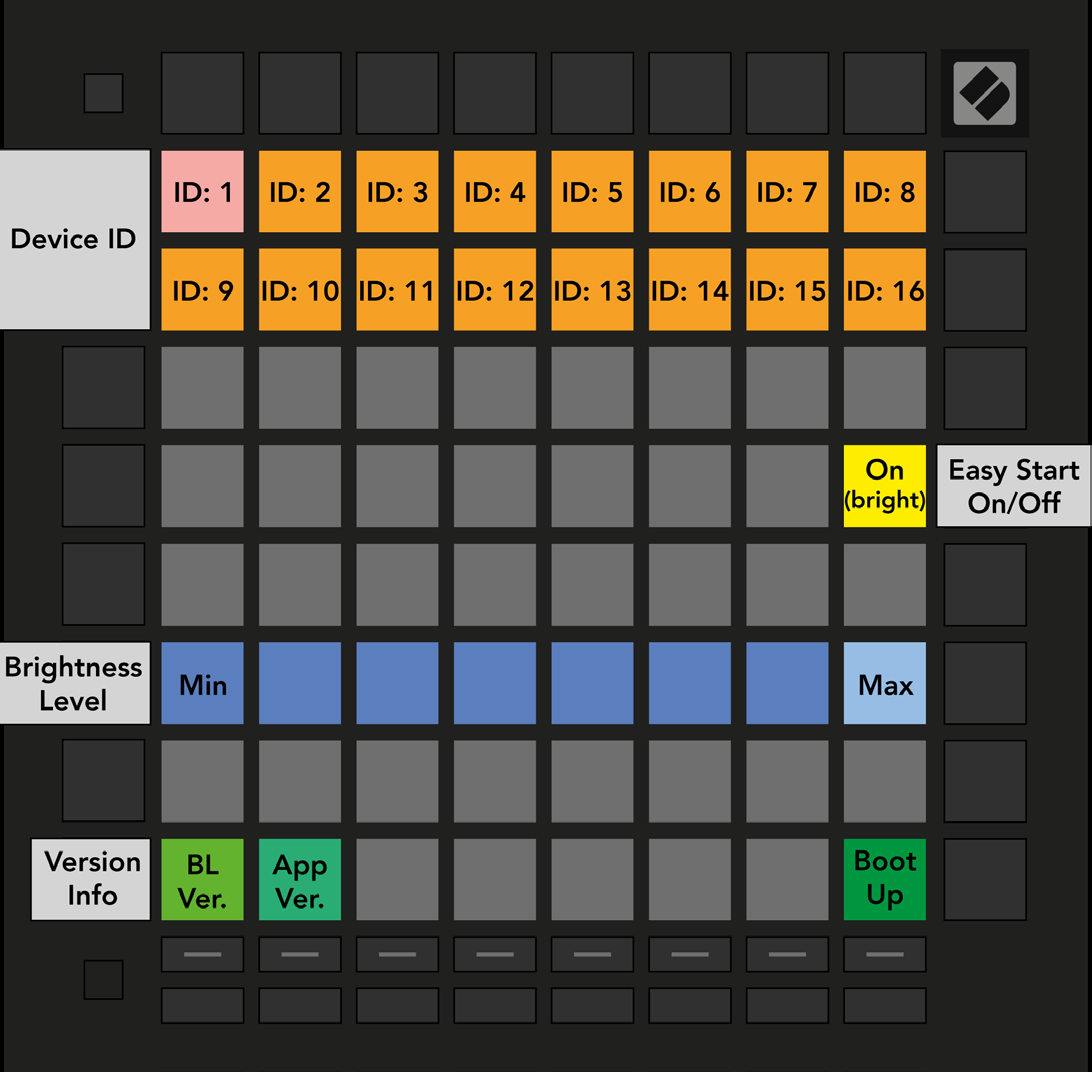
- Hold Setup while plugging in Launchpad Pro to open the bootloader menu.
- The eight-level brightness slider can lower power use when a USB host cannot supply enough power for a full-brightness startup. The bright white pad marks the active level.
- Bootloader Version and App Version show installed versions. Boot Up exits the menu and starts the controller normally.
- Set a different Device ID on each Launchpad Pro when using several with Live. Each unit then has an independent Session View outline.
- MSD Mode controls whether the device appears as a mass storage drive. It is on by default; the bright pad means enabled and the dim pad means disabled. The LAUNCHPAD drive contains a link to the Easy Start Tool.
- 10.8.A — Bootloader menu