Launchpad/UG/10 Setup/04 Aftertouch Settings
10.4 Aftertouch Settings
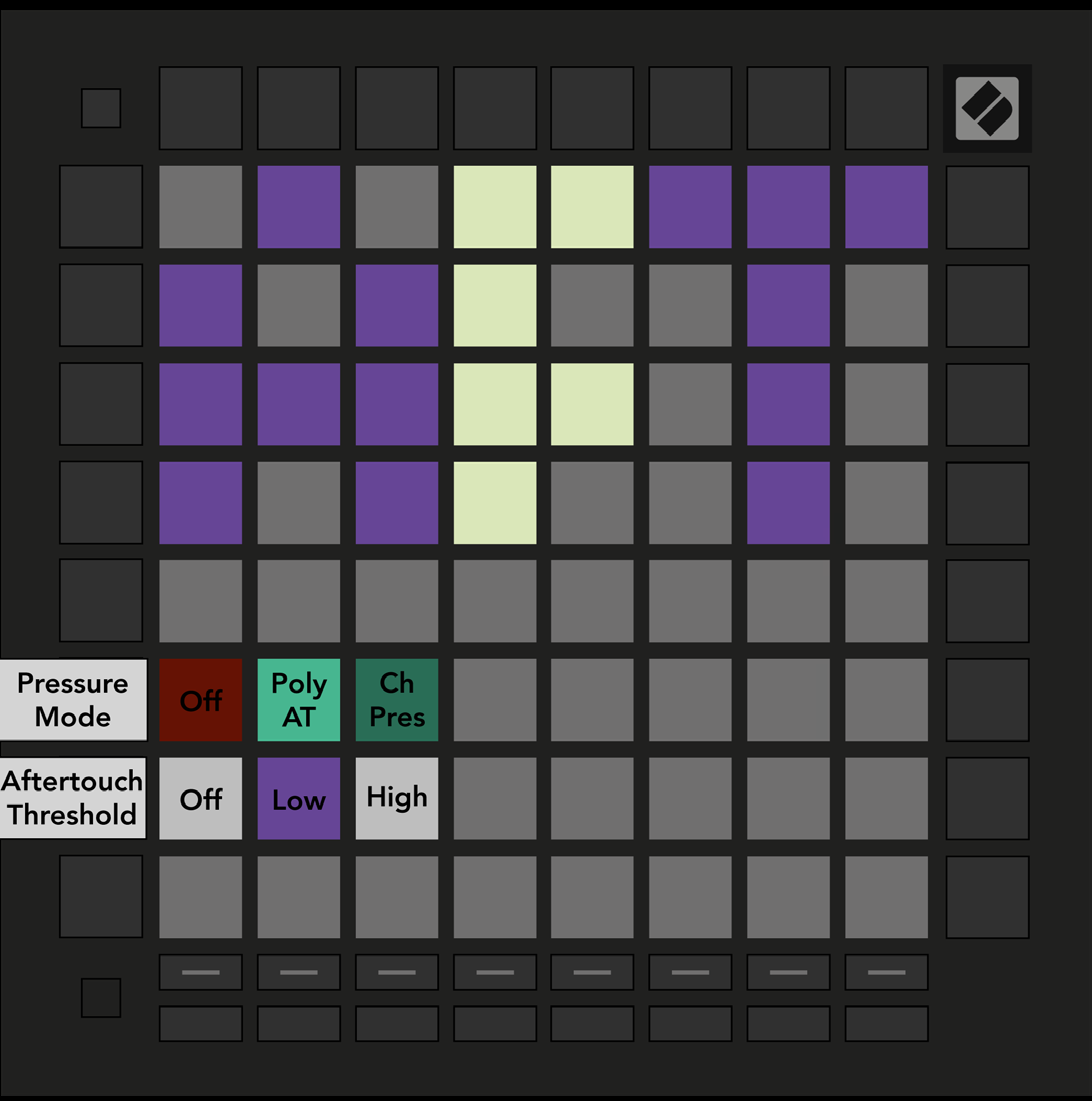
- Press the third Track Select button for AFT settings. Choose disabled pressure, Polyphonic Aftertouch, or Channel Pressure. The active choice is bright.
- Channel Pressure sends one value for all pads, using the greatest pressure on the grid. Polyphonic Aftertouch sends a separate value for each pad. The guide recommends Channel Pressure with Ableton Live, which does not support polyphonic aftertouch in the version it describes.
- Set the Aftertouch Threshold to Off, Low, or High. Off sends pressure from the start of a press; Low and High require increasing pressure before messages begin. This helps avoid engaging an assigned effect as soon as a pad is touched.
- 10.4.A — Aftertouch Settings view