Launchpad/UG/10 Setup/02 LED Settings
10.2 LED Settings
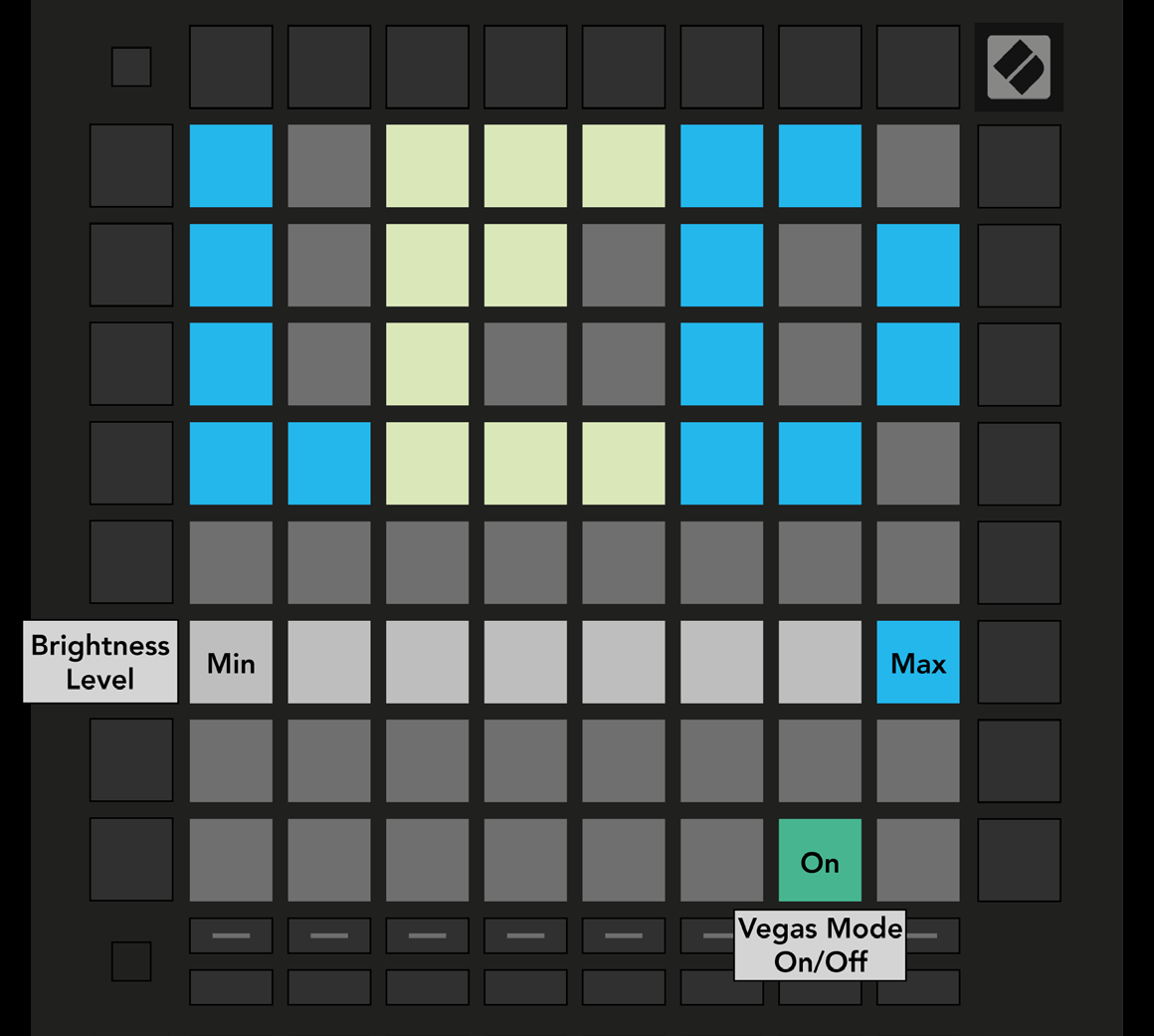
- Press the first Track Select button. Choose among eight brightness levels; the bright white pad marks the active level.
- Vegas Mode starts after five minutes without activity. Its toggle is green when enabled and red when disabled.
- 10.2.A — LED Settings view