Launchpad/UG/09 Sequencer/11 Print to Clip
9.11 Print to Clip
- Print to Clip transfers the selected sequencer track’s current Pattern or Pattern chain directly into an Ableton Live clip slot.
- Select a clip slot in Live, then press Print to Clip on Launchpad Pro. You can also select a slot from Launchpad Pro: open Session View, hold Shift, and press a grid pad.
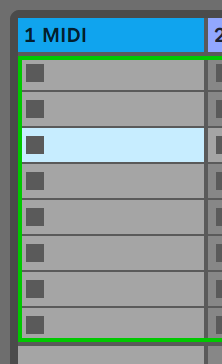
- Selected empty clip slot
- If the selected slot is empty, the Pattern becomes a clip there. If it is occupied, Live uses the next empty slot below, letting you print several variations without overwriting clips.
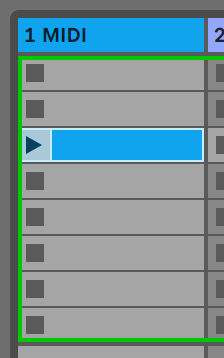
- Clip slot after Print to Clip
- In Patterns View, hold Print to Clip and press a pulsing track-select button to print that track’s selected Pattern or chain.
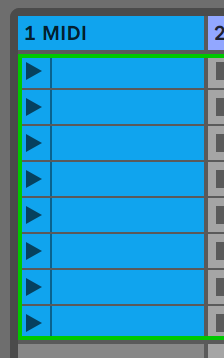
Note/Info Print to Clip works only while connected to Ableton Live. In Ableton Live Lite, the button goes dark when all eight clip slots in a track are full.
- Full Ableton Live Lite track