Launchpad/UG/09 Sequencer/07 Probability
9.7 Probability
- Probability lets individual notes sometimes skip a step, adding variation to a sequence.
9.7.1 Editing Step Probability
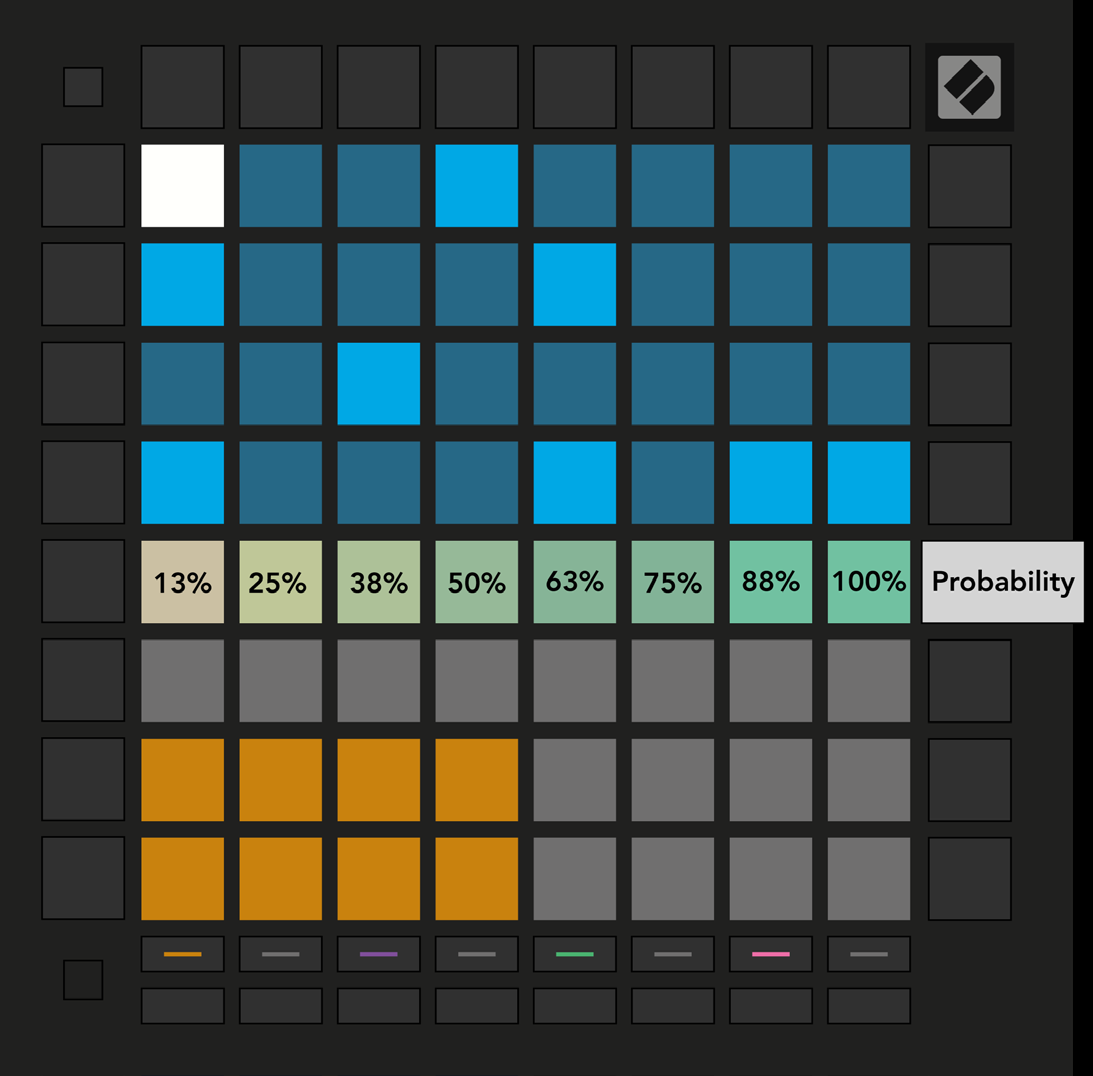
- Press Probability, then select a step in the top half of the grid. The top row of the Play Area shows the selected step’s probability on an eight-pad slider.
- The pads, from left to right, set the chance of a note playing to 13%, 25%, 38%, 50%, 63%, 75%, 88%, or 100%.
- Every note on a step shares one probability setting, but each note is evaluated independently. At 50%, a two-note step may play both notes, one note, or neither.
- Assigned or recorded notes default to 100%. Clearing a step, Pattern, or Project also resets its probability to 100%.
- Probability view
9.7.2 Printing Probability
- Launchpad/UG/09 Sequencer/11 Print to Clip resolves the probability of each step once when it transfers the Pattern to Ableton Live. Print the same Pattern repeatedly to capture repeatable variations in separate clips.