Launchpad/UG/09 Sequencer/05 Pattern Settings
9.5 Pattern Settings
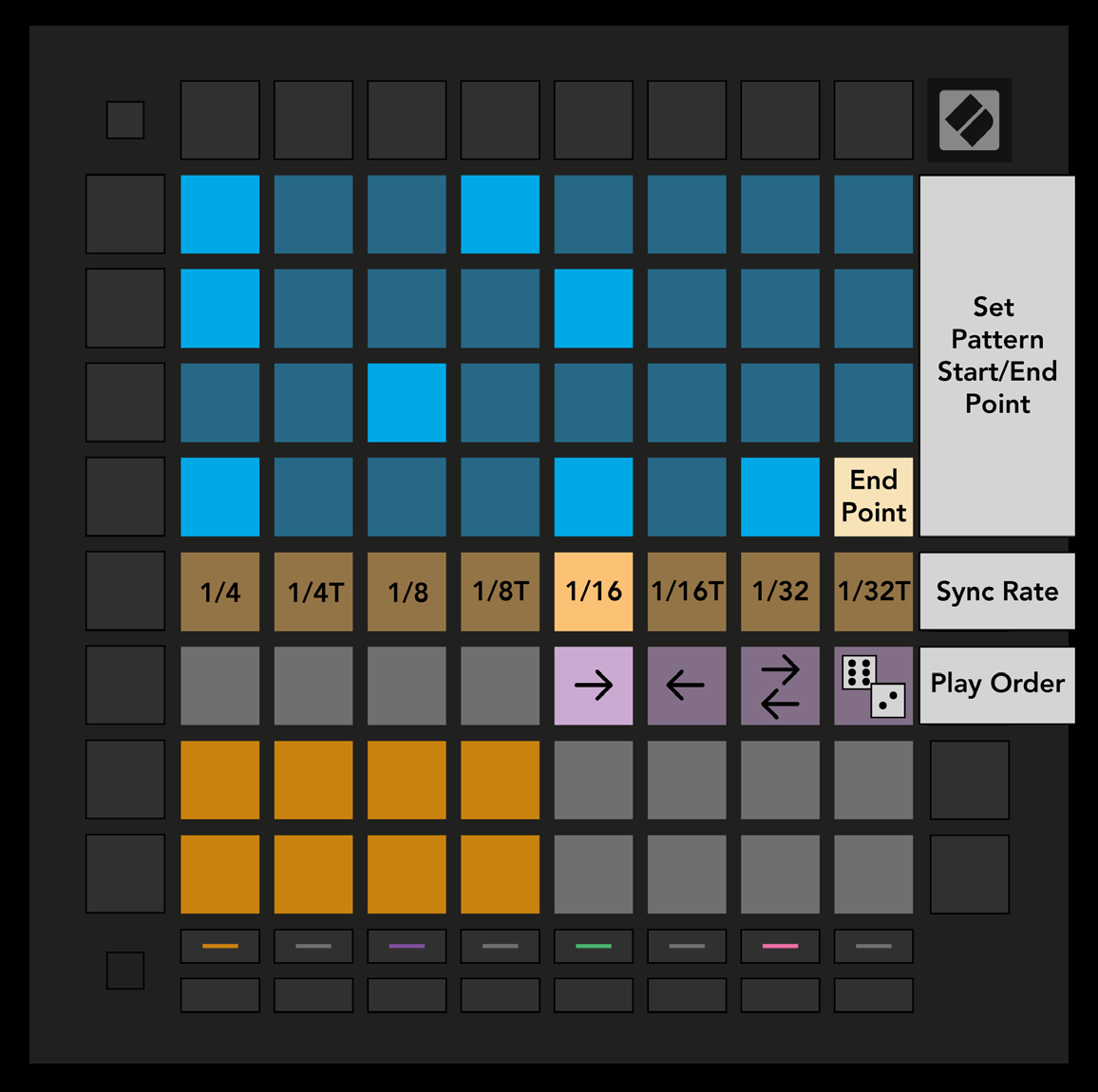
- Pattern Settings changes how steps play in the current Pattern. The top half of the Play Area becomes playback settings while this view is selected.
- Pattern Settings view
9.5.1 Pattern Sync Rate
- Eight peach pads set how long each step lasts relative to the current tempo: 1/4, 1/4T, 1/8, 1/8T, 1/16, 1/16T, 1/32, or 1/32T. T denotes a triplet.
- The default is 1/16, one sixteenth note per step. Faster rates give finer step resolution but shorten the Pattern’s total duration. Slower rates make longer Patterns with less timing detail.
9.5.2 Pattern Playback Direction
- Four pink pads select playback order from left to right:
- Forward: Play from the start step to the end step.
- Backward: Play from the end step to the start step.
- Ping-Pong: Alternate forward and backward. Both endpoint steps play twice, so the Pattern cycle doubles in length.
- Random: Choose each step anew during playback. A step may repeat any number of times in one cycle, but the cycle keeps its length when chained to other Patterns.
- Changes made during playback take effect at the end of the current Pattern cycle.
9.5.3 Pattern start and end points
- In Pattern Settings, press a step to set the Pattern’s end point; the selected end step lights peach.
- Hold Shift to display the start point in peach, then press a step while Shift is held to move the start point.
- Steps containing notes outside the selected range are dim red. Empty steps outside the range stay unlit.