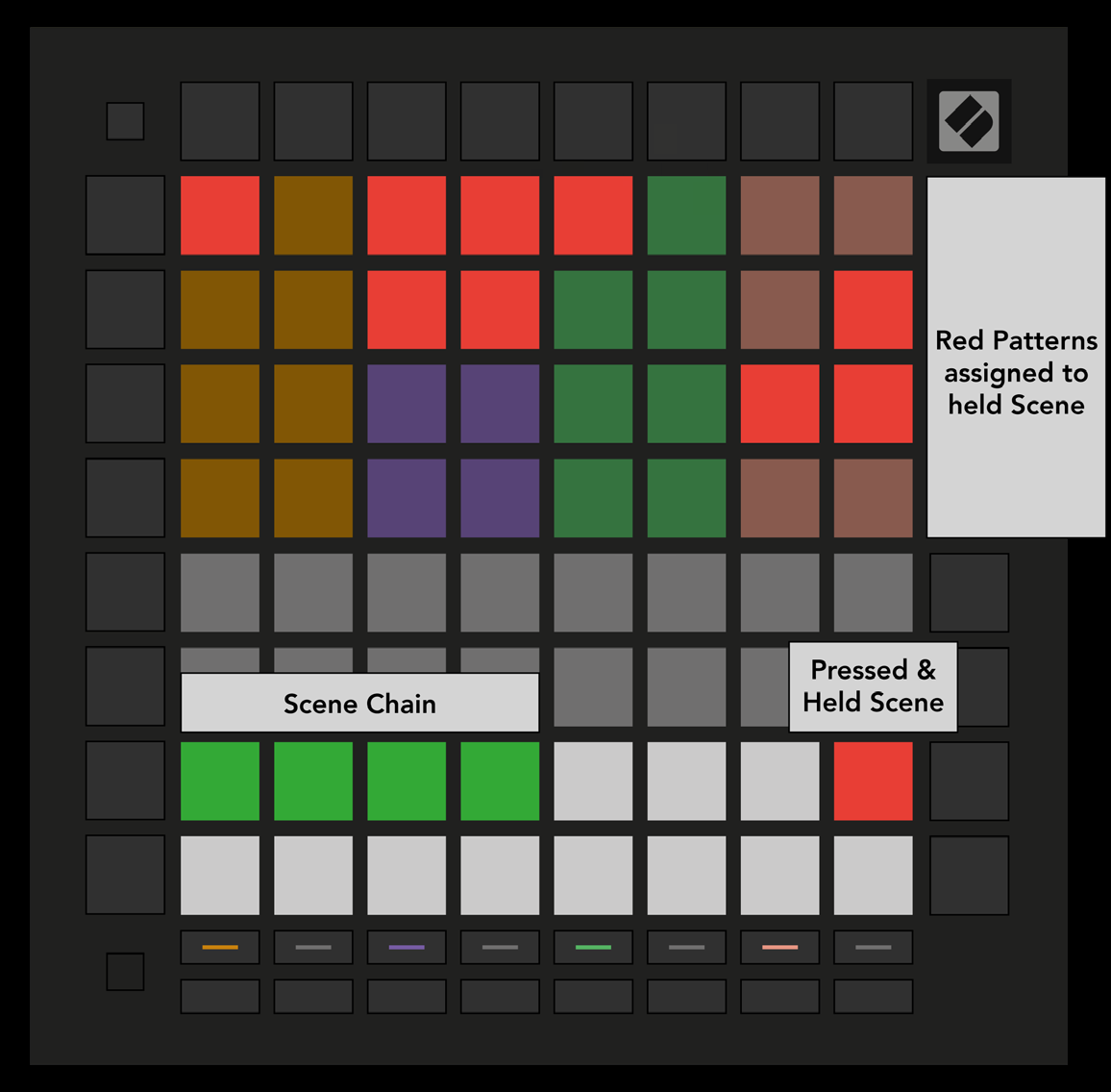
A Scene triggers Patterns across all four tracks with one press. The 16 white pads at the bottom of Patterns View represent Scenes. Scenes can also be chained into a longer song structure.
Press two Scenes together to set the start and end of a chain. When you press Play, the Scenes play in order. The sequencer advances after every track has completed its Pattern chain at least once.
During playback, select a Scene or Scene chain to queue it. The queued pads flash; after Track 1’s current Pattern ends, the new selection starts from the beginning without losing sync.
For an immediate switch, hold Shift and select a Scene or chain. The sequencer enters it at the point it would have reached if it had played since playback began.
Note/Info An instant switch can bring tracks back into time after queued switches between Scenes of different lengths.