Launchpad/UG/08 Custom Modes
8. Custom Modes
- Custom Modes turn the 8 × 8 grid into user-defined MIDI controls for software or hardware.
8.1 Overview
- Create, edit, download, and back up Custom Modes in Novation Components using a WebMIDI browser or its standalone application. Modes can be shared among Launchpad Mini Mk3, Launchpad X, and Launchpad Pro.
8.2 Default Custom Modes
- Press Custom, then use the white Track Select buttons to choose among eight stored modes. The active mode lights pale green.
- Custom 1: eight unipolar vertical faders, MIDI CC 7–14. Custom 2: eight bipolar horizontal faders, MIDI CC 15–22. Both can be mapped in a DAW.
- Custom 3: a fixed Drum Rack-style layout matching Note Mode’s grid shape; it does not follow the current Live Drum Rack. Custom 4: a chromatic keyboard layout with black and white notes.
- Custom 5 sends Program Changes 0–63; Custom 6 sends 64–127.
- Custom 7 is an unlit version of Custom 3 and matches the earlier Launchpad User 1 layout. Custom 8 is an unlit Programmer Mode-style layout and matches User 2. Incoming MIDI notes light pads in colors set by their velocities.
8.3 Custom Mode Master MIDI Channel
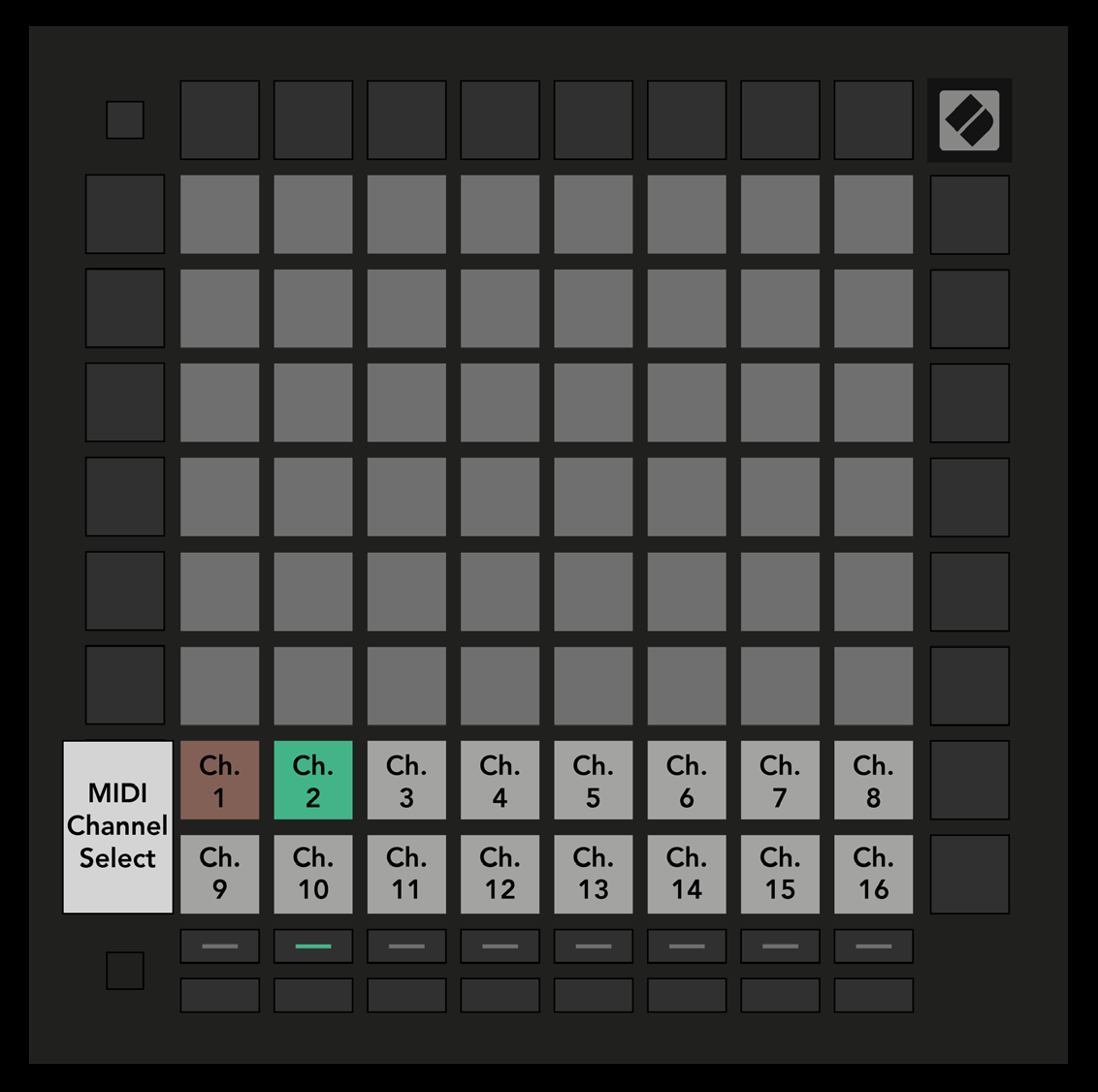
- Hold Shift and press Custom. The bottom two rows show MIDI channels 1–16 for the selected mode. Each Custom Mode has its own Master Channel.
- Select a mode with Track Select, then press its desired channel pad. The active mode and its channel glow green; channels stored for inactive modes show dim red.
- 8.3.A — Selecting a Custom Mode Master Channel
8.4 Setting Up a Custom Mode
- Connect Launchpad Pro and open Novation Components. Assign each grid pad a MIDI note, control change, or Program Change.
- A pad can toggle, trigger, or act momentarily. Momentary notes turn off on release; triggers send a defined CC value or Program Change. Entire rows or columns can act as horizontal or vertical unipolar or bipolar CC faders.
- Give each pad its own off color. One shared on color applies across a Custom Mode when pads are pressed or toggled. Combine notes, CCs, Program Changes, and faders on the same grid.
8.5 Lighting Pads with External MIDI
- Custom 7 and 8 start with their pads unlit. MIDI Note messages sent to Launchpad Pro light a pad determined by the note number; velocity selects its color from 127 RGB indices.
- Programmer Mode can also light all pads and buttons. The pad map and color indices are in Novation’s Programmer’s Reference Guide.