Launchpad/UG/07 Chord Mode
7. Chord Mode
- Chord Mode groups scale notes, ready-made triads, saved chords, and sustain on the grid. Its scale, root, and MIDI channel come from Launchpad/UG/06 Note Mode/04 Note Mode Settings.
7.1 Overview
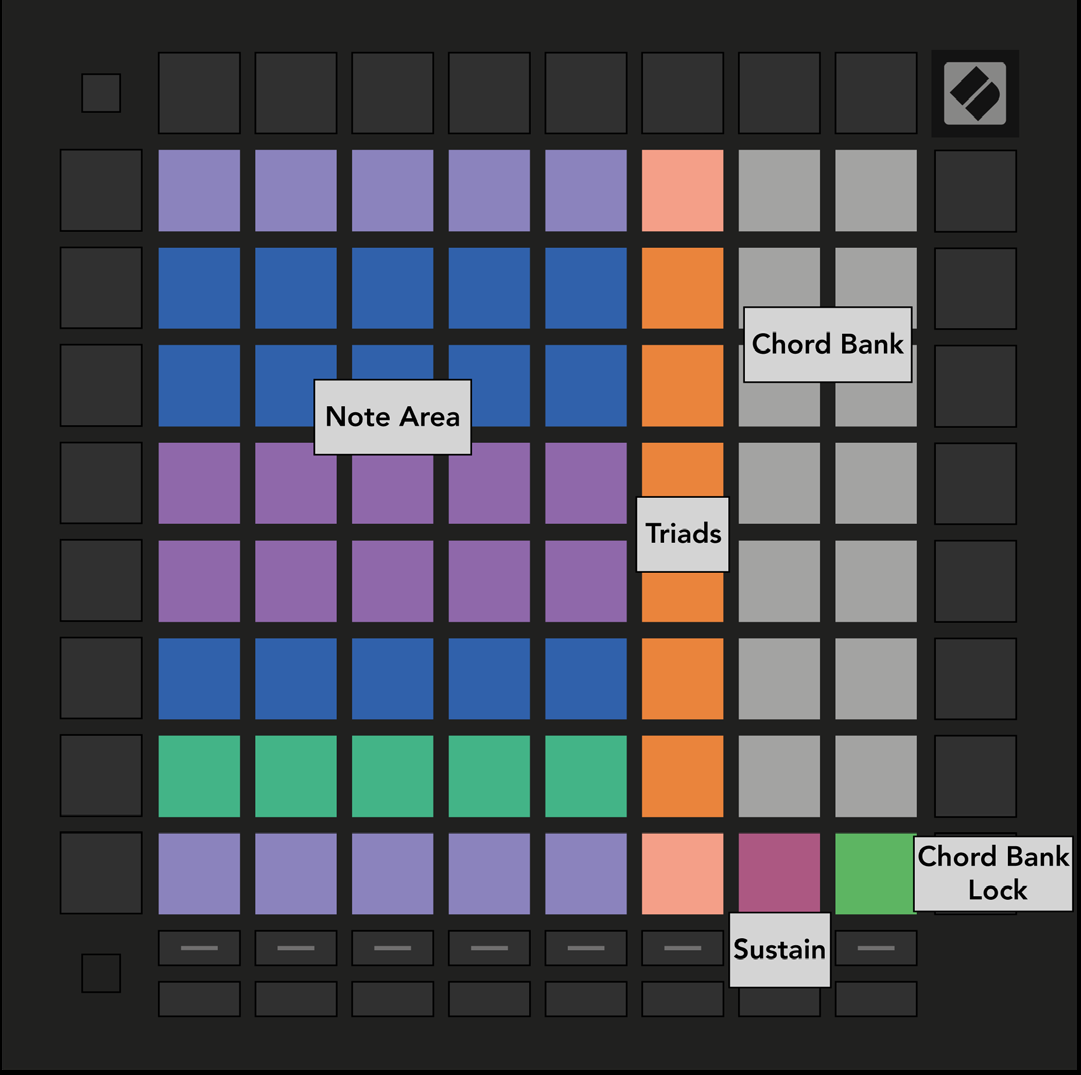
- The Chord layout divides the grid into a Note Area, an orange triad column, and a white Chord Bank. Sustain and Chord Bank Lock sit along the lower edge.
- 7.1.A — Chord Mode layout
7.2 Triads
- The orange column plays three-note chords, such as C–E–G for C major. Moving upward raises the root while keeping the chord tones within the viewed scale octave for compact voicing.
7.3 The Note Area
- The left column steps through the selected scale from bottom to top. Shorter scales reach their octave before the top pad.
- Each horizontal row offers chord tones. The three leftmost pads make a triad with its third raised an octave; the fourth adds a seventh, and the fifth adds a fifth raised an octave. Playing adjacent pads along one row makes it easy to hear related chords.
7.4 Saving Chords & Playing Them Back
- The fourteen white pads at the right form the Chord Bank. Hold an empty bank pad and play notes or triads to store a chord. You can also hold the notes first, then press the destination bank pad.
- Press an assigned bank pad to play its chord. Stored slots glow bright white; empty slots glow dim white.
- Press Chord Bank Lock in the lower-right corner to play stored chords and notes in the Note Area at the same time without changing assignments.
7.5 Sustain Control
- Press Sustain to hold played notes like a sustain pedal and build a chord gradually. Pressing a sustained note again retriggers it at the new velocity.