Launchpad/UG/03 Hardware Overview
3. Hardware Overview
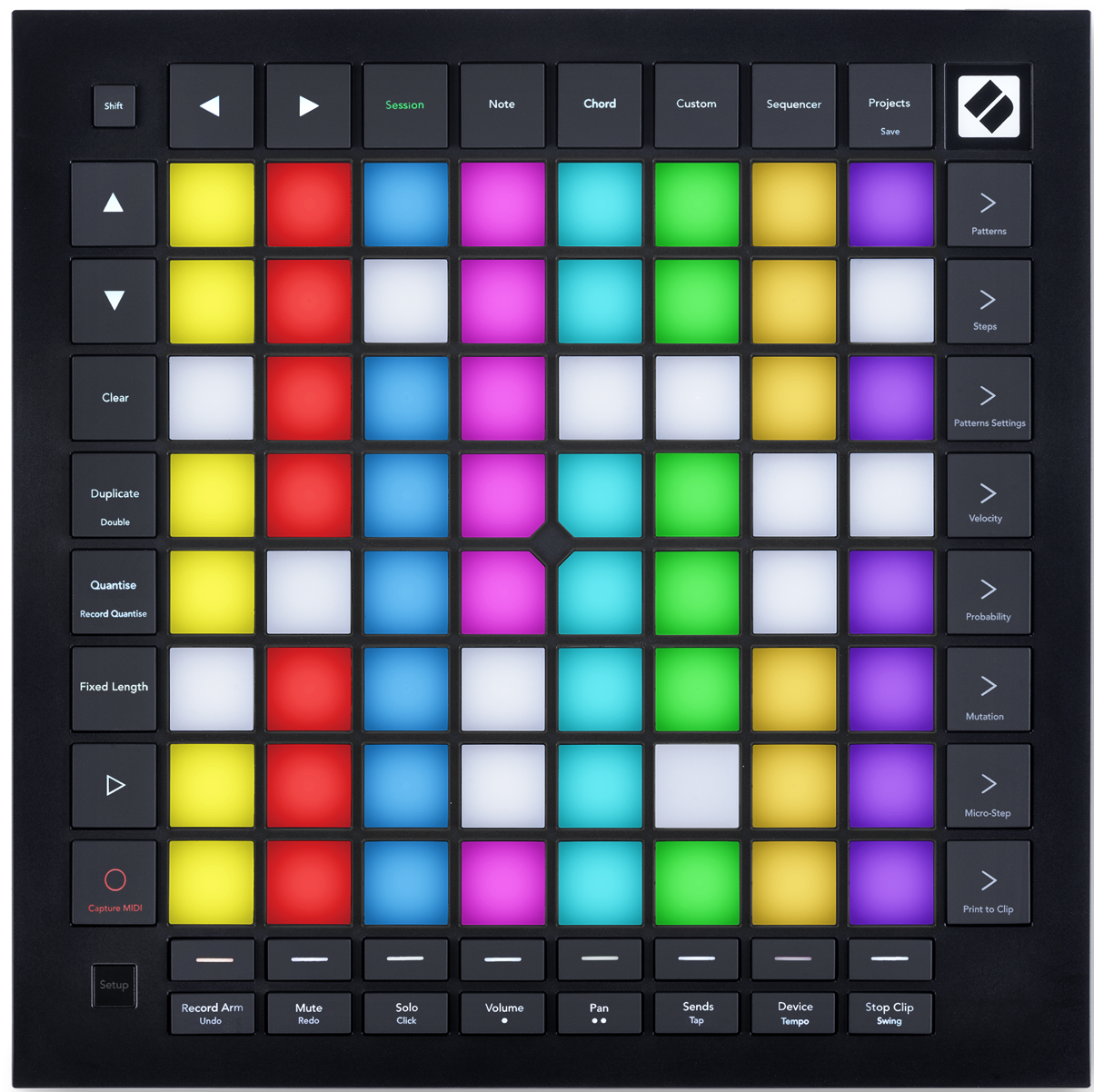
- Top controls
- Shift opens the secondary functions printed on buttons.
- Navigation buttons move through views.
- Session, Note, Chord, Custom, and Sequencer choose operating modes; Projects opens saved sequencer projects.
- Performance controls
- The 8×8 pad grid plays notes, launches clips, and edits sequences according to the active mode.
- Scene Launch and Sequencer buttons line the grid's right edge; track select and Ableton track controls sit below the grid.
- Play and Record/Capture MIDI sit to the left; Setup opens device settings.
- Connections
- USB-C supplies power and connects a computer.
- TRS minijacks provide MIDI In, Out 1, and Out 2/Thru.
- Launchpad Pro top panel
- Launchpad Pro rear connections