Launchpad/PRG/02 Bootloader
Bootloader
- Hold Setup while plugging in the Launchpad to enter the bootloader. Its settings are saved on the device.
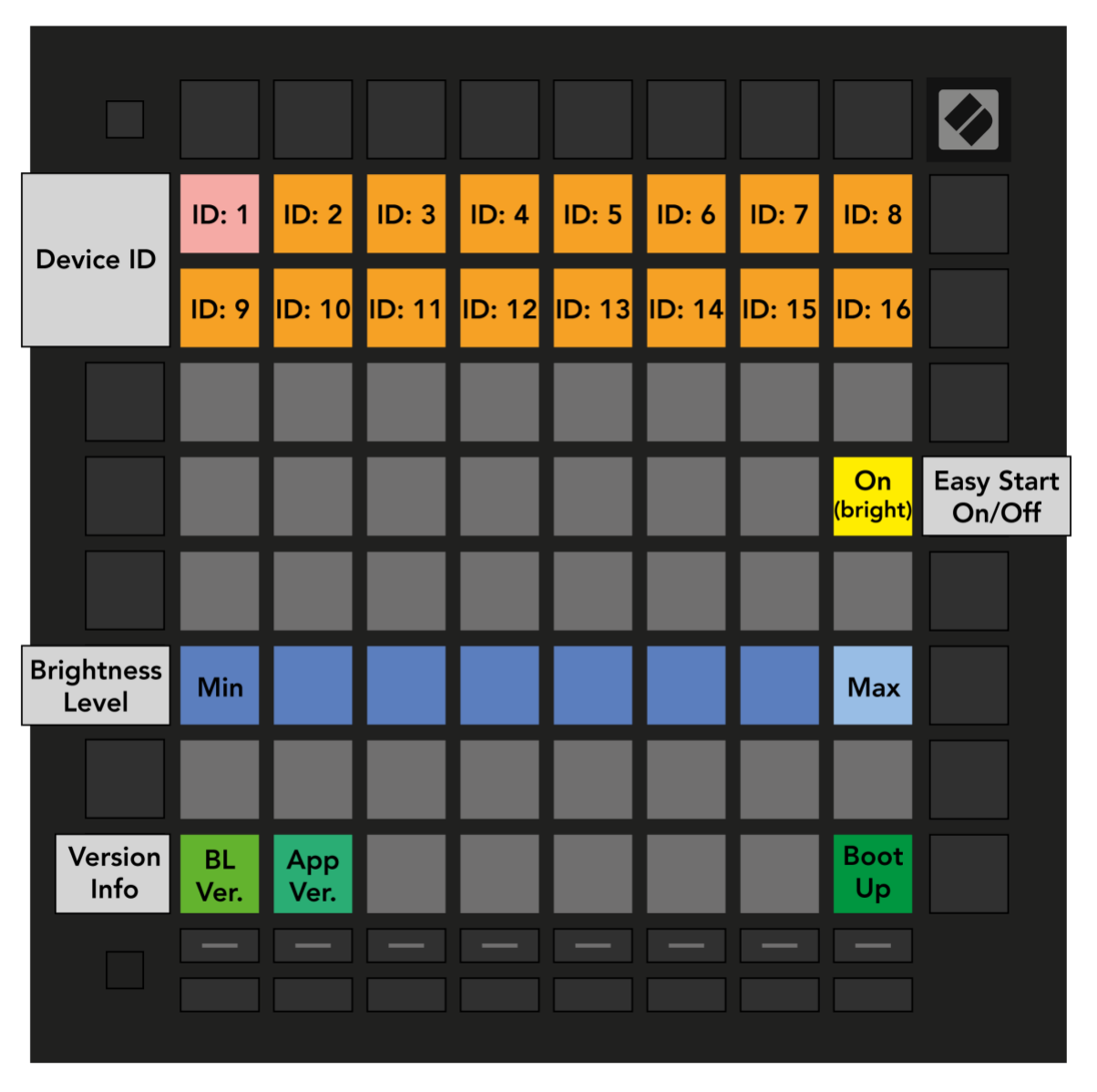
- Pad functions on the bootloader surface:
- Top two rows of pads: USB device ID 1-16. The selected ID is lit brightly; the factory default is 1. Give each Launchpad Pro [MK3] on the same USB a different ID.
- Yellow pad, middle right: Easy Start (Onboarding) on or off. When on, the Launchpad also appears as a Mass Storage Device for first-time setup.
- Blue row: LED brightness, also adjustable from the Setup menu in normal operation.
- Green pads, bottom left: show the bootloader version and the application version.
- Green pad, bottom right: boot the application.
- Bootloader surface
- The User Guide covers the same menu in Launchpad/UG/10 Setup/08 Bootloader Menu.