Ableton/Live/UG/33 Max for Live Devices/02 Max for Live Audio Effects/02 Envelope Follower
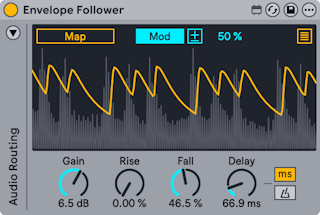
- A modulator that follows the level of the incoming audio and turns it into a smooth control curve. Auto-wah is the classic use.
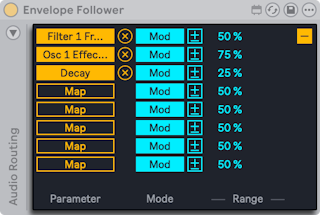
- Mapping, Mod, polarity and Min/Max work as described in Ableton/Live/UG/33 Max for Live Devices/02 Max for Live Audio Effects.
- Gain — input gain
- Rise and Fall — smooth the attack and release of the curve
- Delay — delays the curve, in time or synced divisions (Delay Mode buttons)
- Sidechain: by default the curve comes from the track's own input. The triangle at the top left opens the Audio Routing panel.
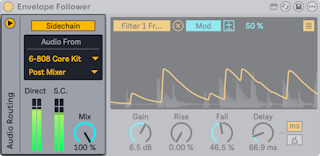
- turn on Sidechain, choose the source track in Audio From, and choose Pre FX, Post FX or Post Mixer (and a Rack channel if needed)
- Direct and S.C. meters show the track and sidechain levels
- Sidechain Mix — 0% uses only the track input, 100% only the sidechain; a Drum Rack as sidechain gives rhythmic ducking or gating