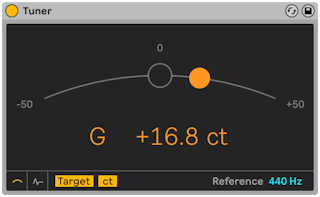
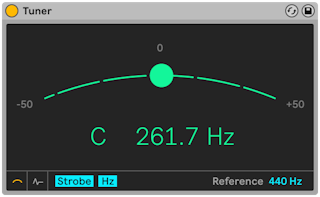
Ableton/Live/UG/29 Audio Effect Reference/39 Tuner
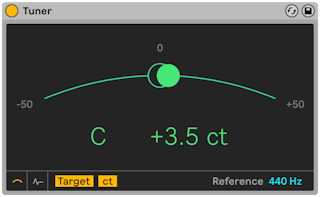
- Tuner shows the pitch of a monophonic input and how far it is from the nearest semitone. Its large display, modeled on guitar tuners, is readable on stage and suits tuning external instruments and synths.
- It measures only and never changes the sound. It works best on a clean, single-note signal; chords, noise or very rich harmonics can confuse it.
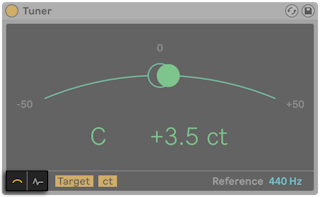
- Two buttons at the lower left switch between Classic View (like an analog tuner) and Histogram View (pitch over time). Green means in tune, red out of tune.
- The pitch is a colored ball on a curve, with the nearest note name in the middle; arrows beside the name show whether to tune up or down.
- Target Mode — a circle marks the target; the ball sits right of it when sharp and left when flat.
- Strobe Mode — the curve becomes a rotating band of lights, turning right when sharp and left when flat, faster the further off.
- Hertz/Cents — shows the frequency in Hz or the distance from the target in cents (also in Histogram View)
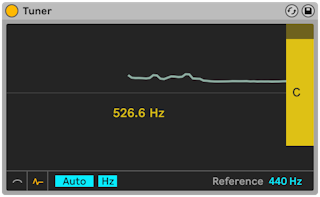
- Pitch is drawn over time. Note names run down the right side; gray bars mark the exact center of each note, with sharp notes above and flat notes below.
- Drag vertically to scroll and horizontally to zoom. Auto keeps the incoming pitch centered.
- Hertz/Cents — as in Classic View
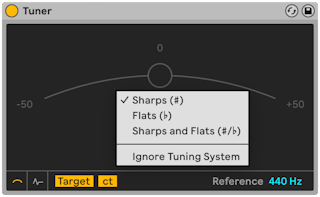
- Right-click the display to choose note names: Sharps (C#), Flats (D♭), or Sharps and Flats (C#/D♭).
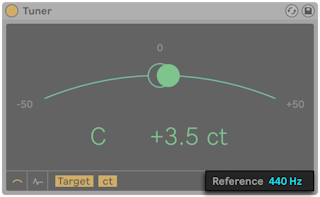
- Reference — the tuning reference, 440 Hz by default (standard concert pitch), adjustable from 410 to 480 Hz.