Ableton/Live/UG/29 Audio Effect Reference/36 Spectral Resonator
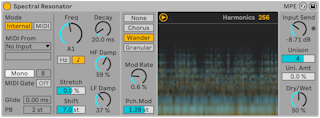
- Spectral Resonator adds tuned resonances to the input's spectrum, from short percussive ringing to long washes. Pitch comes from an internal setting or a MIDI sidechain, polyphonically with up to 16 voices, like a vocoder. Modulation modes add movement or break the sound into textures. It supports scale awareness and tuning systems.
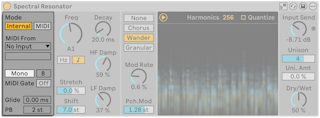
- Pitch modes: Internal (one fixed pitch) or MIDI (follows incoming notes).
- MIDI mode controls:
- External Source and Tapping Point — any MIDI track, before or after its MIDI effects. For a hardware controller, select it as a MIDI track's input and pick that track here.
- Mono/Poly — Poly accepts chords
- Polyphony — 2 to 16 voices
- MIDI Gate — on, it resonates only while notes are held, like an instrument; off, audio input still rings it without notes. Always on in Poly.
- Glide — ms between notes, Mono only
- PB — pitch bend range, 0–24 semitones. MPE is received too.
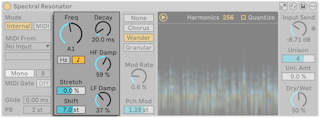
- Internal mode: Freq sets the pitch in Hz or as a note (Frequency Control Mode buttons). With Use Current Scale, it follows the clip's scale and Freq becomes SD Shift, transposing by scale degrees; with no scale active it uses the chromatic scale.
- MIDI mode: notes set the pitch; Transp. shifts them ±48 semitones, or becomes SD Shift (±28 scale degrees) with scale awareness.
- With a tuning system, Freq and Transp. use the tuning's note indices.
- Stretch — spacing of the harmonics; below 0% closer, above 0% wider. At 100% only odd harmonics remain, a square-wave sound.
- Shift — transposes the input's spectrum ±48 semitones before it reaches the resonator
- Decay — how long the resonances last
- HF Damp / LF Damp — damping of high and low partials; the ranges move with the current pitch
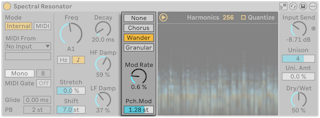
- Modulation mode for each harmonic's pitch and level:
- None
- Chorus — triangle modulation per partial; at Mod Rate 0 only levels move
- Wander — random sawtooth modulation per partial
- Granular — random decaying level envelopes; partials appear at irregular times, with density set by Mod Rate
- Mod Rate — modulation speed
- Pch. Mod — pitch modulation range in semitones; bipolar except in Granular
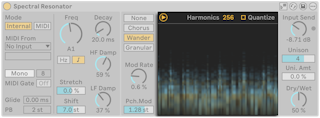
- The spectrogram shows dry (yellow) and wet (blue) frequencies over time, and can be hidden with the toggle at its top left.
- Harmonics — number of resonant harmonics; more is brighter and uses more CPU. In Poly they are shared among the voices.
- Quantize — snaps harmonics to the active scale or tuning, or to chromatic pitches if neither is active
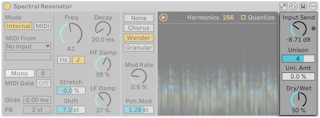
- Input Send — gain into the processing; a limiter prevents clipping, and its LED lights when it works
- Unison — number of detuned copies of the partials; Uni. Amt — detune amount. More voices thicken; more detune widens. In Wander and Granular each voice moves on its own.
- Dry/Wet — also changes how each signal shows in the spectrogram; 100% on a return track
- Pitched drum loops: put it on drums and drive specific pitches from the MIDI sidechain, so the drums match the bass line.
- Follow a melody: convert audio with Convert Harmony or Convert Melody to New MIDI Track (Ableton/Live/UG/13 Audio to MIDI) and route that track in.
- Reverb-like sound: low Freq, more Unison and Uni. Amt, Wander with low Mod Rate and Pch. Mod; Decay sets the tail.
- Vocoder-like: put it on a vocal and play it from the MIDI sidechain.
- Layers: two in series, each fed different MIDI.