Ableton/Live/UG/29 Audio Effect Reference/33 Roar/03 Modulation Section
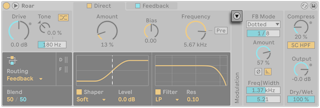
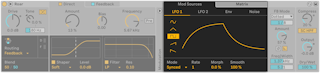
- The Modulation panel's toggle shows the Mod Sources and Matrix tabs.
- Sources, each with its own display:
- LFO 1 and LFO 2 — sine, triangle, square, up or down. Mode sets Free (Hz), Synced, Triplet, Dotted or Sixteenth; Rate, Morph (reshapes the wave) and Smooth (softens sudden changes).
- Env — envelope follower on Roar's input. Attack, Release, Envelope Hold (finish the attack before releasing), Threshold and Gain (sensitivity and strength), Frequency and Width (which band it listens to), and Envelope Input Listen. Example: follow the snare in a drum loop and push Dry/Wet or Shaper Amount on each hit.
- Noise — Simplex and Wander (smooth random, Simplex less regular; slow organic wandering at low rates), S & H (stepped random at the Noise Rate), Brown (filtered noise for a noise floor, crackle or hiss). Rate in Hz or synced, with smoothing.
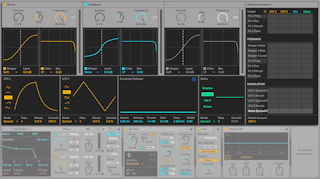
- Matrix — sources across, targets down. With the tab open, click a parameter to add it as a target, then drag a cell up or down to set the amount. Global Modulation Amount scales everything; X clears all modulation.
- The header toggle expands the matrix, showing all gain stages, sources and targets at once.
- Colored LEDs in the Modulation column show which sources are active.