Ableton/Live/UG/29 Audio Effect Reference/10 Corpus/05 Sidechain Parameters
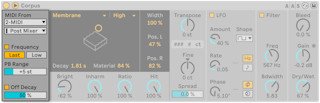

- The title bar button opens the sidechain, which lights while it is active. Its MIDI From choosers pick a MIDI track and tapping point.
- Frequency — incoming notes tune the resonance. Last/Low picks the last or the lowest held note; Transpose and Fine offset it; PB Range sets pitch bend range in semitones. With Frequency off, Tune sets a fixed frequency in Hz, shown with its MIDI note and cents below.
- Off Decay — Note Off damps the resonance; its slider sets how much. At 0% only Decay matters, like a marimba or glockenspiel; at 100% Note Off cuts the sound at once.